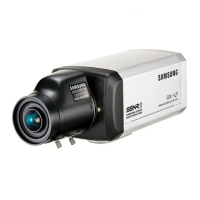
COLOR CCD CAMERA User’s Manual
31
COLOR CCD CAMERA User’s Manual
30
Press the Function Setup switch in the EXIT menu to save the current settings and exit the
SET menu.
LANGUAGE : You can select the menu language according to your requirements.
RESET : Resets the camera settings to the factory defaults. Communication status and
language is not initialized.
RETURN :
Select this to save the SPECIAL menu settings and return to the SPECIAL menu.
EXIT
If you have trouble operating your camera, refer to the following table. If the guidelines
do not enable you to solve the problem, contact an authorized technician.
• Nothing appears on the screen.
Check that the power cord and line connectionbetween the camera and monitor are
fixed properly.
Check that you have properly connected VIDEO cable to the camera VIDEO output jack.
• The image on the screen is dim.
Is lens stained with dirt? Clean your lens with soft, clean cloth.
Set the monitor to proper condition.
If the camera is exposed to too strong light, change the camera position.
• The image on the screen is dark.
Adjust the contrast feature of the monitor.
If you have an intermediate device, set the 75Ω / Hi-z properly.
• The camera is not working properly, and the surface of the camera is hot.
Check that you have properly connected the camera to an appropriate power source.
• The DAY/NIGHT menu does not work.
Check that AGC of EXPOSURE SETUP menu is ‘OFF’.
• The SENS-UP function does not work.
Check that AGC of EXPOSURE SETUP menu is ‘OFF’.
Check that SHUTTER of EXPOSURE SETUP menu is ‘A.FLK’ or ‘MANUAL’.
• The Motion Detection function does not work.
Check that MOTION DEF of SPECIAL SETUP menu is ‘OFF’.
• Color is not correct.
Check the setting of WHITE BAL SETUP menu .
• The screen flickers continually.
Check that direction of camera turns toward the Sun.
• RS-485 communication fails.
Check the polarity between RS-485 Control Port and RS-485 cable.
Check the RS-485 Communication establishment initial value
We recommend that you make ground connect between camera and controller in order
to maintain safety communication control.
Troubleshooting
485 Control Board Connection Port RS-485 Control Port
(+) CONNECTION TERMINAL (TRX+) 485+
(-) CONNECTION TERMINAL (TRX-) 485-
* RS-485 Communication establishment initial value
Item
Initial value
Camera ID BAUD RATE UART MODE PET PKT
19600 8-NONE-1 ENABLE
Operating Your Camera
Troubleshooting



 To Next Page