
 Need help?
Do you have a question about the Samsung SM-V510 and is the answer not in the manual?
Introduction to the Galaxy Home speaker and its core capabilities.
Important safety and usage guidelines before initial device operation.
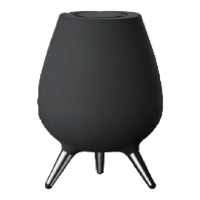
Overview of the speaker's physical components, ports, and touch panel.
Steps for initial setup, including attaching legs and connecting power.
Instructions for connecting the speaker to a Wi-Fi network.
Guide to downloading and setting up the required SmartThings application.
Step-by-step guide for completing the speaker's initial configuration.
How to use Bixby voice commands for various functions and information retrieval.
Accessing and managing alarms, timers, and reminders stored via Bixby.
Customizing Bixby language, notifications, and sound feedback.
Examples of Bixby commands for managing events, reminders, and schedules.
Registering and controlling IoT devices with Bixby and the SmartThings app.
Using Bixby for phone finding, weather, news, and calculations.
Methods for playing music through Bixby and supported streaming services.
Managing music with Bixby voice, touch panel, and SmartThings app.
Adjusting sound for optimal quality based on listening position.
Configuring multiple speakers for stereo or multi-room audio experiences.
Connecting the speaker to other devices wirelessly using Bluetooth.
Accessing registered product details, services, and custom commands.
Customizing Bixby language, notifications, and privacy preferences.
Managing Bluetooth, voice dialing, software updates, and device details.
Solutions for common problems like speaker not turning on or touch panel unresponsiveness.
Guidelines for cleaning, maintenance, and proper storage of the speaker.
Information on FCC, RF exposure, and IC warning statements.




 To Next Page
 General