
 Need help?
Do you have a question about the Samsung Sound+ SWA-9000S and is the answer not in the manual?
Explains symbols for high voltage, Class II product, AC/DC voltage, and caution.
Covers ventilation, placement, water exposure, and electrical load management.
Keep flames away; avoid rain/moisture to prevent fire and shock hazards.
Covers power supply, installation, heat, sunlight, condensation, and UK wiring.
Emphasizes reading instructions, water avoidance, cleaning, ventilation, and plug safety.
Covers power cord protection, accessory use, tip-over prevention, and professional servicing.
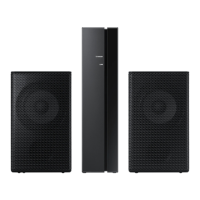
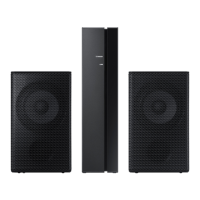
Lists all included accessories such as speakers, cables, and dongle.
Details weight, dimensions, operating environment, output, and frequency range.
Instructions for connecting surround speakers to the Wireless Receiver Module using cables.
Explains potential administration fees for service and general user notes.
Guides on plugging in the Wireless Receiver Module and checking the LINK LED.
Instructions for attaching the ferrite core to the soundbar power cord for RF interference.
Details inserting the wireless dongle into the Soundbar main unit for various mount types.
Steps for turning the Soundbar on and off using the remote or main unit.
Procedure to configure "ID SET" using the remote control for connection.
Checks if the LINK LED is solid blue, indicating a complete connection.
Provides actions based on LINK and STANDBY LED status for connection issues.
Lists specific Samsung Soundbar models that work with the SWA-9000S.
Advises on disabling surround sound when using wireless router or connecting SWA-9000S.
Instructions for proper disposal of electronic waste for household and business users.
Details warranty period, conditions, exclusions, and consumer rights.
Provides contact details and websites for Samsung customer support across Europe.
 General
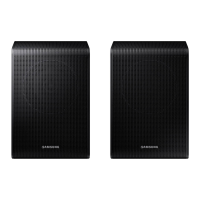
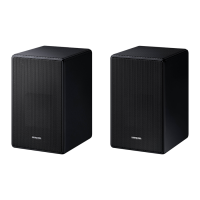
| Type | Wireless Rear Speaker Kit |
|---|---|
| Connectivity | Wireless |
| Dimensions (Rear Speaker) | 87.5 x 147 x 87.5 mm |
| Weight (Rear Speaker) | 0.6 kg |
| Dimensions (W x H x D) | 5.9 x 7.9 x 5.9 inches |
| Weight | 3.3 lbs each |




 To Next Page