EasyManua.ls Logo

Samsung SWA-8000S - User Manual

Samsung SWA-8000S
35 pages
Print Icon
To Next Page IconTo Next Page
Loading...
Wireless Audio - Soundbar
Imagine the possibilities
Thank you for purchasing this Samsung product.
To receive more complete service, please register your product at
www.samsung.com/register
User manual
HW-K370 / KM37 / KM37C
Wireless Subwoofer
(PS-WK360)
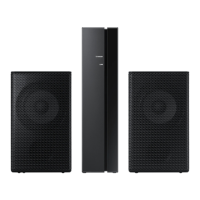
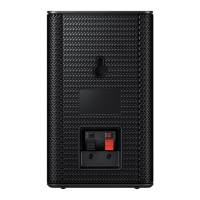
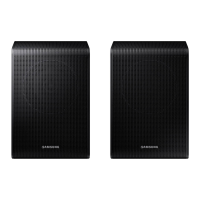
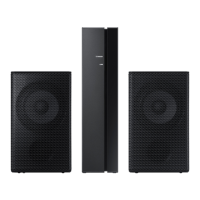
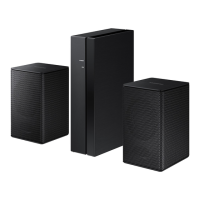
Wireless Receiver Module
(SWA-8000S)

Other manuals for Samsung SWA-8000S

Questions and Answers

  • J
    justin38Aug 18, 2025
    How to fix sound not working on Samsung Speaker System?
    • D
      Douglas SimpsonAug 18, 2025
      If no sound is coming from your Samsung Speaker System, ensure that the Mute function is off by pressing the (Mute) button. Also, check that the volume isn't set to the minimum and adjust it as needed.
  • L
    Latoya GarzaAug 21, 2025
    Why is there no sound coming from my Samsung Speaker System?
    • L
      Lucas HarrellAug 21, 2025
      If your Samsung Speaker System isn't producing sound, ensure that the Mute function is off by pressing the (Mute) button. Also, check that the volume isn't set to the minimum and adjust it accordingly.
  • E
    Edward JohnsonAug 23, 2025
    Why is my Samsung Speaker System remote control not working?
    • A
      andrea66Aug 23, 2025
      If the remote control for your Samsung Speaker System isn't working, first, replace the batteries with new ones. If that doesn't solve the problem, try moving closer to the main unit.
  • C
    crystal32Aug 26, 2025
    What to do if TV SoundConnect (TV pairing) failed on Samsung Speaker System?
    • R
      rebecca99Aug 26, 2025
      If the TV SoundConnect (TV pairing) failed on your Samsung Speaker System, first ensure that your TV supports TV SoundConnect, which is available on some Samsung TVs released from 2012. Then, update your TV with the latest firmware. If the problem persists, press and hold the p button for 5 seconds to reset the TV SoundConnect connection. If all else fails, contact the Samsung Call Center.
  • J
    Jason WrightAug 28, 2025
    What to do if the Samsung Speaker System remote control does not work?
    • K
      Katie ChavezAug 28, 2025
      If the remote control for your Samsung Speaker System isn't working, first, replace the batteries with new ones. If that doesn't solve the issue, try moving closer to the main unit.
  • K
    Kim CastilloAug 30, 2025
    How to fix Samsung Speaker System TV SoundConnect (TV pairing) failed?
    • E
      Emma PenaAug 30, 2025
      If the TV SoundConnect (TV pairing) failed on your Samsung Speaker System, first ensure your TV supports TV SoundConnect (available on some Samsung TVs released from 2012). Then, update your TV with the latest firmware. To reset the TV SoundConnect connection, press and hold the p button for 5 seconds and connect again.
  • J
    Joseph StarkSep 1, 2025
    What to do if a function does not work when the button is pressed on Samsung Speaker System?
    • N
      Nicholas WeeksSep 1, 2025
      If a function on your Samsung Speaker System isn't working when you press the button, it might be due to static electricity in the air. Disconnect the power plug and then reconnect it.
  • B
    Brett HarmonSep 3, 2025
    Why is there no sound coming from my Samsung SWA-8000S Speakers?
    • A
      Abigail EdwardsSep 3, 2025
      If your Samsung Speakers aren't producing sound, check if the Mute function is on or the volume is set to the minimum. To resolve this, press the (Mute) button to cancel the Mute function and adjust the volume to a suitable level.
  • M
    mitchellstephanieSep 6, 2025
    How to fix Samsung SWA-8000S Speakers TV SoundConnect pairing failed?
    • M
      mathew90Sep 6, 2025
      If TV SoundConnect (TV pairing) failed on your Samsung Speakers, it might be due to several reasons: your TV might not support TV SoundConnect (supported by some Samsung TVs released from 2012), your TV firmware might not be the latest version, or an error occurred during connection. Check if your TV supports TV SoundConnect and update your TV with the latest firmware. You can also try pressing and holding the p button for 5 seconds to reset the TV SoundConnect connection.
  • A
    austinjaredSep 8, 2025
    Why is the red LED blinking on my Samsung Speaker System subwoofer?
    • T
      Tammy MartinSep 8, 2025
      If the red LED on the subwoofer of your Samsung Speaker System is blinking and no sound is produced, it could mean that your subwoofer isn't connected to the main unit. Try to connect your subwoofer again. (See Page18)

Summary

GETTING STARTED

SAFETY INFORMATION

Essential safety warnings, cautions, and FCC compliance notes for user protection.

Important Safety Instructions

Detailed guidelines on safe operation, usage, and electrical precautions.

PRECAUTIONS

Precautions for installation, environmental factors, and battery handling.

DESCRIPTIONS

Sound Adjustment Controls

Features for adjusting sound settings like treble, bass, and audio sync.

INSTALLATION

Installing the Soundbar

Instructions and precautions for mounting the Soundbar on a wall.

CONNECTIONS

Connecting Subwoofer and SWA-8000 S (Automatic)

Automatic wireless linking process for subwoofer and receiver module.

FUNCTIONS

Software Update Procedure

Instructions for updating the Soundbar's firmware via USB.

TROUBLESHOOTING

Unit Not Turning On

Troubleshooting steps for power-related issues.

No Sound Production

Troubleshooting steps for audio output problems.

TV SoundConnect Pairing Failure

Troubleshooting TV connectivity and pairing errors.

Subwoofer Connection Issues

Resolving problems with subwoofer indicator lights and connection.

APPENDIX

SERVICE AND SUPPORT

Important Note About Service

Information on service fees, and recommended steps before contacting support.

WARRANTY

Samsung SWA-8000S Specifications

General IconGeneral
Product colorBlack
RMS rated power160 W
Recommended usageSpeaker set unit
Audio output channels2.0 channels
Speaker type2-way
Speaker positionBack
Speaker enclosureClosed
Speaker placement-
Package depth278 mm
Package width394 mm
Package height128 mm
Connectivity technologyWired & Wireless
Weight and Dimensions IconWeight and Dimensions
Width76.2 mm
Height126.9 mm

Related product manuals