
 Need help?
Do you have a question about the Samsung SWA-9200S and is the answer not in the manual?
General safety warnings to reduce the risk of electric shock and other hazards.
Essential precautions for safe and optimal operation of the product.
Details about the soundbar's front and top panels, indicator lights, and buttons.
Instructions for inserting batteries into the remote control.
Explanation of buttons and basic operations of the soundbar remote control.
Details on using sound control features like SpaceFit Sound, AVA, and Bluetooth pairing.
Guide to selecting sound modes and adjusting tone control for audio output.
Information on using hidden remote buttons and the Active Voice Amplifier (AVA) function.
Steps to connect the soundbar to an electrical outlet using the power adapter and cord.
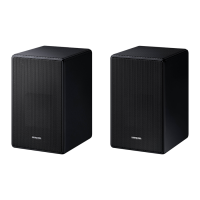
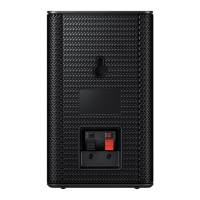
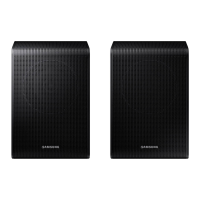
Guidance on connecting optional wireless rear speakers and subwoofer for surround sound.
How to connect the soundbar to a TV using HDMI ARC for audio return.
Steps to connect external devices using an optical cable to the soundbar.
How to connect a mobile device to the soundbar via Bluetooth for audio playback.
Guide to connecting a mobile device to the soundbar via Wi-Fi using the SmartThings app.
Instructions on using the Tap Sound feature to play audio from a mobile device.
Important precautions and guidelines for safely installing the soundbar mount.
List and identification of components required for wall mounting the soundbar.
Information on automatic software updates when the soundbar is connected to the internet.
Steps for updating the soundbar software manually using a USB drive.
Troubleshooting steps for issues like the soundbar not turning on or working erratically.
Solutions for remote control not working or the red LED indicator staying on.
Troubleshooting steps for no sound output, low volume, or connection issues.
Guidance on resolving problems with Bluetooth connection and sound dropouts.
Troubleshooting steps for Wi-Fi connection failures and TV auto-on synchronization.
Technical specifications including model, dimensions, power, and supported formats.
 General
| Speaker type | - |
|---|---|
| Speaker placement | Tabletop/bookshelf |
| Audio output channels | 2.0 channels |
| RMS rated power | - W |
| Product color | Black |
| Recommended usage | Home |
| Quantity per pack | 1 pc(s) |
| Connectivity technology | Wireless |
| Power source type | DC |
| Power consumption (standby) | 0.5 W |
| Power consumption (typical) | 54 W |
| Package weight | 2400 g |
 Weight and Dimensions
| Depth | 109 mm |
|---|---|
| Width | 105 mm |
| Height | 152.8 mm |
| Weight | 900 g |





 To Next Page