Camera and Video 165
Close the Camera
► On the camera screen, press or .
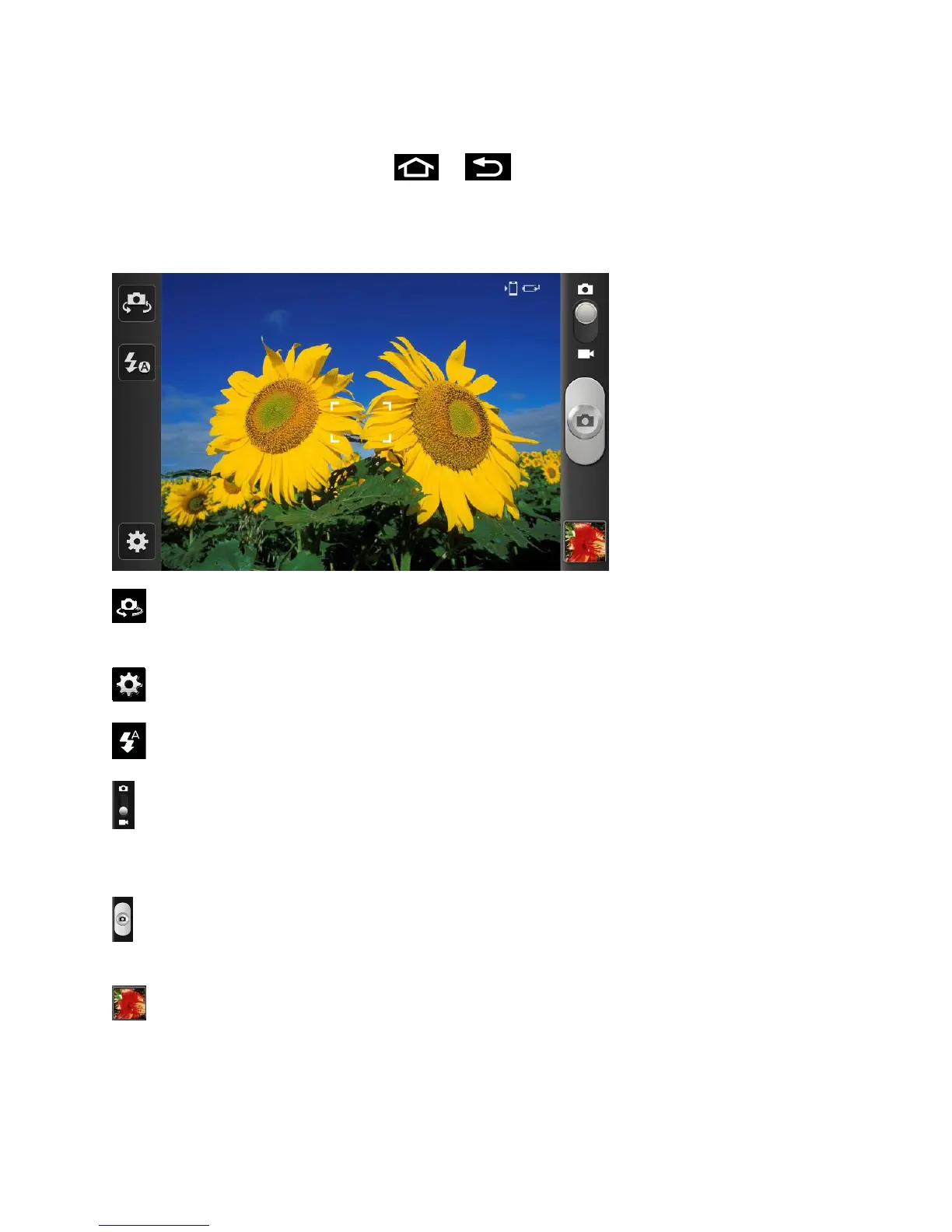
Viewfinder Screen
You’ll find the following controls on the Viewfinder screen.
(Self portrait): allows you to set the front camera so you can take pictures of yourself or
video chat.
(Settings): Opens the menu panel and lets you change the camera settings.
(Flash): Tap to switch between various camera flash modes.
(Camera / Camcorder Mode): allows you to take a photo in various modes. Once you
change the mode, the corresponding indicator appears at the top left of the display. Slide the
button up for Camera, or down for Camcorder.
(Shutter release): Tap this button to take a photo or begin capturing video. Tap it again to
stop capturing video.
(Viewfinder): Opens the Gallery application so you can browse through and view the
photos and videos on your storage card.
Volume key: Zoom in and out of the image.









 To Next Page