EasyManua.ls Logo

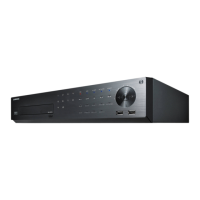
Samsung SRD-870 - User Manual

Samsung SRD-870
132 pages
Print Icon
To Next Page IconTo Next Page
Loading...
8 CHANNEL/
16 CHANNEL DVR
User Manual
SRD-830/830D/830DC/
850/850D/850DC/870/870D/870DC/
1610/1610D/1610DC/1630/1630D/1630DC/
1650/1650D/1650DC/1670/1670D/1670DC

Table of Contents

Other manuals for Samsung SRD-870

Questions and Answers

  • D
    Dr. Tammy ElliottSep 17, 2025
    What to do if ESC key doesn't exit full screen on Samsung DVR WebViewer?
    • S
      Shawn PittsSep 18, 2025
      If pressing the ESC key in full screen mode of the WebViewer on your Samsung DVR doesn't switch the system to a normal split mode, press the ALT+TAB keys to select ‘ACTIVE MOVIE’ and then press the ESC key again.
  • T
    Teresa MaxwellAug 25, 2025
    What to do if my Samsung DVR displays 'NO HDD' icon?
    • C
      Crystal StevensonAug 25, 2025
      If your Samsung DVR displays the “NO HDD” icon and an error message, check the HDD for connection. If the problem persists in a normal condition, contact the nearest service center to have the HDD checked by the service personnel.
  • A
    Alicia WillisAug 25, 2025
    What to do if my Samsung SRD-870 DVR does not recognize all installed disks?
    • A
      Ashley SanchezAug 26, 2025
      If your Samsung DVR does not recognize all the installed disks, it may simply need more time to recognize multiple external HDDs, so try again in a moment. If the problem persists, it may occur due to a mechanical error of the HDD installed, so try again with a different HDD.
  • T
    Thomas RichardsAug 26, 2025
    Why does my Samsung DVR display a black screen on some channels?
    • T
      Timothy RobinsonAug 27, 2025
      If some channels on your Samsung DVR display a black screen even if they receive video sources, first check if the camera connected to the system properly displays the image and if the camera is properly supplied with power. Sometimes, this problem may occur on a channel with weak video signal from a video distributor that is connected to multiple systems. In this case, input the video source of the camera directly into the DVR.
  • R
    Ryan WyattSep 18, 2025
    Why is the time bar not showing in search mode on my Samsung SRD-870?
    • C
      Casey FernandezSep 18, 2025
      The timeline on your Samsung DVR can switch between normal and extension mode. If the time bar is not displayed in Search mode, switch to normal mode or use the left or right button to navigate through the time bar.
  • C
    chasericeSep 23, 2025
    How to exit full screen mode on Samsung SRD-870 WebViewer?
    • M
      Michelle RichardsSep 23, 2025
      Press the ALT+TAB keys to select ‘ACTIVE MOVIE’ and press the ESC key again.
  • L
    Lauren WilkinsonSep 9, 2025
    How to improve the recording quality on my Samsung SRD-870?
    • P
      Preston BallardSep 9, 2025
      If the image quality of the recording data on your Samsung DVR isn't satisfactory, try increasing the resolution and quality level in Menu – Record – Quality / Resolution. Select a bigger size when specifying the recording size (4CIF>2CIF>CIF). Specify a bigger level for the recording quality. Keep in mind that increasing resolution and recording quality will increase the data size, filling the HDD faster and overwriting existing data sooner.
  • K
    Krista GilbertSep 10, 2025
    What to do if the REC button doesn't work on my Samsung SRD-870?
    • L
      Laura SullivanSep 10, 2025
      If you press the [REC] button on the front panel of your Samsung DVR and the REC indicator doesn't flash, and the player doesn't start recording, check if there is free space on the HDD. Also, verify that the record mode is set to ON in the record mode setting.
  • V
    vsullivanSep 3, 2025
    How to fix a Samsung DVR that does not turn on?
    • J
      Joseph EspinozaSep 3, 2025
      If your Samsung DVR does not turn on and the indicator on the front panel remains off, check whether the power supply system is properly connected. Also, verify the system's input voltage from the power source. If the problem continues, it might be necessary to inspect the power supplier and replace it if needed.
  • H
    Henry KingSep 1, 2025
    Why does my Samsung SRD-870 DVR say 'Need to reset date/time'?
    • J
      Jennifer IngramSep 1, 2025
      If your Samsung DVR displays a message saying “Need to reset date/time,” it means there's an issue with the internal clock's time setting or the clock itself. In this case, it is recommended to contact the retailer or a service center for further assistance.

Summary

OVERVIEW

Important Safety Instructions

Crucial safety guidelines for operating the DVR.

Features

Detailed description of the SRD DVR's capabilities and features.

Part Names and Functions (Front)

Identifies and explains the front panel components of the DVR.

Remote Control

Explains the functions of the remote control for operating the DVR.

INSTALLATION

Checking the Installation Environment

Guidelines for selecting a suitable environment for installing the DVR.

HDD Addition

Steps and precautions for adding or replacing internal HDDs.

Rack Installation

Instructions for installing the DVR in a rack mount.

CONNECTING WITH OTHER DEVICE

Connecting the Video, Audio, and Monitor

Guides on connecting video, audio, and monitor outputs to the DVR.

Connecting the USB

Instructions for connecting USB devices like memory drives or external HDDs.

Connecting the Network

Guides for setting up network connections via Ethernet.

LIVE

Getting Started

Steps to start and shut down the DVR system.

Live Screen Configuration

Explains the status icons displayed on the DVR's live screen.

Live Mode

How to switch between different live display layouts.

USING THE DVR

System Setup

Overview of system configuration options available.

Camera

Configuration settings for connected cameras, including video and audio.

Setting the Recording

How to set up scheduled, event, and other recording-related settings.

SEARCH & PLAY

Search

Accessing the search menu to find recorded video data.

Time Search

How to search for recorded video based on specific date and time.

Event Search

Searching for recorded data based on event types like motion or alarm.

WEB VIEWER

Introducing Web Viewer

Overview of the Web Viewer software and its capabilities.

Connecting Web Viewer

Step-by-step guide to connect to the DVR using the Web Viewer.

Using Live Viewer

Guide to navigating and using the live video feed interface.

backup viewer

SEC Backup Viewer

Software for playing back SEC format backup files.

Recommended System Requirements

System requirements for PCs to run the backup viewer.

appendix

Default Setting

Factory default settings for various DVR configurations.

Troubleshooting

Common issues and their solutions for the DVR.

OPEN SOURCE ANNOUNCEMENT

Part 1: CMU;UCD copyright notice: (BSD like)

Copyright notice for CMU/UCD software components.

Part 2: Networks Associates Technology, Inc copyright notice (BSD)

Copyright notice for Networks Associates Technology, Inc. software.

Part 4: Sun Microsystems, Inc. copyright notice (BSD)

Copyright notice for Sun Microsystems, Inc. software.

GNU GENERAL PUBLIC LICENSE

Preamble

Introduction to the GNU General Public License and its purpose.

Terms and Conditions for Copying, Distribution and Modification

Detailed terms and conditions for using, copying, and distributing the software.

GNU LESSER GENERAL PUBLIC LICENSE

Preamble

Introduction to the Lesser GPL and its purpose.

Terms and Conditions for Copying, Distribution and Modification

Detailed terms for copying, distributing, and modifying libraries under LGPL.

Correct Disposal of This Product

Correct Disposal of This Product (Waste Electrical & Electronic Equipment)

Instructions for the proper disposal of the product and its electronic accessories.

Correct disposal of batteries in this product

Instructions for the correct disposal of batteries according to regulations.

SALES NETWORK

SALES NETWORK

Information about Samsung Techwin's sales network and contact details.

Samsung SRD-870 Specifications

General IconGeneral
Hard Drive Bays1
Compression FormatH.264
Power Supply12V DC
Operating SystemEmbedded Linux
Motion DetectionYes
Alarm Input4
Video Input Channels8 channels
Network InterfaceEthernet (RJ-45)
Audio Inputs/Outputs1 output
Remote ViewingYes

Related product manuals