40_ Operating your samsung refrigerator
Operating your samsung refrigerator
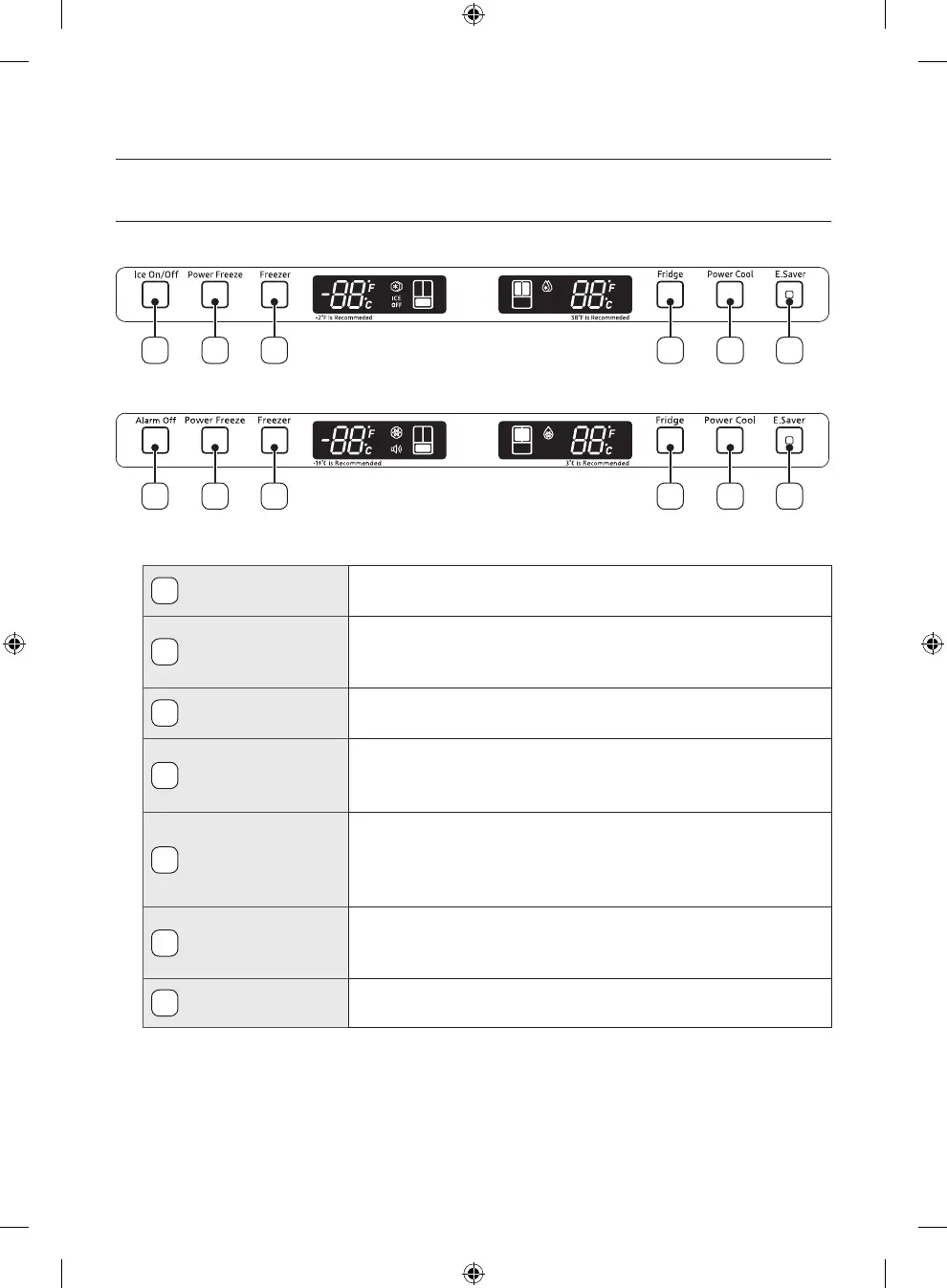
Using the control panel
1. For auto ice maker model
1 42 53 6
2. For normal ice maker model
1 42 53 6
Temperature & Function select / Control panel
1
Ice On/O (Option)
When the Ice On/O button is pressed, ice will not be produced.
Use this function only when it is needed.
1
Alarm O (Option)
When the Alarm O button is pressed, alarm will not sound in case of
door open.
Use this button only when it is needed.
2
Power Freeze
Press this button to freeze food quickly.
(Power Freeze will last 72 hours.)
3
Freezer
Freezer temperature set button.
Press this button to set the Freezer temp between -14
º
C and -25
º
C.
(At initial power on, the default setting is -19
º
C.)
4
Fridge
Fridge temperature set button.
Press this button to set the Fridge temperature in 1
º
C intervals
between 7
º
C and 1
º
C.
(At initial power on, the default setting is 3
º
C.)
5
Power Cool
Press this button to cool the food in the fridge quickly.
Power Cool will shut o when -4
º
C is reached or after 2 and a half
hours.
6
E.Saver
Press the E.Saver button for better energy eciency. If water drops
appear on the doors, turn the Energy Saver function o.
NW2-FDR_DA68-01868A-26_EN.indd 40 7/3/2019 4:57:25 PM













 To Next Page