42_ Operating your samsung refrigerator
Operating your samsung refrigerator
NOTE
• The Fridge temperature will change depending on the number of door openings, quantity of food,
ambient temperature, etc.
• Temperature of each shelve or container in the fridge may be dierent.
• The temperature display will blink when fridge temperature is increases due to frequent door
opening, keeping warm food, etc.
(Blinking will stop when the refrigerator reaches normal temperature. If for some reason it does not
stop after a long period of time, contact a Samsung service center.)
If you want to make ice faster (Controlling the Power Freeze)
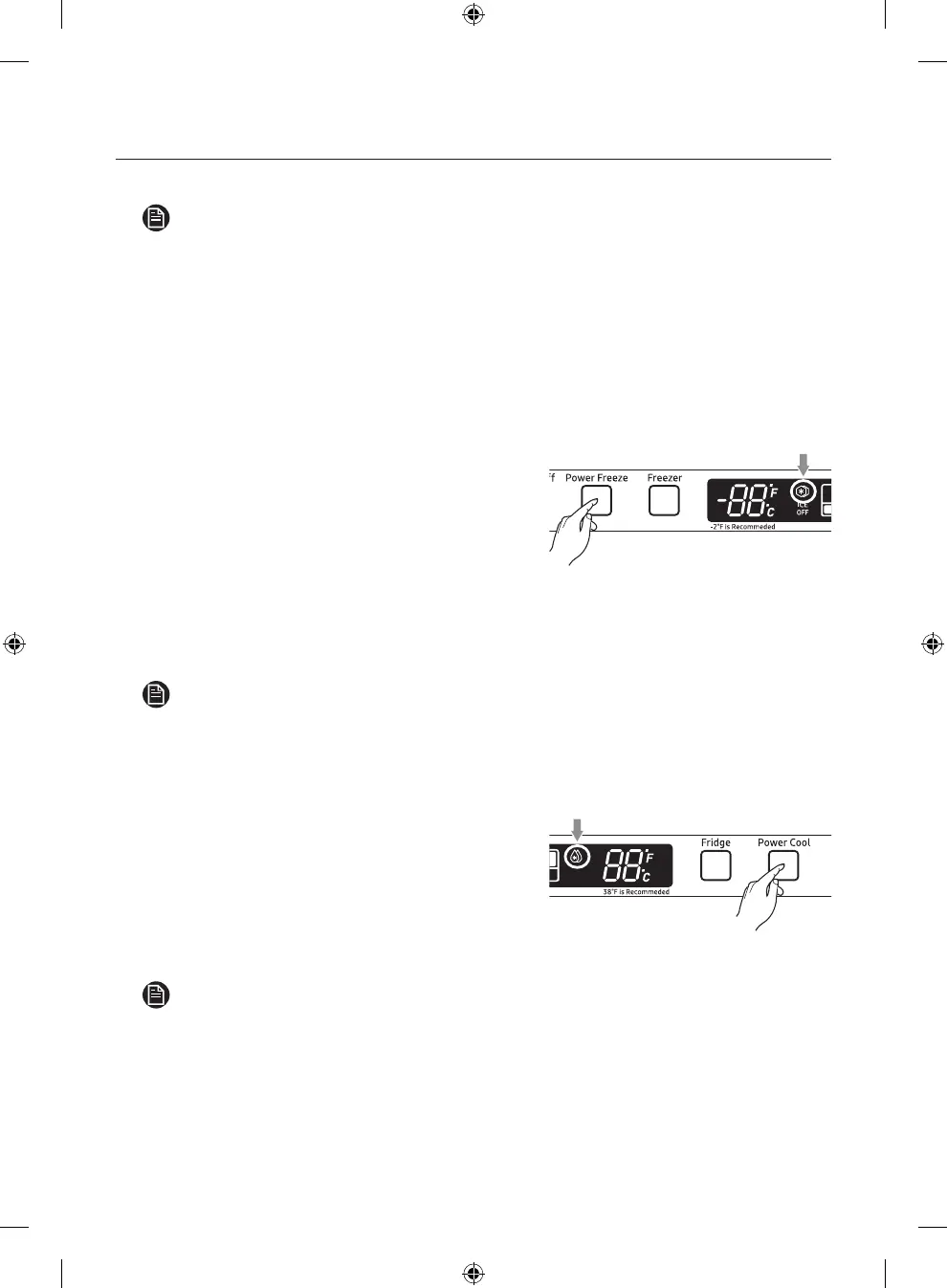
Press the Power Freeze button. (Refer to the picture.)
• The power freeze light on the display goes on (see
the arrow mark) and this function begins to operate
regardless of the set freezer temperature.
Press the Power Freeze button again to cancel this
function.
• The light goes o and it operates at the set freezer
temperature again.
• The Power Freeze function operates for 72 hours
regardless of the set temperature.
NOTE
This function must be activated before putting large stu in freezer compartment at least 24 hours
before.
If you want to speed up the cooling in the fridge (Power Cool)
Press the Power Cool button. (Refer to the picture.)
• The power cool light on the display goes on (see
the arrow mark) and this function begins to operate
regardless of the set fridge temperature.
Press the Power Cool button again to cancel this function.
• The light goes o and it operates at the set fridge
temperature again.
NOTE
The Power Cool function operates for 2 and a half hours regardless of the set temperature.
NW2-FDR_DA68-01868A-26_EN.indd 42 7/3/2019 4:57:26 PM













 To Next Page