English - 26
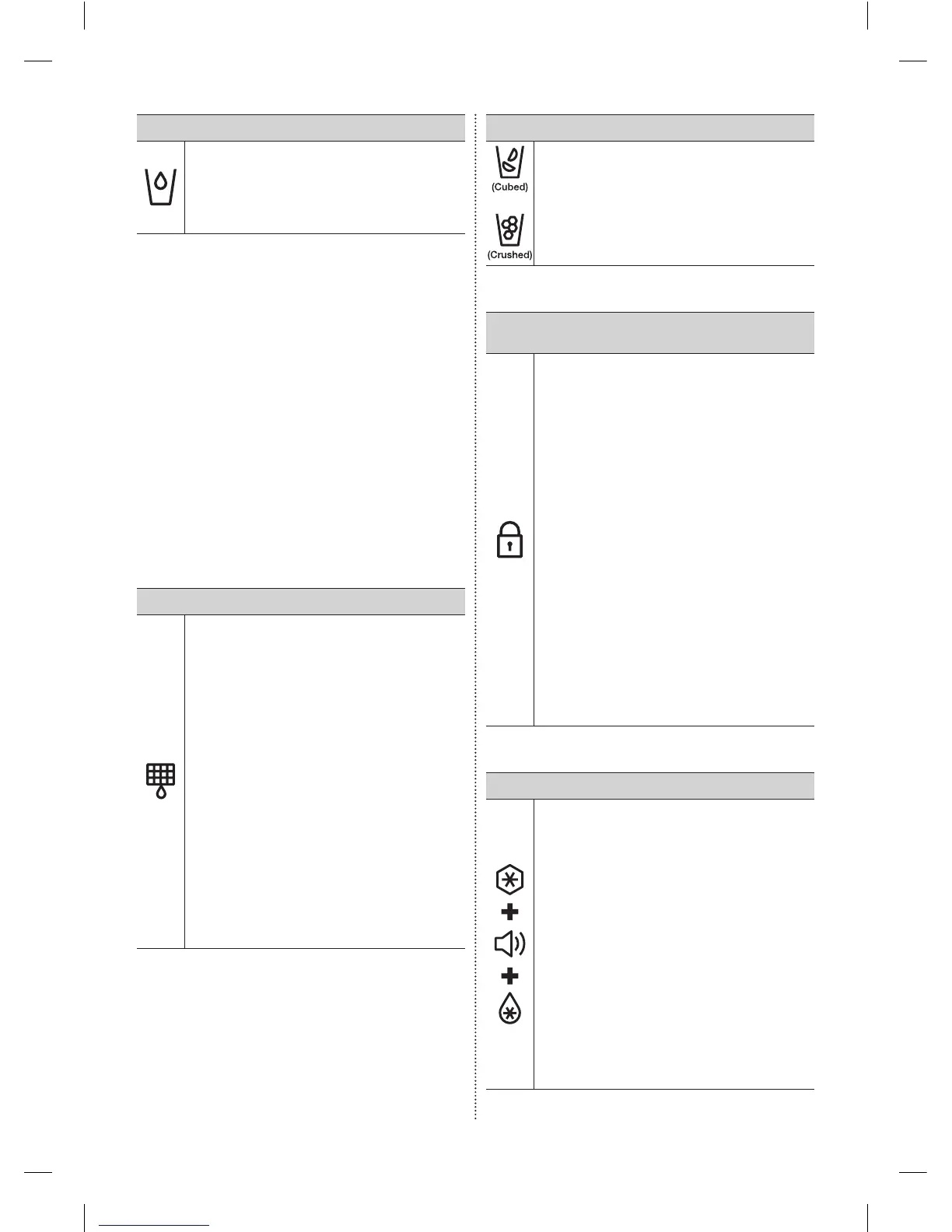
( 7 ) Water
Touchthisbuttontodispensewater.
ThismodecannotbeusedwiththeIce
Typemodesimultaneously.
Watermodeshutsoffwhenyoutouchthe
Cubed/CrushedIcebutton.
To save electricity, the Panel Display turns off
automatically under the following conditions:
When no button has been pressed, when no
doors are open, or when no Dispenser Lever
has been pushed.
However, the icon indicating your cubed or
crushed ice selection, will stay on.
When you press a button, open a door, or push
a Dispenser Lever, the Panel Display will turn
on again.
Except for the Energy Saver, Water, and Cubed
/ Crushed Ice buttons, all function buttons
will become operational after you remove
your finger from the button you are currently
pressing.
( 8 ) Filter
Water filter usage
Thisiconlightsupwhenyouneed
tochangethelter,usuallyafterthe
refrigeratorhasdispensedabout300
gallonsofwater(afterabout6months).
Theiconwillblinkredforseveralseconds
whenyouopenorclosethedoor.
Afteryouinstallthenewwaterlter,reset
thelterindicatorbytouchingandholding
theHold3secforFilterResetbuttonfor
3seconds.
- Ifwaterisnotdispensingor
dispensingslowly,youneedtoreplace
thewaterlterbecausethewaterlter
isclogged.
- Someareashavelargeamountsof
limeintheirwater,whichcausesthe
waterltertoclogmorequickly.
( 9 ) Ice Type
Touchthisbuttontoselectyourdesired
icetype.
Cubedandcrushedicemodesalternate
whenyoupressthebutton.
Thismodecannotbeusedwiththe
Watermodesimultaneously.
(10)
Ice Maker Off /
Control Lock (3sec)
TheIceMakerOffbuttonservestwo
purposes:
- ToturntheIcemakeronandoff
- ToturntheControlLockFunctionon
andoff.
1. IceOffFunction
Ifyoudon’twanttomakemoreice,press
theIceMakerOffbutton.
2. ControlLockFunction
Touchandholdthisbuttonfor3seconds
tolockthedisplayandthedispenser
buttonssothebuttonscannotbeused.
WhenControlLockison,therefrigerator
doesnotdispenseiceorwater,evenif
theDispenserLeverispressed.
TheControlLockiconlightsupto
indicateyou’veactivatedtheControlLock
function.Press3secondstounlock.
Cooling Off Mode
CoolingOffmode(alsocalledShop
mode),isdesignedforusebyretailers
whentheyaredisplayingrefrigeratorson
theshopoor.
InCoolingOffmode,therefrigerator’s
fanmotorandlightsworknormally,but
thecompressorsdonotrun,andthe
refrigeratorandfreezerdonotgetcold.
TostartCoolingOffmode,touchandhold
theFreezer,FridgeandAlarmbuttonsfor
5secondsduringnormaloperation.
Therefrigeratorchimesoundsandthe
temperaturedisplayashesOFF.
TocancelCoolingOffmode,touch
andholdtheFreezer,FridgeandAlarm
buttonsagainfor5seconds.
DA68-02954H (EN)-00-���.indd 26 2016. 3. 14. �� 10:44













 To Next Page