Disassembly and Reassembly
32 Samsung Electronics
No Parts Procedure Remark
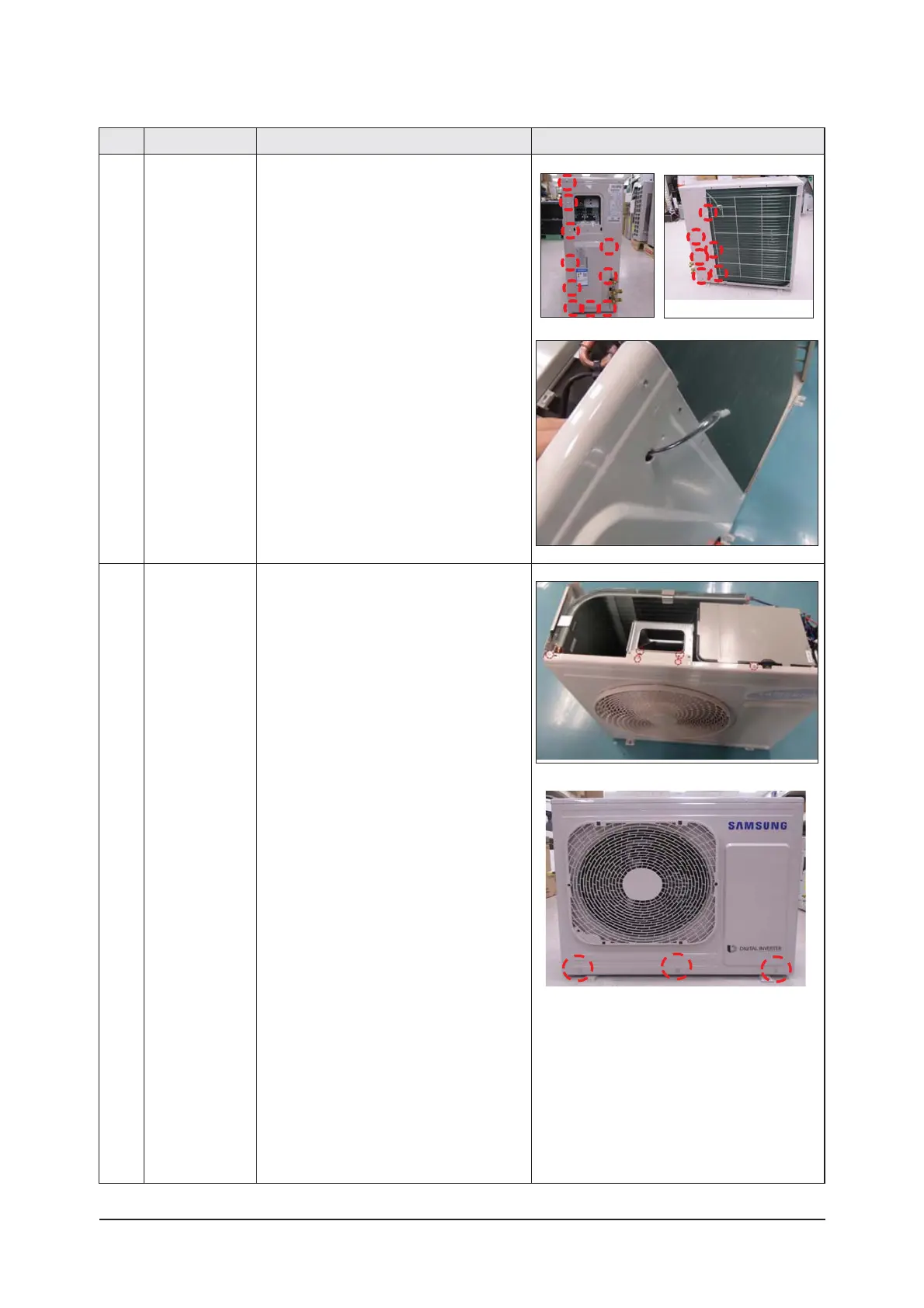
4 CABI SIDE RH 1) Unscrew and remove the eleven screws
on each side of the CABI BACK RH.
(Use '+' type screw driver)
2) Pull the sensor from the CABI SIDE RH.
5 CABI FRONT 1) Unscrew and remove the 9 screws
on the CABI FRONT.
(Use '+' type screw driver)




 To Next Page