Disassembly and Reassembly
Samsung Electronics 33
No Parts Procedure Remark
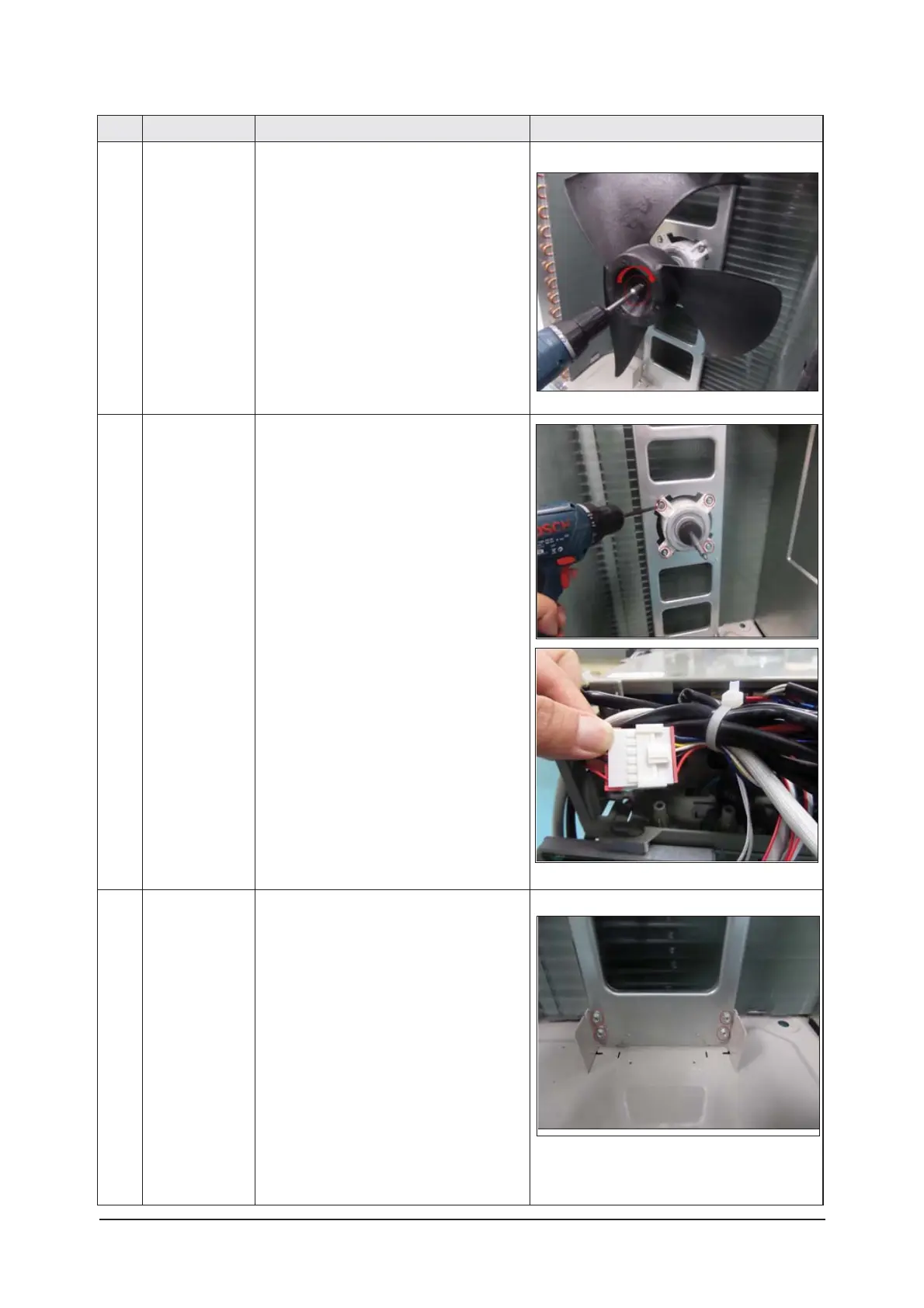
6 FAN 1) Turn the one nut as shown in the picture and
remove it.
(Use adjustable wrench)
7 MOTOR 1) Remove the fan.
2) Unscrew and remove the four motor screws.
(Use '+' type screw driver)
3) Disconnect the motor wire from the Ass'y
Control Out.
8 BRACKET 1) Unscrew and remove the two screws on the
BRACKET MOTOR.
(Use '+' type screw driver)




 To Next Page