OPERATION
33
Setting the Clock
1
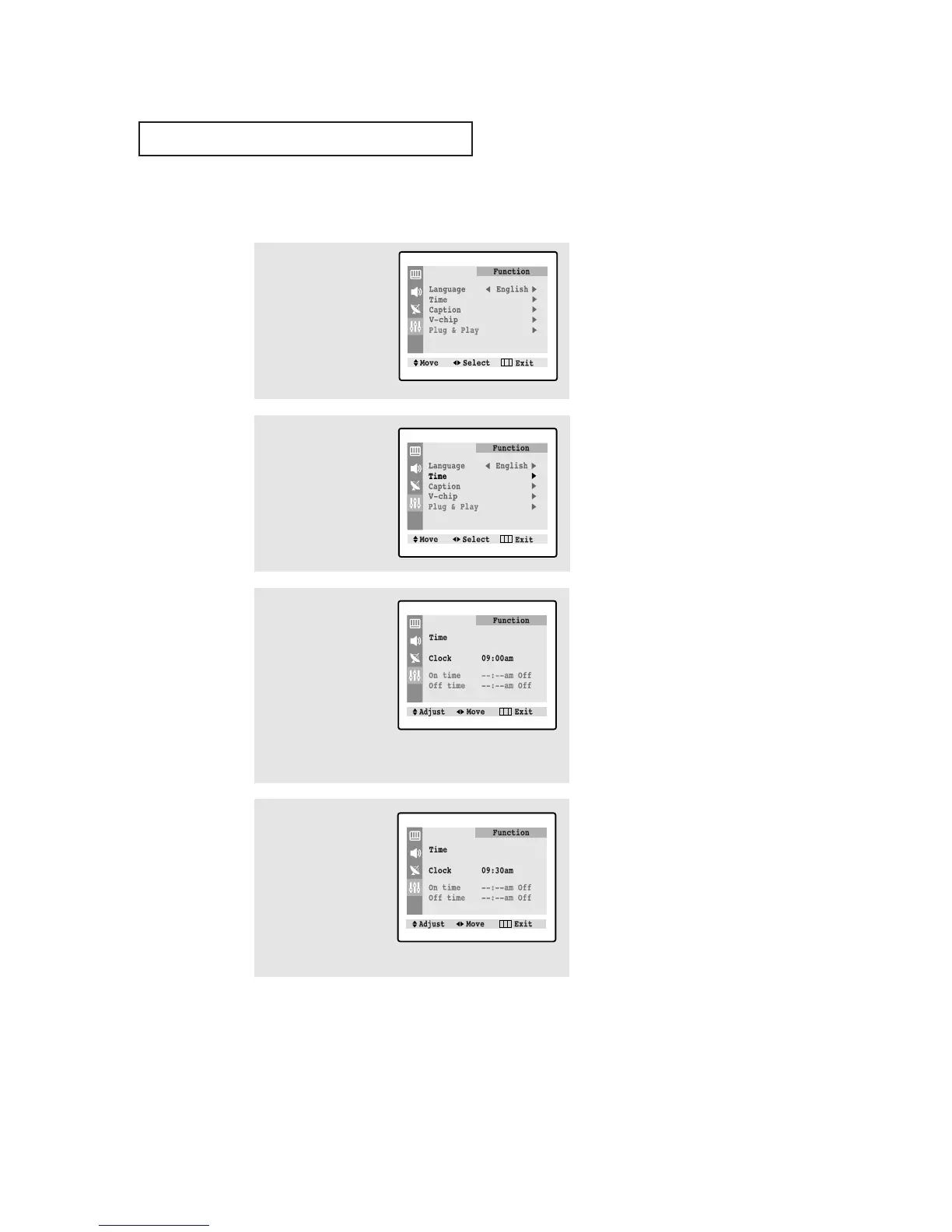
Press the MENU button to
display the on-screen
menu.
Press the ▼ button three
times to select “Function”.
Press the
√√
button.
2
Press the ▼ button to
select “Time” menu.
Press the
√√
button: The
Time menu will appear on
the screen, and “Clock”
will be selected.
3
Press the
√√
button again
(the hours digits will be
selected). Press the ▲ or
▼ button repeatedly until
the correct hour appears.
After the hour is entered,
press the
√√
button. (at
this point the minutes dig-
its will be selected.)
▼
When selecting the hours, be sure
to select the proper time of day (AM
or PM).
You can change the hours by pressing
▲ or ▼ repeatedly (or by holding
down either of these buttons).
4
Press the ▲ or ▼ button
to select the correct min-
utes.
After selecting the correct
minutes, press the
√√
but-
ton.
Press the MENU button
three times to exit.
▼
The time will appear every time
you press INFO.




 To Next Page