Setting Up Your Personal ID Number (PIN)
Using the V-Chip (Option)
The V-Chip feature automatically locks out programming that is deemed inappropriate for
children. The user must first enter a PIN (personal ID number) before any of the V-Chip
restrictions can be set up or changed.
Note : When the V-chip feature is active, channel-auto program features do not function.
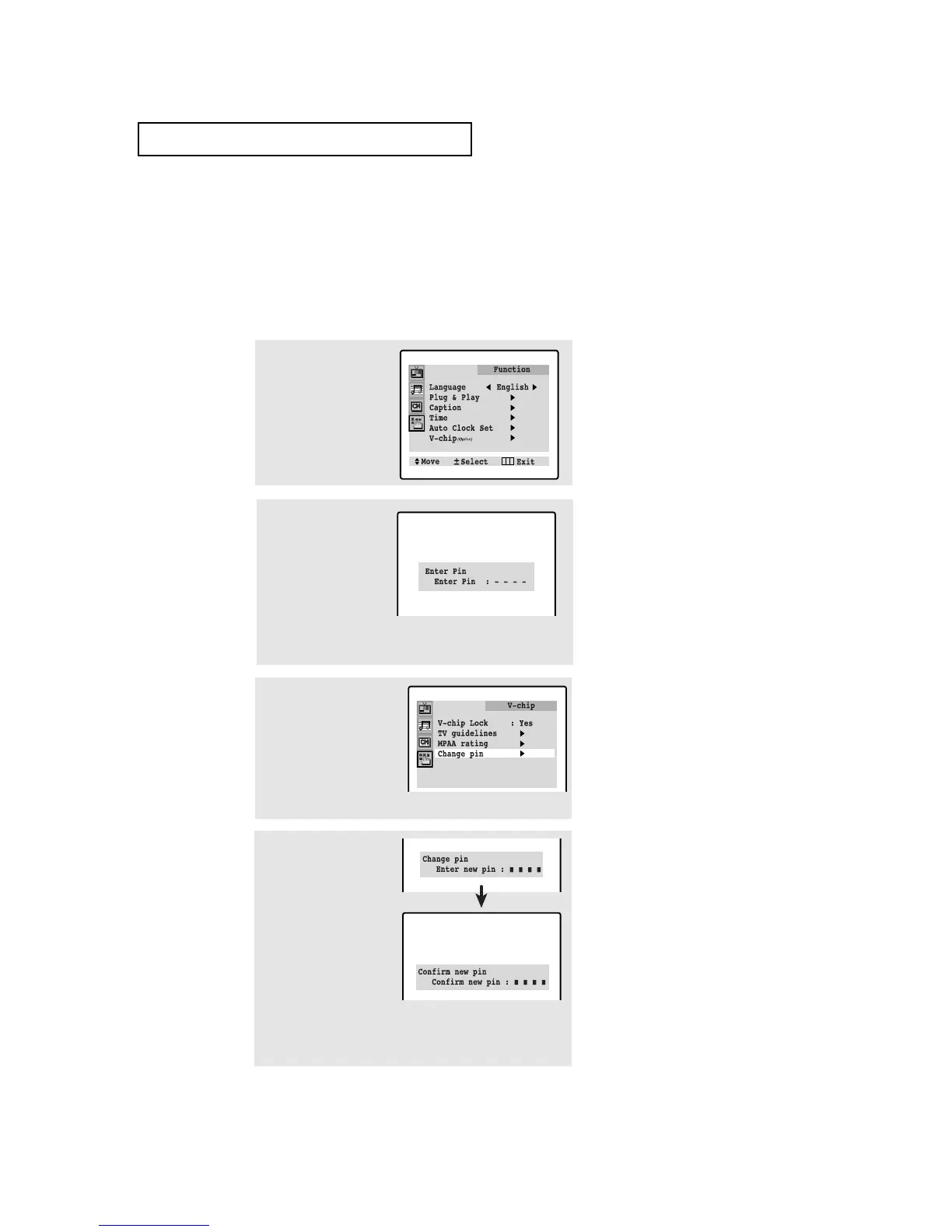
1
Press MENU to display
the menu.
Press CH ▼ three times
to select the “Function”
menu.
Press VOL + .
2
Press CH ▼ five times
to select the “V-chip”
menu.
Press VOL+.
3
After entering a valid PIN
number, the “V-chip”
screen will appear. Press
CH ▼ three times and high-
light “Change pin.”
(Note: When a particular
field is highlighted, its color
turns BLUE.)
4
While the “Change pin”
field is selected, press
VOL +. The Change pin
screen will appear.
Choose any 4-digits for
your PIN and enter them.
Note: If you forget the PIN,
press the remote-control keys in the
following sequence, which resets the
pin to 0-0-0-0:
POWER OFF ➜ MUTE ➜ 8 ➜ 2 ➜
4 ➜ POWER ON.
▼
SPECIAL FEATURES
As soon as the 4 digits are entered, the “Confirm new pin”
screen appears. Re-enter the same 4 digits. When the
Confirm screen disappears, your PIN has been memorized.
Press MENU three times to exit.
The “Enter pin” screen will appear. Enter your 4-digit PIN
number. Note: The default PIN number for a new TV set is
“0-0-0-0.”
4.13 C
HAPTER FOUR:SPECIAL FEATURES




 To Next Page