EasyManua.ls Logo

Samsung UBD-K8500 - User Manual

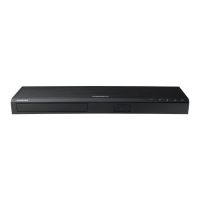
Samsung UBD-K8500
70 pages
Print Icon
To Next Page IconTo Next Page
Loading...
USER MANUAL
UBD-K8500
imagine the possibilities
Thank you for purchasing this Samsung product.
To receive more complete service, please register your product at
www.samsung.com/register

Table of Contents

Questions and Answers

  • S
    Sara Miller MDSep 8, 2025
    Why does play mode differ from setup menu selection on Samsung UBD-K8500?
    • W
      William WolfeSep 9, 2025
      If the play mode differs from the Setup Menu selection on your Samsung Blu-ray Player, it may be because the disc is not encoded with the corresponding function selected in the Setup Menu.
  • R
    Ruth AveryAug 23, 2025
    How to reset forgotten password on Samsung Blu-ray Player?
    • N
      Nicole JohnstonAug 23, 2025
      To reset a forgotten password on your Samsung Blu-ray Player, press the @ button on the top panel for more than 5 seconds with no disc inside. This will display an initialization message and turn off the player. When you turn the player back on, all settings will be reset. Use this method only when absolutely necessary.
  • D
    Donald WernerAug 25, 2025
    Why won't my Samsung Blu-ray Player connect to the BD-LIVE server?
    • J
      joseph23Aug 25, 2025
      If your Samsung Blu-ray Player won't connect to the BD-LIVE server, first test your network connection using the Network Status function. Next, ensure a USB memory device is connected with at least 1GB of free space, which you can check in BD Data Management. Also, verify that the BD-Live Internet Connection option is set to Allow(All). If issues persist, consider contacting the content provider or updating the player's firmware.
  • J
    Joseph Cobb MDAug 26, 2025
    Why can't I see files on network devices with my Samsung Blu-ray Player?
    • M
      Marie LunaAug 26, 2025
      If you can see folders shared on network devices but not the files on your Samsung Blu-ray Player, it's because the multimedia list only shows Video, Photo, and Music files. Other types of files are not displayed.
  • D
    Desiree OwensAug 27, 2025
    How to fix Samsung UBD-K8500 remote control not working?
    • A
      anthony18Aug 27, 2025
      If your Samsung Blu-ray Player remote control isn't working, first check and replace the batteries if needed. Ensure you're within 6.1 meters (20 feet) of the player. If it still fails, try resetting the remote by removing the batteries, holding down a button for a few minutes, then reinserting the batteries.
  • A
    April BurnettSep 22, 2025
    What causes abnormal HDMI output on Samsung Blu-ray Player?
    • J
      Jonathan LopezSep 22, 2025
      If random noise appears on the screen when using the HDMI output on your Samsung Blu-ray Player, it indicates that your TV does not support HDCP (High-bandwidth Digital Content Protection).
  • J
    Jennifer ReynoldsSep 16, 2025
    What does the prohibition message mean on my Samsung Blu-ray Player?
    • L
      Lauren WilliamsSep 16, 2025
      The prohibition message on your Samsung Blu-ray Player appears when an invalid button is pressed, or if the Ultra HD Blu-ray Disc/Blu-ray Disc/DVD's software doesn't support the feature you're trying to use (e.g., angles). It can also appear if you've requested a title, chapter number, or search time that is out of range.
  • W
    wellserinSep 18, 2025
    Why can't I change the screen ratio on my Samsung UBD-K8500?
    • S
      Sean DavisSep 18, 2025
      If you cannot change the screen ratio on your Samsung Blu-ray Player, it's likely because the Screen Ratio on your Ultra HD Blu-ray Disc/Blu-ray Disc/ DVD Disc is fixed and cannot be changed. This is not a problem with the player itself.
  • K
    Kathy KingSep 7, 2025
    Why is there no audio from my Samsung UBD-K8500 Blu-ray Player?
    • C
      Calvin Estrada DDSSep 7, 2025
      If there is no audio from your Samsung Blu-ray Player, make sure you have selected the correct Digital Output in the Audio Options Menu.
  • S
    Stephanie MorganSep 4, 2025
    Why is the picture noisy or distorted on my Samsung UBD-K8500 Blu-ray Player?
    • D
      Dylan GilesSep 4, 2025
      If the picture on your Samsung Blu-ray Player is noisy or distorted, first check the disc for dirt or scratches. If it's dirty, clean it carefully.

Summary

Safety Information

Warning and Caution Statements

Important warnings and cautions for safe operation, including electrical shock and laser safety.

Safety Precautions and 3 D Usage

General safety precautions, ventilation, placement, and specific health advice for 3D viewing.

Getting Started

Product Accessories and Setup

Lists included accessories and guides for initial setup and battery installation.

Device Interfaces and Remote Control

Explains front/rear panel connections and the functions of the remote control.

Remote Control TV Code Pairing

Instructions for programming the remote control to operate a TV.

Connections

Connecting to a TV

Step-by-step guide for connecting the player to a television via HDMI.

Audio System and Network Connections

Instructions for connecting to audio systems and network routers via various methods.

Settings and Configuration

Initial Setup and Home Screen Navigation

Guides through initial setup and explains the main Home screen interface.

Menu Settings and Options

How to access and navigate the player's settings menu for various adjustments.

Picture and Sound Settings

Options for adjusting video display quality, aspect ratio, and audio output.

Network, Smart Hub, and System Configuration

Setting up network connections, managing Smart Hub, and configuring system preferences.

Security, General, and Support Features

Managing security, PINs, general preferences, and accessing support options.

Software Upgrade Procedures

Instructions for upgrading the product's software via internet or USB.

Media Playback

Playing Discs and Media Files

How to play commercial discs, user-recorded discs, and media from USB or network devices.

Video and Music Playback Control

Using playback controls for video and music, including special playback modes.

Advanced Playback Features

Options for repeating tracks, shuffling, creating playlists, ripping audio, and photo playback tools.

Media File Management and Sending

Sorting media files, setting background music, and sending files to other devices.

Network Services

Samsung Account and App Management

Creating an account, setting up apps, downloading, and managing applications.

Screen Mirroring and Web Browser Usage

Mirroring device screens and using the built-in web browser with its settings.

Internet Service Linking and BD-LIVE

Connecting to internet services and utilizing BD-LIVE features.

Appendix

Technical Notes and Settings Details

Additional notes on 3D, aspect ratio, BD Wise, PCM, and BD-Live settings.

Troubleshooting Common Issues

Solutions for problems related to remote control, playback, connectivity, and errors.

Disc, Format, and Compatibility Information

Details on supported disc types, formats, region codes, and compatibility limitations.

File Format Specifications and Compliance

Lists supported video, audio, picture file formats and compliance notices.

Copy Protection, Licensing, and Trademarks

Information on copy protection, software licenses, and product trademarks.

Specifications

Product Technical Specifications

Detailed technical specifications including weight, dimensions, ports, and network capabilities.

Warranty and Support

Warranty Terms and Customer Support

Details on warranty coverage, conditions, and how to contact customer service.

Environmental Disposal Guidelines

Instructions for environmentally responsible disposal of the product and batteries.

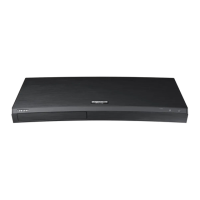
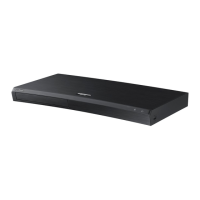
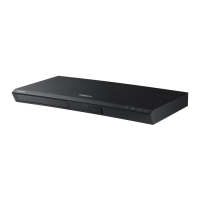
Samsung UBD-K8500 Specifications

General IconGeneral
3DYes
Depth230 mm
Width406 mm
Height44.7 mm
Weight1900 g
DisplayLED
Device typeBlu-Ray player
Product colorBlack
Audio decodersDolby Digital
Package weight2800 g
AC input voltage220-240 V
AC input frequency50 - 60 Hz
Disc types supportedBD, CD, CD-R, CD-RW, DVD, DVD+R, DVD+RW, DVD-R, DVD-RW
Supported video modes-
USB 2.0 ports quantityUSB 2.0 ports have a data transmission speed of 480 Mbps, and are backwards compatible with USB 1.1 ports. You can connect all kinds of peripheral devices to them.
Audio formats supportedDTS, WMV
Image formats supportedJPG
Video formats supportedAVCHD, DIVX, DIVX HD, MKV, MPEG2, MPEG4, MPO
Digital audio optical out1
Power consumption (standby)0.3 W
Power consumption (typical)34 W
Consumer Electronics Control (CEC)Anynet+
Audio output channels7.1 channels

Related product manuals