EasyManua.ls Logo

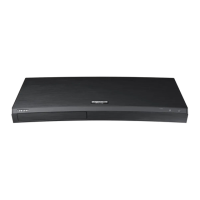
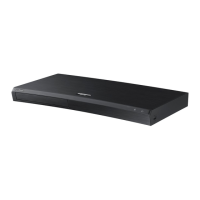
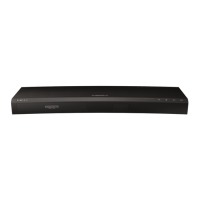
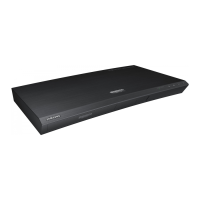
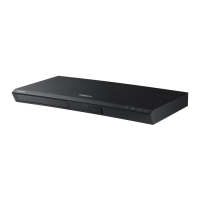
Samsung UBD-M7500 - User Manual

Samsung UBD-M7500
38 pages
Print Icon
To Next Page IconTo Next Page
Loading...
UBD-M7500
USER MANUAL

Other manuals for Samsung UBD-M7500

Questions and Answers

  • X
    xshawAug 20, 2025
    How to fix a Samsung UBD-M7500 remote that is not working?
    • P
      perezjuliaAug 20, 2025
      If your Samsung Blu-ray Player remote control isn't working, try these steps: First, replace the batteries. Next, ensure you're within 20 feet of the player. If it still fails, remove the batteries, press and hold any button(s) for a few minutes to reset the remote, then reinstall the batteries.
  • M
    Makayla KingAug 22, 2025
    Why is there no HDMI output from my Samsung UBD-M7500 Blu-ray Player?
    • R
      Randy WalterAug 22, 2025
      If you have no HDMI output from your Samsung Blu-ray Player, first check the connection between the TV and the player's HDMI jack. Then, verify that your TV supports the HDMI input resolution (480p, 720p, 1080p, or 2160p). For 720p, 1080p, or 2160p output, ensure you're using a high-speed (category 2) HDMI cable.
  • C
    castilloandrewAug 25, 2025
    What to do if my Samsung Blu-ray Player screen is blank?
    • S
      stacey22Aug 25, 2025
      If your Samsung Blu-ray Player's screen is blank, and if the HDMI output is set to a resolution your TV cannot support, press and hold the Open/Close button on the top panel for more than 5 seconds without a disc inside. This will reset the player. Note that all stored user BD data will be deleted when factory default settings are restored.
  • J
    James HendersonAug 26, 2025
    Why is the network connection between my Samsung Blu-ray Player and the PC unstable?
    • R
      Richard MillerAug 26, 2025
      If the network connection between your Samsung Blu-ray Player and PC is unstable, IP interference may be the cause if IP addresses within the same subnetwork aren't unique. Also, check if you have a firewall enabled; if so, disable the firewall function.
  • D
    deborah41Aug 27, 2025
    Why won't my Samsung UBD-M7500 play the disc?
    • D
      Diane MartinezAug 27, 2025
      If your Samsung Blu-ray Player isn't playing discs, make sure the disc is placed with the label side facing up. Also, verify the region code of the Ultra HD Blu-ray Disc/Blu-ray Disc/DVD is compatible with your player.
  • H
    Henry EricksonAug 30, 2025
    How to troubleshoot no audio on Samsung UBD-M7500 Blu-ray Player?
    • J
      James MoralesAug 30, 2025
      If there is no audio from your Samsung Blu-ray Player, ensure that you have selected the correct Digital Output in the Audio Options Menu.
  • I
    ian26Sep 1, 2025
    What to do if I forgot my Samsung UBD-M7500 password?
    • P
      Paul AlvarezSep 1, 2025
      If you forgot the password for your Samsung Blu-ray Player, press and hold the Open/Close button on the top panel for more than 5 seconds without a disc inside. This will reset the player and all settings. Note that all stored user BD data will be deleted when factory default settings are restored. Use this method only when absolutely necessary.
  • V
    Virginia OrtizSep 3, 2025
    Why does video play intermittently on my Samsung UBD-M7500 Blu-ray Player?
    • N
      Nicole MooreSep 3, 2025
      If video playback is intermittent on your Samsung Blu-ray Player, check that your network connection is stable. Also, make sure the network cable is properly connected and that the network is not overloaded.
  • M
    Michael SmithSep 5, 2025
    How to fix a noisy or distorted picture on Samsung UBD-M7500 Blu-ray Player?
    • J
      Jennifer FosterSep 5, 2025
      If the picture on your Samsung Blu-ray Player is noisy or distorted, ensure that the disc is not dirty or scratched. If it is, clean the disc.
  • J
    Joshua GarciaSep 6, 2025
    What does the prohibition message mean on my Samsung Blu-ray Player?
    • J
      jamie75Sep 7, 2025
      The prohibition message on your Samsung Blu-ray Player appears when an invalid button is pressed, or the Ultra HD Blu-ray Disc/Blu-ray Disc/DVD's software doesn't support the feature (e.g., angles), or you've requested a title or chapter number or search time that is out of range.

Summary

Safety Information

Warning

General safety warnings and precautions for operating the device.

Precautions

Important Safety Instructions

Essential guidelines for safe operation and maintenance of the unit.

Class 1 Laser Product Safety

Warnings and precautions regarding laser radiation exposure.

Accessories

Batteries (AA Size)

Details about the AA size batteries included with the product.

Power Cable

Information about the power cable supplied with the device.

Remote Control

Overview of the remote control and its functions.

User Manual

Reference to the user manual for further instructions.

Remote Control

Inserting Batteries (AA Battery x2)

Step-by-step guide on how to insert AA batteries into the remote control.

Using Remote Control Buttons to Enter TV Codes

TV Control Codes

A table listing control codes for various TV brands to use with the remote.

Front Panel and Rear Panel

Front Panel

Overview of buttons, indicators, and ports on the front of the player.

Rear Panel

Overview of connections and ports on the rear of the player.

Connections

Connecting to a TV

Instructions for connecting the player to a television via HDMI.

Connecting to an Audio Device

Methods for connecting the player to soundbars or AV receivers.

Connecting to a Network

Instructions for establishing a wired network connection for the player.

The Initial Settings Procedure

Home Screen

Overview of the Home Screen interface and its main functions.

Playing Media Content

Playing a Commercial Disc

Steps to play content from a commercial disc.

Playing Media Contents Saved on a USB Memory Device

Guide for playing media files stored on a USB memory device.

Additional Functions

APPS

Information on downloading and accessing applications on the player.

Upgrading Software

Procedure for updating the player's software to the latest version.

Specifications

General

General physical and operational specifications of the player.

USB

Details regarding the USB interface and its specifications.

HDMI

Technical specifications for the HDMI output.

Audio Output

Information on the audio output capabilities and formats.

Network

Network interface details, specifically Ethernet.

Licenses

Information about software licenses and trademarks used in the product.

Supported Formats

Disc Types and Contents

Lists the types of discs and media content supported by the player.

Supported Video Formats

Details supported video file extensions, codecs, resolutions, and frame rates.

Supported Subtitle File Formats

Lists subtitle file formats compatible with the player.

Supported Picture File Formats

Lists supported image file types and their specifications.

Supported Music File Formats

Lists supported audio file types and their specifications.

Region Code

Limited Warranty to Original Purchaser

Contact SAMSUNG WORLD WIDE

Samsung UBD-M7500 Specifications

General IconGeneral
Depth230 mm
Width406 mm
Height44.7 mm
Weight1800 g
Full HDYes
Device typeBlu-Ray player
Package depth286 mm
Package width462 mm
Product colorBlack
Audio decodersDTS
Package height116 mm
Package weight2800 g
AC input voltage220 - 240 V
AC input frequency50 - 60 Hz
Disc types supportedBD, BD-R, DVD, DVD+R, DVD+RW, DVD-R, DVD-RW
Supported video modes-
Card reader integratedNo
USB 2.0 ports quantityUSB 2.0 ports have a data transmission speed of 480 Mbps, and are backwards compatible with USB 1.1 ports. You can connect all kinds of peripheral devices to them.
Audio formats supportedWMV
Image formats supportedJPG
Video formats supportedAVCHD, DIVX, MKV, WMV
Digital audio coaxial out0
Digital audio optical out1
Power consumption (standby)0.3 W
Power consumption (typical)22 W
Consumer Electronics Control (CEC)Anynet+
Audio output channels7.1 channels

Related product manuals