EasyManua.ls Logo

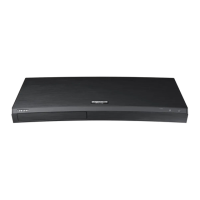
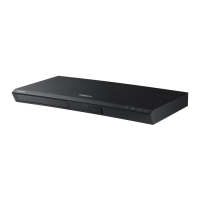
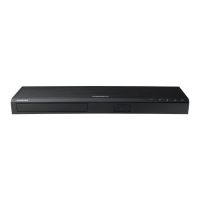
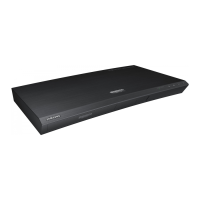
Samsung UBD-M9000/XU - User Manual

Samsung UBD-M9000/XU
65 pages
Print Icon
To Next Page IconTo Next Page
Loading...
UBD-M9000
FULL MANUAL
Imagine the possibilities
Thank you for purchasing this Samsung product.
To receive more complete service, please register
your product at www.samsung.com/register

Table of Contents

Questions and Answers

  • K
    Kevin MillerAug 13, 2025
    What to do if the screen is blank on my Samsung Blu-ray Player?
    • J
      Joshua BishopAug 13, 2025
      If the screen is blank on your Samsung Blu-ray Player, it might be due to the HDMI output being set to a resolution that your TV doesn't support. To resolve this, press and hold the Open/Close button on the top panel for more than 5 seconds without a disc inside. The player will show an initialization message and then turn off. When you turn it back on, all settings will be reset. Note that restoring factory default settings will erase all stored user BD data.
  • M
    michael49Aug 16, 2025
    How to fix a Samsung UBD-M9000/XU Blu-ray Player remote control that is not working?
    • E
      emily51Aug 16, 2025
      If your Samsung Blu-ray Player remote control isn't working, try these steps: 1. Check and replace the remote control batteries, if necessary. 2. Ensure you are operating the remote control within 6.1 meters of the player. 3. Reset the remote by removing the batteries, holding down one or more buttons for a few minutes to drain the microprocessor, then reinstalling the batteries.
  • A
    Angela HernandezAug 20, 2025
    What to do if my Samsung UBD-M9000/XU is not playing a disc?
    • R
      Roger WallaceAug 20, 2025
      If your Samsung Blu-ray Player isn't playing discs, make sure the disc is placed with the label side facing up. Also, verify the region number of the Ultra HD Blu-ray Disc, Blu-ray Disc, or DVD to ensure it is compatible with your player.
  • K
    Katie JonesAug 25, 2025
    What to do if the disc menu does not appear on my Samsung Blu-ray Player?
    • D
      darlenerichardsonAug 25, 2025
      If the disc menu isn't showing up on your Samsung Blu-ray Player, confirm that the disc actually has disc menus.
  • T
    thompsonkellyAug 28, 2025
    Why is there no audio from my Samsung UBD-M9000/XU Blu-ray Player?
    • M
      Mr. Kevin JonesAug 28, 2025
      If you're not getting any audio from your Samsung Blu-ray Player, ensure that you have selected the correct Digital Output in the Audio Options Menu.
  • M
    Mary SwansonAug 31, 2025
    Why does the prohibition message appear on the screen of my Samsung Blu-ray Player?
    • A
      Angela PatrickSep 1, 2025
      The prohibition message appears on the screen of your Samsung Blu-ray Player when an invalid button is pressed, the Ultra HD Blu-ray Disc/Blu-ray Disc/DVD's software doesn't support the feature (e.g., angles), or you've requested a title or chapter number or search time that is out of range.
  • L
    Laura BauerSep 4, 2025
    Why does play mode differ from the Setup Menu selection on my Samsung UBD-M9000/XU Blu-ray Player?
    • M
      Michelle RodriguezSep 4, 2025
      If the play mode on your Samsung Blu-ray Player differs from what you've selected in the Setup Menu, it might be because the disc isn't encoded with the function you're trying to use.
  • S
    Shannon ArcherSep 8, 2025
    Why the screen ratio cannot be changed on my Samsung UBD-M9000/XU?
    • C
      cantubrianSep 8, 2025
      The screen ratio on your Samsung Blu-ray Player cannot be changed because the Screen Ratio on your Ultra HD Blu-ray Disc/Blu-ray Disc/DVD Disc is fixed and cannot be changed. This is not a problem with the product.

Samsung UBD-M9000/XU Specifications

General IconGeneral
ModelUBD-M9000/XU
Product TypeUltra HD Blu-ray Player
Playable MediaUltra HD Blu-ray, Blu-ray, DVD, CD
HDR CompatibilityHDR10
Dolby Audio DecodingDolby TrueHD
DTS Audio DecodingDTS-HD Master Audio
ConnectivityHDMI, USB, Wi-Fi

Related product manuals