EasyManua.ls Logo

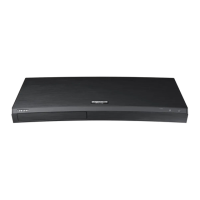
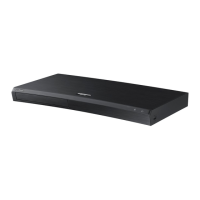
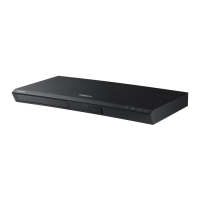
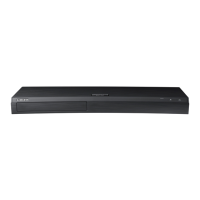
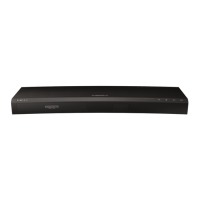
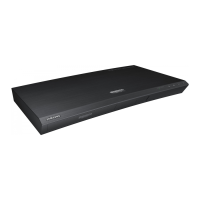
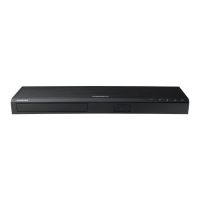
Samsung UBD-M8500 - User Manual

Samsung UBD-M8500
81 pages
Print Icon
To Next Page IconTo Next Page
Loading...
UBD-M8500
USER MANUAL
Downloaded from www.vandenborre.be

Other manuals for Samsung UBD-M8500

Questions and Answers

  • T
    toddmoralesAug 20, 2025
    Why is my Samsung Blu-ray Player remote control not working?
    • S
      Sheri GarzaAug 20, 2025
      If your Samsung Blu-ray Player remote control isn't working, try the following: * Check and replace the batteries. * Ensure you're within 20 feet of the player. * Reset the remote by removing the batteries, holding down a button for several minutes, and then reinstalling the batteries.
  • V
    Vickie PaceAug 21, 2025
    What to do if my Samsung UBD-M8500 Blu-ray Player has no HDMI output?
    • K
      Kenneth SmithAug 22, 2025
      If you're experiencing no HDMI output on your Samsung Blu-ray Player: * Check the connection between your TV and the HDMI jack on the player. * Verify that your TV supports the HDMI input resolution (480p, 720p, 1080p, or 2160p). * Ensure you are using a high-speed (category 2) HDMI cable to view video in 720p, 1080p, or 2160p output mode.
  • F
    Frank BaileyAug 25, 2025
    What to do if my Samsung Blu-ray Player screen is blank?
    • P
      pshannonAug 25, 2025
      If your Samsung Blu-ray Player screen is blank: * If the HDMI output is set to a resolution your TV cannot support (for example, 1080p), you may not see a picture on your TV. * Without any disc inside, press and hold the Open/Close button on the top panel for more than 5 seconds. This will display an initialization message and turn off the player. Turning it on again will reset all settings. Note that all stored user BD data will be deleted.
  • A
    Angela ChoiAug 26, 2025
    Why does my Samsung Blu-ray Player disc not play?
    • D
      Daniel DavilaAug 26, 2025
      If your Samsung Blu-ray Player disc does not play, make sure that the disc is installed with the label side facing up and check the region number of the Ultra HD Blu-ray Disc/Blu-ray Disc/DVD.
  • E
    Emily OrtizAug 27, 2025
    Why is the picture noisy or distorted on my Samsung Blu-ray Player?
    • B
      Brandon BriggsAug 28, 2025
      If the picture on your Samsung Blu-ray Player is noisy or distorted, verify that the disc is not dirty or scratched. If it is, clean the disc.
  • L
    Lauren MooreAug 30, 2025
    What to do if I forgot my Samsung UBD-M8500 password?
    • K
      Kristi MarquezAug 30, 2025
      If you forgot your password for your Samsung Blu-ray Player, press and hold the Open/Close button on the top panel for more than 5 seconds with no disc inside. This will display an initialization message and turn off the player, resetting all settings when you turn it back on. Use this method only when absolutely necessary, as all stored user BD data will be deleted.
  • H
    Heather KnightSep 1, 2025
    Why does abnormal HDMI output appear on the screen of my Samsung UBD-M8500 Blu-ray Player?
    • N
      Nicholas WeaverSep 1, 2025
      If random noise appears on the screen, it means that TV does not support HDCP (High-bandwidth Digital Content Protection).
  • L
    Leonard KnoxSep 3, 2025
    Why does video play intermittently on my Samsung UBD-M8500 Blu-ray Player?
    • A
      Amy YoungSep 3, 2025
      If video plays intermittently on your Samsung Blu-ray Player, check if the network is stable. Also, verify that the network cable is properly connected and that the network is not overloaded.
  • K
    Kara DavisSep 5, 2025
    Why is the network connection unstable between my Samsung Blu-ray Player and PC?
    • J
      Justin MorrisSep 5, 2025
      If the network connection between your Samsung Blu-ray Player and your PC is unstable: * Ensure that IP addresses within the same subnetwork are unique to avoid IP interference. * Check if you have a firewall enabled and, if so, disable it.
  • C
    Caleb DuffySep 7, 2025
    Why can't I see the files on my Samsung Blu-ray Player, even though I can see the folders shared on network devices?
    • E
      Emily ArroyoSep 7, 2025
      The multimedia list on your Samsung Blu-ray Player only shows Video, Photo, and Music files. Other types of files are not displayed.

Samsung UBD-M8500 Specifications

General IconGeneral
Built-in displayYes
3DNo
Depth230 mm
Width406 mm
Height44.7 mm
Weight1900 g
Device typeBlu-Ray player
Product colorBlack
Audio decodersDTS-HD Master Audio, Dolby TrueHD
Package weight2800 g
Wi-Fi standardsWi-Fi 4 (802.11n)
AC input voltage110-120 V
AC input frequency50 - 60 Hz
Disc types supportedBD, DVD, DVD+R, DVD+RW, DVD-R, DVD-RW
Playback disc formatsBlu-Ray video, DVD-Video
Supported video modes1080p, 2160p
USB 2.0 ports quantity1
Audio formats supportedAAC, AIFF, ALAC, FLAC, LPCM, MP3, WAV, WMA
Image formats supportedJPG
Video formats supportedAVCHD, DIVX, MKV, WMV
Digital audio coaxial out0
Power consumption (standby)0.3 W
Power consumption (typical)22 W
Consumer Electronics Control (CEC)Anynet+
Audio output channels7.1 channels
Smart TV-

Related product manuals