EasyManua.ls Logo

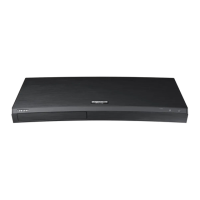
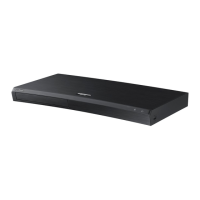
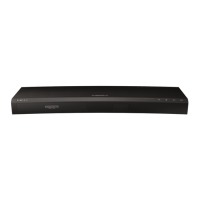
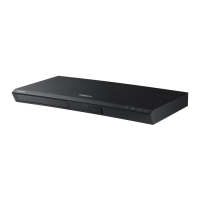
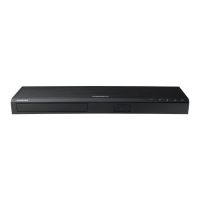
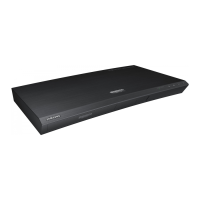
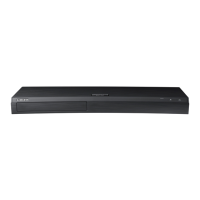
Samsung UBD-M9500/ZA - User Manual

Samsung UBD-M9500/ZA
66 pages
Print Icon
To Next Page IconTo Next Page
Loading...
UBD-M9500
FULL MANUAL
Imagine the possibilities
Thank you for purchasing this Samsung product.
To receive more complete service, please register
your product at www.samsung.com/register

Table of Contents

Questions and Answers

  • B
    Brian MccarthyAug 16, 2025
    How to fix Samsung UBD-M9500/ZA remote control not working?
    • J
      James YoungAug 16, 2025
      If your Samsung Blu-ray Player remote control isn't working, first check the batteries and replace them if needed. Ensure you're within 20 feet of the player. If it still fails, remove the batteries, press and hold any button for a few minutes to reset the remote's microprocessor, then reinstall the batteries and try again.
  • C
    Carlos JonesAug 19, 2025
    Why no HDMI output from my Samsung UBD-M9500/ZA Blu-ray Player?
    • K
      kyletaylorAug 19, 2025
      If you're not getting any HDMI output from your Samsung Blu-ray Player, first verify the connection between the player and your TV. Then, confirm that your TV supports the HDMI input resolution (480p, 720p, 1080p, or 2160p). For 720p, 1080p, or 2160p output, ensure you're using a high-speed (category 2) HDMI cable.
  • V
    vargasbethanyAug 22, 2025
    How to reset password on Samsung Blu-ray Player?
    • J
      James WelchAug 22, 2025
      If you forgot your password for your Samsung Blu-ray Player, press and hold the Open/Close button on the front panel for more than 5 seconds without a disc inside. This will reset all settings. Be aware that this also deletes all stored user BD data. Only use this if absolutely necessary.
  • K
    Kathy JohnsonAug 26, 2025
    What to do if Samsung UBD-M9500/ZA does not play disc?
    • D
      Debbie GreenAug 26, 2025
      If your Samsung Blu-ray Player isn't playing discs, make sure the disc is inserted correctly with the label side facing up. Also, check that the region code of the Ultra HD Blu-ray Disc, Blu-ray Disc, or DVD is compatible with your player.
  • R
    Ricardo ChanAug 28, 2025
    Why is there no audio from my Samsung UBD-M9500/ZA Blu-ray Player?
    • P
      pearsonlukeAug 28, 2025
      If you have no audio from your Samsung Blu-ray Player, ensure that you have selected the correct Digital Output option in the Audio Options Menu.
  • T
    Tina IbarraAug 31, 2025
    What to do if my Samsung UBD-M9500/ZA screen is blank?
    • R
      rachelpollardAug 31, 2025
      If the screen is blank when using your Samsung Blu-ray Player, it might be due to the HDMI output being set to a resolution your TV doesn't support, like 1080p. Try resetting the player by pressing and holding the Open/Close button on the front panel for more than 5 seconds without a disc inside. This will reset all settings to factory defaults and erase stored user BD data.
  • S
    Samantha SchultzSep 3, 2025
    Why is the picture noisy or distorted on my Samsung Blu-ray Player?
    • J
      jill77Sep 3, 2025
      If the picture from your Samsung Blu-ray Player is noisy or distorted, check the disc for dirt or scratches. Clean the disc if necessary.
  • L
    Leroy WagnerSep 6, 2025
    Why does the prohibition message appear on Samsung UBD-M9500/ZA?
    • R
      robert16Sep 6, 2025
      The prohibition message on your Samsung Blu-ray Player appears when an invalid button is pressed, the disc's software doesn't support the function you're trying to use (like angles), or you've requested a title, chapter number, or search time that is out of range.
  • D
    Dale JonesSep 9, 2025
    What does abnormal HDMI output mean on Samsung Blu-ray Player?
    • E
      Erin HodgesSep 9, 2025
      If random noise appears on the screen when using the HDMI output on your Samsung Blu-ray Player, it indicates that your TV does not support HDCP (High-bandwidth Digital Content Protection).
  • J
    jasonpruittSep 12, 2025
    Why can't I see files in shared folders on my Samsung UBD-M9500/ZA Blu-ray Player?
    • D
      Diane RamosSep 12, 2025
      If you can see folders but not files on network devices connected to your Samsung Blu-ray Player, it's because the multimedia list only displays Video, Photo, and Music files. Other file types are not shown.

Summary

Safety Information

Warning and Caution Information

Essential safety warnings, cautions, and symbol explanations for product operation.

FCC and Laser Safety Compliance

Details FCC regulations and Class 1 Laser product safety guidelines.

Getting Started

Product Accessories and Panel Overview

Lists accessories and describes front/right side panel components.

Rear Panel and Remote Control Usage

Explains rear panel connections and how to use the remote control.

TV Remote Control Setup

Instructions for programming the remote to control television functions.

Connections

Connecting to a TV

Guide for establishing a video and audio connection to a television.

Connecting Audio Devices

Steps to connect soundbars/AV receivers via HDMI or Bluetooth.

Connecting to Mobile Devices

Instructions for connecting smartphones/tablets via Bluetooth or Wi-Fi.

Network Connectivity Options

Details on connecting to wireless and wired networks via router.

Settings

Initial Settings and Home Screen

Guides on initial setup, home screen layout, and basic navigation.

Settings Menu Access and Usage

How to enter the settings menu and use remote controls for adjustments.

Media Playback Configuration

Options for picture, sound, audio output formats, and screen adjustments.

System Manager and Device Management

Options for language, security, parental controls, and external device management.

Accessibility and Support Functions

Settings for visually impaired users, software updates, and factory resets.

Network Configuration Procedures

Guides for connecting to networks and configuring internet settings.

Software Upgrade Procedures

Instructions for updating product software via internet or USB.

Media Play

Playing Discs and Media Content

Steps for playing commercial discs, user-recorded discs, and managing discs.

Playing Media from Computer and USB

How to stream or play media files from computers and USB devices.

Video Playback Controls and Menus

Explains playback controls, on-screen menus, and playback options for video content.

Music and Photo Playback Options

Controls and options for playing music and photo content, including playlists.

Network Services

Samsung Account and App Usage

Steps to create a Samsung account and use downloaded applications.

Internet Browser and Web Features

Guide to using the internet browser, keyboard, and web-related settings.

Linking Service Accounts and BD-LIVE

How to link online services and access BD-LIVE content.

Appendix

Additional Information and Notes

Supplementary notes on settings, output, and compatibility.

Troubleshooting Common Problems

Solutions for issues related to remote control, discs, playback, and connectivity.

Disc, Format, and Region Compatibility

Lists supported/unsupported media formats and regional coding information.

Technical Specifications

Details on product dimensions, weight, power, and network specifications.

Limited Warranty Information

Warranty Period and Service Procedures

Outlines the warranty duration, terms, conditions, and how to obtain service.

Samsung UBD-M9500/ZA Specifications

General IconGeneral
TypeUltra HD Blu-ray Player
Video Resolution4K Ultra HD (3840 x 2160)
HDR SupportHDR10
Disc TypesUltra HD Blu-ray, Blu-ray, DVD, CD
3D PlaybackYes
Digital Audio Output (Optical)Yes
Anynet+ (HDMI-CEC)Yes
Audio FormatsDolby TrueHD, DTS-HD Master Audio
ConnectivityWi-Fi, Ethernet

Related product manuals