Eco
Sensor
and
screen
brightness
..
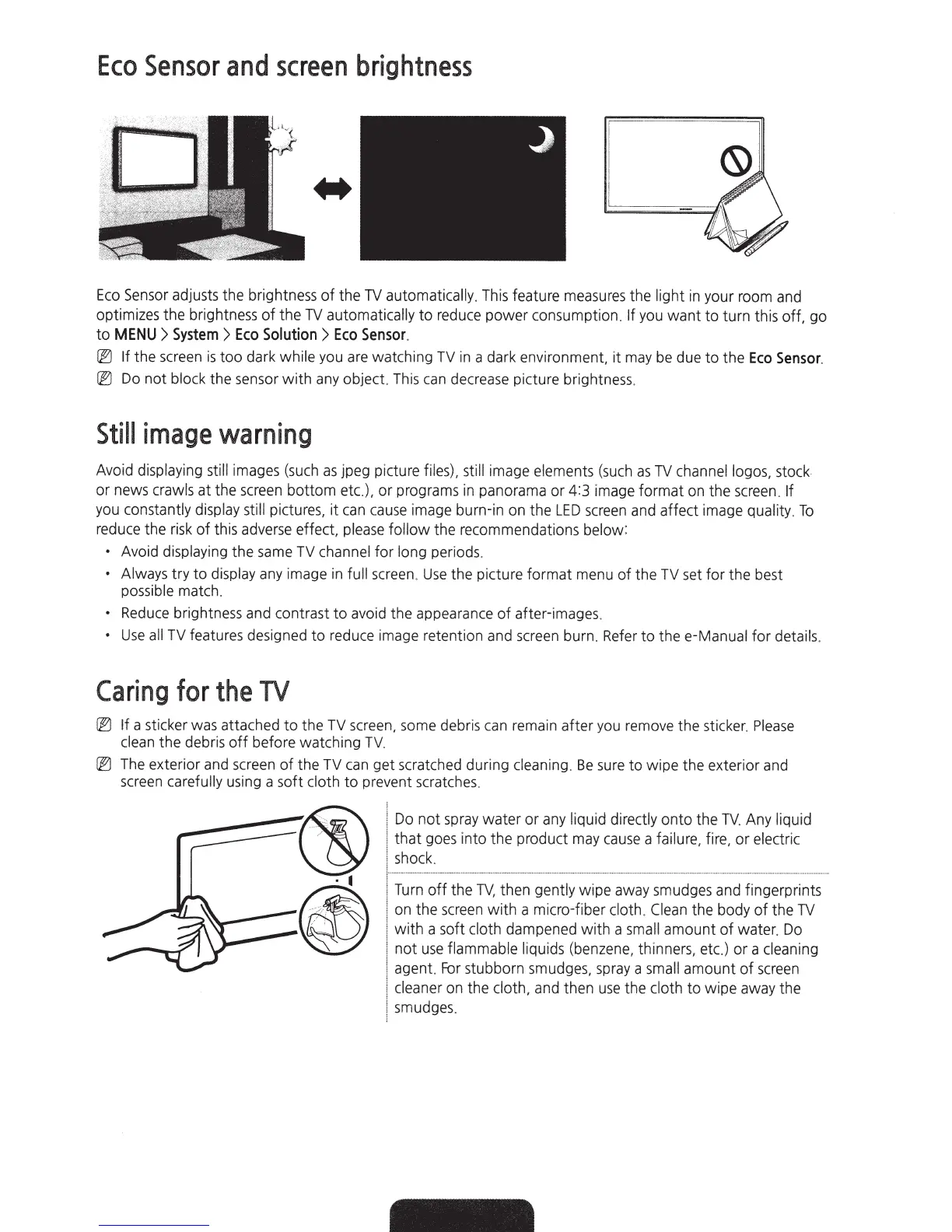
Eco
Sensor adjusts the brightness
of
the
TV
automatically.
This feature measures the
light
in
your room and
optimizes
the
brightness
of
the
TV
automatically
to
reduce
power
consumption.
If
you
want
to
turn
this
off,
go
to
MENU
>
System
>
Eco
Solution
>
Eco
Sensor
.
@
If
the screen
is
too
dark
while
you are watching
TV
in a dark environment,
it
may
be
due
to
the
Eco
Sensor.
@
Do
not
block
the sensor
with
any object. This
can
decrease picture brightness.
Still
image
warning
Avoid
displaying still
images (such
as
jpeg picture
files), still
image
elements (such
as
TV
channel logos,
stock
or
news
crawls
at
the screen
bottom
etc.).
or
programs in panorama or 4:3 image
format
on the screen.
If
you
constantly display still
pictures,
it
can
cause
image burn-in on
the
LED
screen and affect image
quality.
To
reduce the risk
of
this adverse effect,
please
follow
the recommendations
below:
•
Avoid
displaying
the
same TV channel
for
long
periods.
• Always
try
to
display
any image in
full
screen.
Use
the picture format menu
of
the
TV
set
for
the best
possible
match.
•
Reduce brightness and contrast
to
avoid the appearance
of
after-images.
•
Use
all
TV features designed
to
reduce image retention and screen burn. Refer
to
thee-Manual
for
details.
Caring
for
the
TV
@
If
a sticker was attached
to
the
TV screen, some debris
can
remain
after
you remove the sticker.
Please
clean
the
debris
off
before watching
TV.
@
The exterior and screen
of
the TV can get scratched during
cleaning.
Be
sure
to
wipe
the exterior and
screen
carefully using a
soft
cloth
to
prevent scratches.
Do
not
spray
water
or
any liquid directly
onto
the
TV.
Any
liquid
that
goes into the product may
cause
a
failure, fire,
or
electric
shock.
Turn
off
the
TV,
then
gently
wipe away smudges and fingerprints
on the screen wi
th
a micro-fiber
cloth.
Clean the body
of
the
TV
with
a soft cloth
dampened
with
a
small
amount
of
water. Do
not
use
flammable liquids
(benzene, thinners, etc.)
or
a cleaning
agent.
For
stubborn smudges, spray a
small
amount
of
screen
cleaner
on the
cloth,
and then
use
the
cloth
to
wipe away the
smudges.




 To Next Page