EasyManua.ls Logo

Samsung UN55JU650D - Network Troubleshooting; Improving Wireless Signal; Using Wireless Repeaters; Reducing Wireless Interference

Samsung UN55JU650D
27 pages
Print Icon
To Next Page IconTo Next Page
To Previous Page IconTo Previous Page
Loading...
Network
troubleshooting
Improving
your
wireless
signal
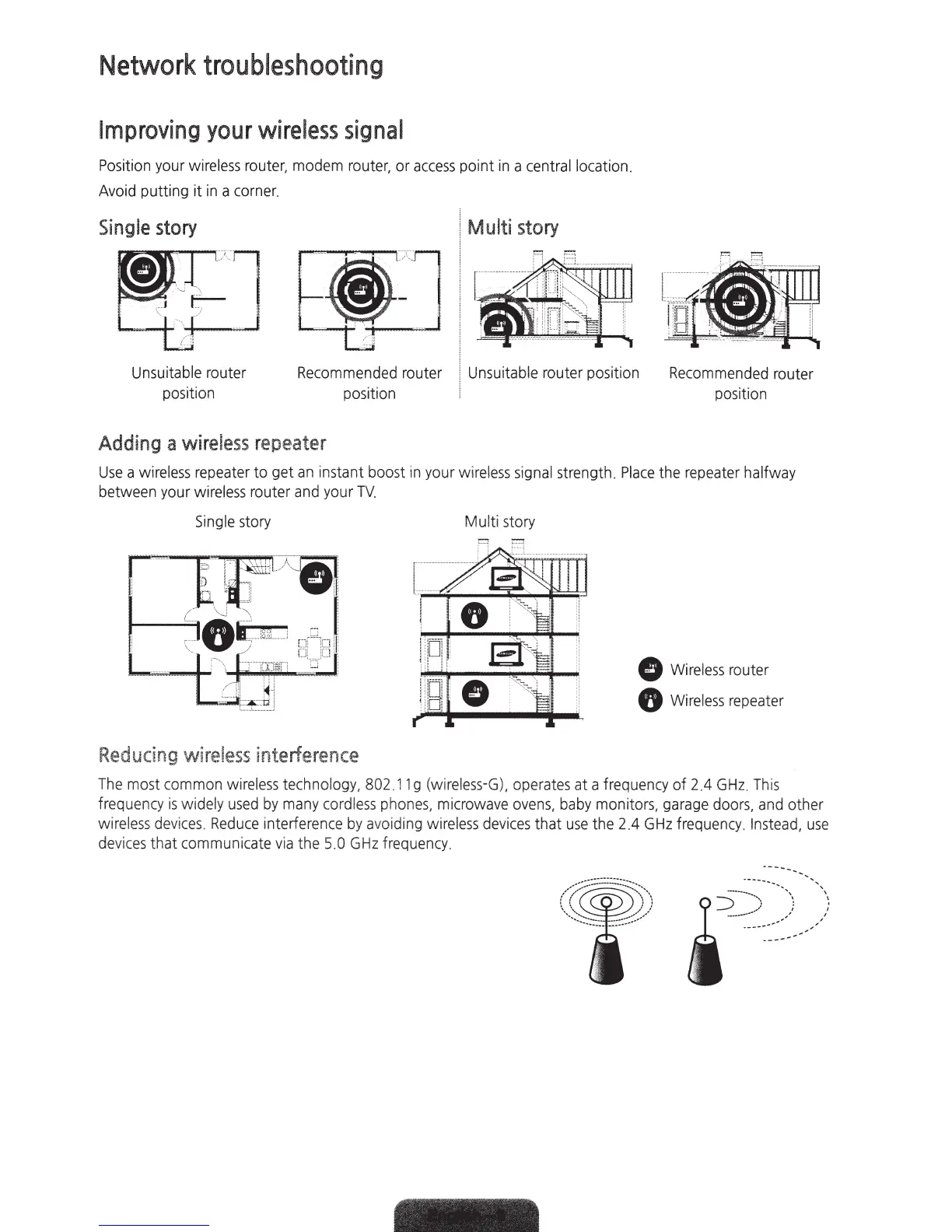
Position
your
wireless
router,
modem
router,
or
access
point
in
a
central
location.
Avoid
putting it
in
a
corner.
Single
story
Multi
story
Unsuitable router
positi
on
Recommended
router Unsuitable router position
Recommended
router
position position
Adding
a
wireless
repeater
Use
a
wireless
repeater
to get
an
instant boost
in
your wirel
ess
signal
strength.
Place
the
repeater
halfway
between
your
wireless
router
and
your
TV.
Sing
le
story
Reducing
wireless
interference
Mu
lti
story
0
Wireless
router
8
Wireless
repeater
The
most
co
mm
on
wireless
technology,
802.1
1 g
(wire
l
ess-G),
operates
at a
frequency
of 2.4
GHz
.
This
frequency
is
widely
used
by
many
cordless
phones,
microwave
ovens
,
baby
monitors,
garage
doors,
and
other
wireless
devices.
Reduce
interference
by
avo
idi
ng
wirel
ess
devices
that
use
the 2.4
GHz
frequency
. I
nstead,
use
dev
i
ces
that communicate via the
5.0
GHz
frequency
.

Related product manuals