EasyManua.ls Logo

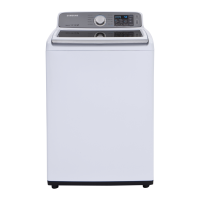
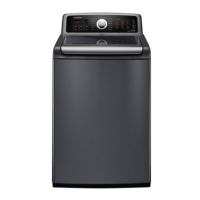
Samsung WA48H7400AW/A2 - User Manual

Samsung WA48H7400AW/A2
37 pages
Print Icon
To Next Page IconTo Next Page
Loading...
WASHING MACHINE (TOP-LOADING) CONTENTS
SERVICE
Manual
WASHING MACHINE
TOP-LOADING TYPE
Basic Name : WA48H7400AW
(WA7000H PJT)
Basic Code : WA48H7400AW/A2
Model Name : WA48J7700AW
WA48J7770AP
WA48J7770AW
(WA7700J PJT)
Model Code : WA48J7700AW/A2
WA48J7770AP/A2
WA48J7770AW/A2
1. Safety Instructions
2.FeaturesandSpecications
3. Disassembly and Reassembly
4. Troubleshooting
5. PCB Diagram
6. Wiring Diagram
7. Reference

Questions and Answers

  • H
    heidijonesAug 4, 2025
    How to check drain in Samsung WA48H7400AW/A2?
    • J
      Jeremy OsborneAug 4, 2025
      To check the drain in your Samsung washer, examine the draining pump motor for any foreign objects. Inspect the natural drain for blockages as well. Also, verify all connections and wires are correctly connected and not broken. If the washer malfunctions when the water temperature is high, the pump may need replacing. If the motor stops due to frozen water, remove the ice.
  • S
    Sarah WhiteAug 9, 2025
    What to do if Samsung WA48H7400AW/A2 Washer has door check problem?
    • T
      Theresa TaylorAug 9, 2025
      If your Samsung washer has a door check problem, the main PBA door detection circuit might be defective, requiring replacement.
  • N
    nhornAug 13, 2025
    What to do if my Samsung WA48H7400AW/A2 Washer has water supply problems?
    • L
      lewisjosephAug 13, 2025
      If your Samsung washer isn't getting water, several things could be the cause. First, the water supply valve may be broken and needs replacement. Also, the water supply could be blocked by a foreign object in the valve, or the water might be frozen. Finally, a malfunctioning PBA relay could also be the issue, requiring PBA replacement. Check these components and take appropriate action.
  • T
    Timothy WernerAug 17, 2025
    What to do if my Samsung WA48H7400AW/A2 has communication issues?
    • J
      Julia RiosAug 17, 2025
      If your Samsung washer is experiencing communication issues, start by checking the wire connections and terminal contacts between the sub and main PBAs. Look for any disconnected wires. Also, check if the sub PBA is short-circuited due to moisture. If the main PBA’s communication circuit is faulty, it may need to be replaced.
  • B
    Brandi ClarkAug 21, 2025
    How to check motor driving and hall sensor on Samsung WA48H7400AW/A2 Washer?
    • D
      David OrtizAug 21, 2025
      To check the motor driving and hall sensor on your Samsung washer, inspect the motor connector terminal connections. Verify the motor cover is not damaged. Check the coil for breaks due to moisture or foreign substances. If the PBA control circuit is defective, the PBA may need replacement.
  • J
    jtownsendAug 26, 2025
    How to check temperature sensor in Samsung WA48H7400AW/A2 Washer?
    • J
      Jamie WelchAug 26, 2025
      To check the temperature sensor in your Samsung washer, first check the connections for the washing heater temperature sensor connector. If the washing heater temperature sensor has a functional error, replace it. Check the connections for the dry heater temperature sensor connector. If the dry heater temperature sensor has a functional check, replace it.
  • L
    Laura RobinsonAug 30, 2025
    How to troubleshoot water level sensor on Samsung WA48H7400AW/A2 Washer?
    • P
      Paul BishopAug 30, 2025
      To troubleshoot the water level sensor on your Samsung washer, begin by checking the water level sensor terminal connections. Ensure the correct part code for the water level sensor is used, as an incorrect part can cause abnormal operation. If the water level sensor is defective, replace it. If these steps don't resolve the issue, consider replacing the PBA.

Summary

SAFETY INSTRUCTIONS

1-1. SAFETY INSTRUCTIONS FOR SERVICE ENGINEERS

Provides essential safety guidelines and warnings for service personnel.

FEATURES AND SPECIFICATIONS

2-1. FEATURES

Details the various features and functionalities of the washing machine.

2-2. SPECIFICATIONS

Provides technical specifications including dimensions, capacity, and power consumption.

2-3. DETAIL FEATURES

Offers a comparative breakdown of detailed features across different model grades.

2-4. OPTIONS SPECIFICATIONS

Lists optional accessories, their item names, and corresponding code numbers.

DISASSEMBLY AND REASSEMBLY

3-1. TOOLS FOR DISASSEMBLY AND REASSEMBLY

Lists the necessary tools required for performing disassembly and reassembly procedures.

3-2. STANDARD DISASSEMBLY DRAWINGS

Illustrates step-by-step procedures for disassembling various components of the washing machine.

TROUBLESHOOTING

4-1. INFORMATION MODES

Details various check types and their associated information modes for diagnosing issues.

4-2. CORRECTIVE ACTIONS FOR EACH CHECK CODE

Provides specific corrective actions and countermeasures for each identified troubleshooting check code.

4-3. THE INSTALLATION FOR LEVELING

Guides on how to properly level the washing machine for optimal performance and stability.

PCB DIAGRAM

5-1. MAIN PCB

Diagram and component identification for the main printed circuit board assembly.

5-2. DETAILED MANUAL FOR CONNECTOR AND RELAY TERMINAL PART - MAIN PCB

Details the connectors and relay terminals connected to the main PCB.

5-3. SUB PCB

Diagram and component identification for the sub printed circuit board assembly.

5-4. DETAILED MANUAL FOR CONNECTOR TERMINAL PART - SUB PCB

Details the connectors and terminals connected to the sub PCB.

WIRING DIAGRAM

6-1. WIRING DIAGRAM

Illustrates the electrical connections and wiring schematic of the appliance for service.

REFERENCE

7-1. MODEL NUMBER NAMING RULES

Explains the structure and meaning of the product's model number for identification.

Samsung WA48H7400AW/A2 Specifications

General IconGeneral
Capacity4.8 cu. ft.
ColorWhite
Energy Star CertifiedYes
Number of Wash Cycles11
Steam FunctionNo
Vibration Reduction TechnologyYes
Self CleanYes
Delay WashYes
Child LockYes
TypeTop Load

Related product manuals