EasyManua.ls Logo

Samsung WA400 Series - User Manual

Samsung WA400 Series
44 pages
Print Icon
To Next Page IconTo Next Page
Loading...
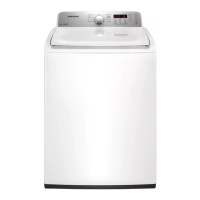
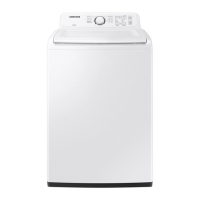
Washing Machine
user manual
WA456*
WA422*
WA400*
imagine the possibilities
Thank you for purchasing this Samsung product.
To receive more complete service or accessory
parts, please register your product at or contact
www.samsung.com/register
1-800-SAMSUNG (726-7864)

Other manuals for Samsung WA400 Series

Questions and Answers

  • J
    Jason PerrySep 9, 2025
    What does Foaming Detected mean on my Samsung WA400?
    • S
      Stephanie RivasSep 9, 2025
      If your Samsung Washer displays 'Foaming Detected', it means the washer has detected too much foam. This is a normal operation to prevent non-sensing faults.
  • J
    Jonathan PetersenAug 25, 2025
    What to do if my Samsung WA400 has a drain error?
    • C
      Christy TownsendAug 25, 2025
      If your Samsung Washer displays a drain error, it could be due to a clogged drain hose. Make sure to clear the drain hose. Also, check the water pump connections to ensure the water pump terminal is connected correctly.
  • D
    davidmccannAug 25, 2025
    Why does my Samsung WA400 show an unbalance error?
    • M
      Mathew KelleyAug 26, 2025
      If your Samsung Washer displays an unbalance error, it is likely due to the laundry load. Find the reason for the imbalance and solve it as directed in the user manual.
  • C
    cindy03Sep 22, 2025
    What to do if the water level sensor is not working properly on my Samsung Washer?
    • T
      Teresa ColemanSep 22, 2025
      Call for service.
  • K
    Kimberly JonesSep 9, 2025
    How to fix Communication Error on Samsung Washer?
    • C
      Christine PorterSep 10, 2025
      A Communication Error on your Samsung Washer means the signals between the sub and main PBAs are not being sensed. To resolve this, carefully check the connector connections between the sub and main PBAs.
  • T
    Tammy WattsSep 14, 2025
    Why is my Samsung WA400 vibrating or too noisy?
    • K
      Kimberly WallaceSep 14, 2025
      If your Samsung Washer is vibrating excessively or is too noisy, make sure it is placed on a level surface and is not in contact with any surrounding objects. Also, ensure that the laundry load inside is balanced.
  • M
    Mrs. Rachel JohnsonSep 4, 2025
    Why does my Samsung WA400 have no water or not enough water?
    • T
      thomassusanSep 4, 2025
      If your Samsung Washer isn't filling properly, fully turn on both faucets and straighten the water inlet hoses. Also, disconnect the hoses and clean the screens, as hose filter screens may be clogged.
  • D
    danieljohnsonSep 4, 2025
    How to reduce vibration and noise in my Samsung WA400 Washer?
    • S
      Sean BennettSep 4, 2025
      To reduce vibration or noise in your Samsung Washer, ensure it is set on a level surface and not touching any other object. Make sure the laundry load is balanced.
  • T
    Tiffany LynchSep 23, 2025
    What to do if the motor is not running properly on my Samsung WA400?
    • S
      Sara ConnerSep 23, 2025
      Restart the cycle pressing the Start/Pause button. If the code reappears, call for service.
  • W
    William QuinnAug 29, 2025
    What to do if the door will not unlock on my Samsung WA400 Washer?
    • W
      William WilliamsAug 29, 2025
      To resolve a door that will not unlock on your Samsung Washer, ensure the lid is firmly closed. If it still doesn't unlock, push the Power button to turn off your washer, then turn it on again.

Summary

Key Features of Your Washer

Core Washing Features

Details on Large Capacity, AquaJet™, Digital Inverter Motor, Mist Shower, and VRT® technologies.

Advanced Washer Features

Explanation of Eco Plus, Pure Cycle™, My Cycle, and Smart Care functionalities.

Safety Information

General Safety Instructions

Essential guidelines and precautions for safe operation.

Safety Symbols and Precautions

Explanation of warning symbols and their meanings for user safety.

Installation Guide

Unpacking and Washer Overview

Steps for unpacking the washer and identifying its main parts.

Location and Requirements

Guidelines for selecting a proper location and necessary electrical/water requirements.

Installation Procedures

Details on drain facility, flooring, location clearances, and dimensions.

Connecting Water and Drain

Instructions for connecting water supply hoses and the drain hose.

Leveling and Calibration

Steps for leveling the washer and running the calibration mode.

Operating Instructions

Loading and Starting a Wash

Guidance on loading laundry and initiating the wash cycle.

Control Panel Overview

Explanation of the washer's control panel layout and indicators.

Key Functions Explained

Details on Child Lock, My Cycle, and Delay Start features.

Wash Cycles and Options

Description of various wash cycles, pre-soak, AquaJet™, Eco Plus, and Smart Care.

Detergent and Additive Use

Guidance on using detergents, bleach, and fabric softener with the dispenser.

Maintaining Your Washer

Exterior and Interior Cleaning

Instructions for cleaning the external surfaces and the internal drum.

Dispenser and Pure Cycle Cleaning

Procedures for cleaning the detergent dispenser and using the Pure Cycle™.

Troubleshooting and Support

Common Problems and Solutions

Troubleshooting common issues like no start, no water, or noise.

Information and Error Codes

Understanding diagnostic codes displayed by the washer.

Fabric Care and Cycle Charts

Reference charts for fabric care symbols and wash cycle settings.

Warranty Information

Details on limited warranty coverage for U.S.A. and Canada.

Questions or Comments?

Samsung WA400 Series Specifications

General IconGeneral
BrandSamsung
ModelWA400 Series
CategoryWasher
LanguageEnglish

Related product manuals