EasyManua.ls Logo

Samsung WA40J3000 - User Manual

Samsung WA40J3000
6 pages
Print Icon
To Next Page IconTo Next Page
Loading...
Fast Track Troubleshooting
Model: WA40J3000
Publication #DR WA40J3000
Production date: 5-13-15
IMPORTANT SAFETY NOTICE “For Technicians Only This service data sheet is
intended for use by persons having electrical, electronic, and mechanical experience and knowledge
at a level generally considered acceptable in the appliance repair trade. Any attempt to repair a
major appliance may result in personal injury and property damage. The manufacturer or seller
cannot be responsible, nor assume any liability for injury or damage of any kind arising from the use
of this data sheet.
Bulletins:
Support Information:
HELP: 1-888-751-4086 (Tech Sup. ASC/SSD) - 1-866-894-0637 (Tech Sup. - FE/ME)
GSPN: http://gspn3.samsungcsportal.com/main.jsp
PLUS ONE: http://my.plus1solutions.net/clientPortals/samsung
TEST MODE: WITH POWER OFF - PRESS: Load Size + POWER
* Entering Test mode will delete any stored errors
1. All LED’s light up and it sends out Beep Sound when it
enters into the Test Mode, and the memory will clear
EEPROM. ( including any errors that were saved)
2. Press the Start key to bypass LED light up, it would
displays software version after on normal mode.
3. Press the Temp key, test the Water Valve.
4. Press the Temp and Start key, test the Door Lock.
5. Press the Load Size and Start key, test the Pump.
6. Turn the Jog-Dial to
1) Normal course :Display the MCU SW version.
2) Heavy Duty Course : Display the Model Option.
3) Delicates course : Test the Motor On/Off.
4) Colors/Darks course : Test the Spin.
TEST
FUNCTION test PRESS
1 Water Valve Test TEMP
2 Door Lock / Unlock TEMP + Start
3 Pump Test Load Size + Start
4 Motor On / Off Set to Delicates
5 Spin Test Set to Colors/Darks
6 SW Version Set to Normal
7 Model Option Set to Heavy Duty
Activating or disable the Child Lock function
Press and hold the Temp. and Load Size
buttons simultaneously for approximately 3
seconds.
• When you activate the Child Lock function,
the “Child Lock” lamp blinks
Error Code Check
When power is on Hold TEMP 3
Seconds
Check Errors First before entering test mode
Question and Answer IconNeed help?

Do you have a question about the Samsung WA40J3000 and is the answer not in the manual?

Summary

Troubleshooting Introduction and Test Mode

Pre-Test Mode Error Check

Ensure errors are checked before entering test mode to avoid data loss.

Entering Diagnostic Test Mode

Procedure to enter the diagnostic test mode by pressing specific buttons.

Child Lock Function Operation

Instructions for activating and deactivating the Child Lock feature.

Error Code Interpretation and Specific Issues

Error Code Display Mechanism

Understanding how error codes are indicated through blinking LEDs.

Common Error Code Symptoms

Details on various error codes and their associated symptoms.

Troubleshooting Unit Running Non-Stop

Solution for units that operate continuously, often requiring PCB replacement.

Auto Temperature Control (ATC) Explanation

Explanation of the ATC system for maintaining optimal wash temperatures.

Component-Specific Troubleshooting Procedures

Water Level Sensor Diagnosis and Repair

Procedures for checking and resolving water level sensor issues.

Washing Motor Defect Troubleshooting

Steps to diagnose and repair washing motor defects.

Water Supply and Drain System Checks

Troubleshooting water supply valve and drain pump malfunctions.

Communication and Door Lock Switch Issues

Resolving communication errors and door lock switch problems.

Advanced Troubleshooting Scenarios

Water Leakage and Unbalance Code Resolution

Diagnosing and fixing water leakage and unbalance code conditions.

Mems PBA and Overflow Code Analysis

Troubleshooting Mems PBA defects and overflow conditions.

Temperature Sensor and Switch Code Issues

Addressing temperature sensor faults and switch code issues.

Internal Component Schematics and Pinouts

PCB Main and Sub Connector Pinouts

Detailed pinout information for main and sub PCBs.

SMPS Module and Connector Layout

Diagrams of the SMPS module and associated connectors.

Wiring Diagrams and Component References

Overall Schematic Diagram

Visual representation of internal wiring and component connections.

Connector Pin Assignments and Colors

Detailed pin assignments for various connectors and wire colors.

Overview

This document provides fast track troubleshooting information for the Samsung WA40J3000 washing machine, intended for use by experienced technicians.

Function Description:

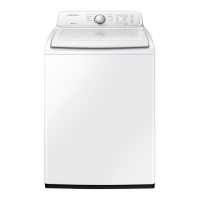
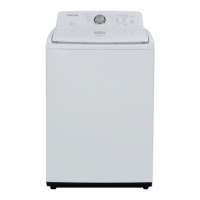
The Samsung WA40J3000 is a top-loading washing machine designed to clean clothes using various wash cycles and water temperature settings. It incorporates an Auto Temperature Control (ATC) function that utilizes a thermistor to maintain optimal wash temperatures for different cycles, ensuring effective cleaning performance while adhering to energy usage regulations. The machine features a control panel with a jog-dial for cycle selection, buttons for temperature, load size, and start/pause, and LED indicators for status and error codes.

Important Technical Specifications:

While specific detailed technical specifications like motor power or drum capacity are not explicitly listed, the document provides insights into the machine's internal components and their functionalities:
  • Power Supply: The schematic diagram indicates AC power input (AC1(L), AC1(N)) and various DC voltage outputs (12V, 5V, 3.3V) for internal components, managed by an SMPS (Switched-Mode Power Supply) module.
  • Sensors: The washer is equipped with a water level sensor (pressure sensor), a thermistor for water temperature sensing, and a hall sensor (likely for motor speed or position).
  • Actuators: Key actuators include water valves (hot, cold, rinse), a drain pump, a motor for washing, and a door lock switch.
  • Control System: The machine utilizes a main PCB (Printed Circuit Board) and a sub PBA (likely a control panel board) that communicate to manage all operations.
  • Motor: The motor is responsible for both washing and draining functions, with specific wiring for motor left and motor right control, and a condenser for its operation.
  • Water Supply: The system includes hot, cold, and extra rinse valves to control water flow and temperature.

Usage Features:

  • Wash Cycles: The jog-dial allows selection of various wash cycles, including Normal, Quick Wash, Heavy Duty, Rinse+Spin, Delicates, Spin, Colors/Darks, and Self Clean.
  • Temperature Settings: Users can select water temperatures such as Hot, Warm, Cold, and Tap Cold.
  • Load Size Settings: Options for load size include Extra Large, Large, Medium, and Small.
  • Child Lock Function: This safety feature can be activated or disabled by pressing and holding the "Temp." and "Load Size" buttons simultaneously for approximately 3 seconds. When active, the "Child Lock" lamp blinks.
  • Start/Pause Function: A dedicated button allows users to start or pause a wash cycle.
  • Error Code Display: The machine communicates issues through blinking LEDs on the control panel, indicating specific error codes related to various components like the door, communication, switches, sensors, and motor.

Maintenance Features:

  • Test Mode: The washer has a diagnostic "Test Mode" that can be entered by holding the "Temp." button for 3 seconds when the power is on. Entering this mode clears any stored error codes from the EEPROM.
    • Test Mode Functions:
      • All LEDs light up, and a beep sounds upon entering.
      • Pressing "Start" bypasses the LED light-up and displays the software version.
      • "Temp." button tests the Water Valve.
      • "Temp." + "Start" buttons test the Door Lock.
      • "Load Size" + "Start" buttons test the Pump.
      • Turning the Jog-Dial allows testing of:
  • Normal course: Displays MCU SW version.
  • Heavy Duty course: Displays Model Option.
  • Delicates course: Tests Motor On/Off.
  • Colors/Darks course: Tests Spin.
  • Troubleshooting Guide: The document provides a comprehensive troubleshooting guide for various symptoms and check codes, outlining counter-measures, detailed troubleshooting procedures, and measurement pictures for component testing (e.g., water level sensor frequency, motor winding coil resistance, water supply valve resistance, drain pump resistance, thermistor resistance, door lock/unlock contact resistance).
  • Component Replacement Guidance: For specific issues, the guide recommends replacing defective components such as the main PCB, water level sensor, motor, water supply valve, drain pump, Mems PBA, door lock switch unit, or thermistor.
  • Software Updates: For issues like "Unit keeps running non stop," replacing the Main PCB is recommended as the software in the board has changed to correct this symptom.
  • Physical Inspection: Troubleshooting procedures often involve checking wire connections, terminal contacts, for alien substances (e.g., in the drain bellows, drain pump, water supply valve filter), and for frozen water.
  • Resistance Measurements: Technicians are guided to measure resistance values for various components (motor winding coil, water supply valve, drain pump, Reed SW, motor, door lock/unlock contact, thermistor) to diagnose faults.
  • Frequency Measurement: The water level sensor's frequency can be measured for diagnostic purposes.
  • Gap Check: For switch code errors, checking the gap between control panel buttons and their corresponding micro switches is advised.

Samsung WA40J3000 Specifications

General IconGeneral
BrandSamsung
ModelWA40J3000
CategoryWasher
LanguageEnglish

Related product manuals