EasyManua.ls Logo

Samsung WA40A3005AW - User Manual

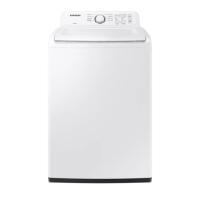
Samsung WA40A3005AW
192 pages
Print Icon
To Next Page IconTo Next Page
Loading...
Washer
User manual
WA40A3***A* / WA41A3***A*
WA3000A_DC68-03850F-00_EN.indd 1WA3000A_DC68-03850F-00_EN.indd 1 2020-12-07  4:20:422020-12-07  4:20:42

Table of Contents

Questions and Answers

  • P
    Philip SimpsonJul 30, 2025
    What to do if my Samsung WA40A3005AW does not start?
    • S
      Shawna FuentesJul 31, 2025
      If your Samsung Washer isn't starting, several factors could be at play. First, ensure the door is fully closed and that the water taps are open. Don't forget to press or tap the START/PAUSE button to initiate the wash cycle. Also, verify that the Child Lock feature isn't activated. If the door was opened mid-spin, close it and press START/PAUSE to continue. The machine may be in Standby or a soaking cycle, so allow it some time. It's also worth checking the fuse or circuit breaker. Note that before filling, the washer will make clicking sounds to check the door lock and perform a quick drain.
  • J
    John PerezAug 8, 2025
    How to fix a Samsung Washer that does not turn on?
    • S
      shannonreyesAug 8, 2025
      If your Samsung Washer isn't turning on, there are a few things you can check. First, ensure that you are using the correct rated power for the appliance. Next, make sure the power cord is completely plugged into the outlet. Finally, inspect the fuse or reset the circuit breaker.
  • B
    Brittney VaughnAug 18, 2025
    Why is water not being supplied to my Samsung WA40A3005AW Washer?
    • H
      hbakerAug 18, 2025
      If water isn't being supplied to your Samsung Washer, there are several possible reasons. First, ensure that you press or tap START/PAUSE after selecting the water supply. Also, verify that the water taps are fully open and that the water supply hoses are straightened. If the filter net at the water supply hose connector is clogged, clean it with a toothbrush. If the water supply is cut off, close the tap and power off the washer. Opening and closing the door, then pressing START/PAUSE may also help. Note that low water pressure can extend the wash start time. Also, if the water level isn't high enough, use the level selector to adjust it.

Summary

Safety Information

Important safety precautions

Key precautions to reduce the risk of fire, electric shock, or injury when using the appliance.

Critical installation warnings

Essential safety warnings related to the electrical installation and grounding of the washer.

Critical usage warnings

Warnings about potential hazards during appliance operation, such as fire, explosion, and injury.

Installation

Basic location requirements

Guidelines for selecting an appropriate and safe location for installing the washing machine.

Water supply and drain requirements

Details on water pressure, faucet accessibility, drain height, and flooring for proper installation.

Step-by-step installation guide

Detailed instructions for selecting a location and connecting the water supply hose safely.

Connecting the drain hose

Instructions on how to properly connect the drain hose to a standpipe or laundry tub.

Leveling your washer

Steps to ensure the washer is level for optimal performance and to minimize vibration.

Powering your washer

Instructions on connecting the power cord to a suitable electrical outlet and performing a test run.

Operating Instructions

Washing a Load of Laundry

Troubleshooting

Common problem checkpoints

A table listing common washer problems and suggested solutions for troubleshooting.

Information codes and error meanings

Lists error codes displayed by the washer and their corresponding meanings and actions.

Samsung WA40A3005AW Specifications

General IconGeneral
Styletop load
Colorwhite
Washer Capacity4.0 cu. ft.
Max Spin Speed700 rpm
Number of Cycles8
Number of Options3
Temperature Settings5
Internal Heaterno
Control Paneldigital and knobs
Interior Lightno
Steamno
Dispensermain wash, softener, bleach
Add Washno
Soak Settingsno
Remote Controlno
Wi-Fino
Voltage120v/60hz
Current15 amps
Weight and Dimensions IconWeight and Dimensions
Depth29 5/16 inch
Height44 inch
Width27 inch

Related product manuals