Shooting options
74
Adjusting brightness and color
Adjusting color temperature
1
In Shooting mode, press [
m
].
2
Select
a
White Balance.
3
Scroll to Color Temperature.
4
Rotate [Zoom] right.
5
Press or rotate the navigation button to adjust the color
temperature.
OK
3900K
Back
Set
6
Press [
o
] to save your settings.
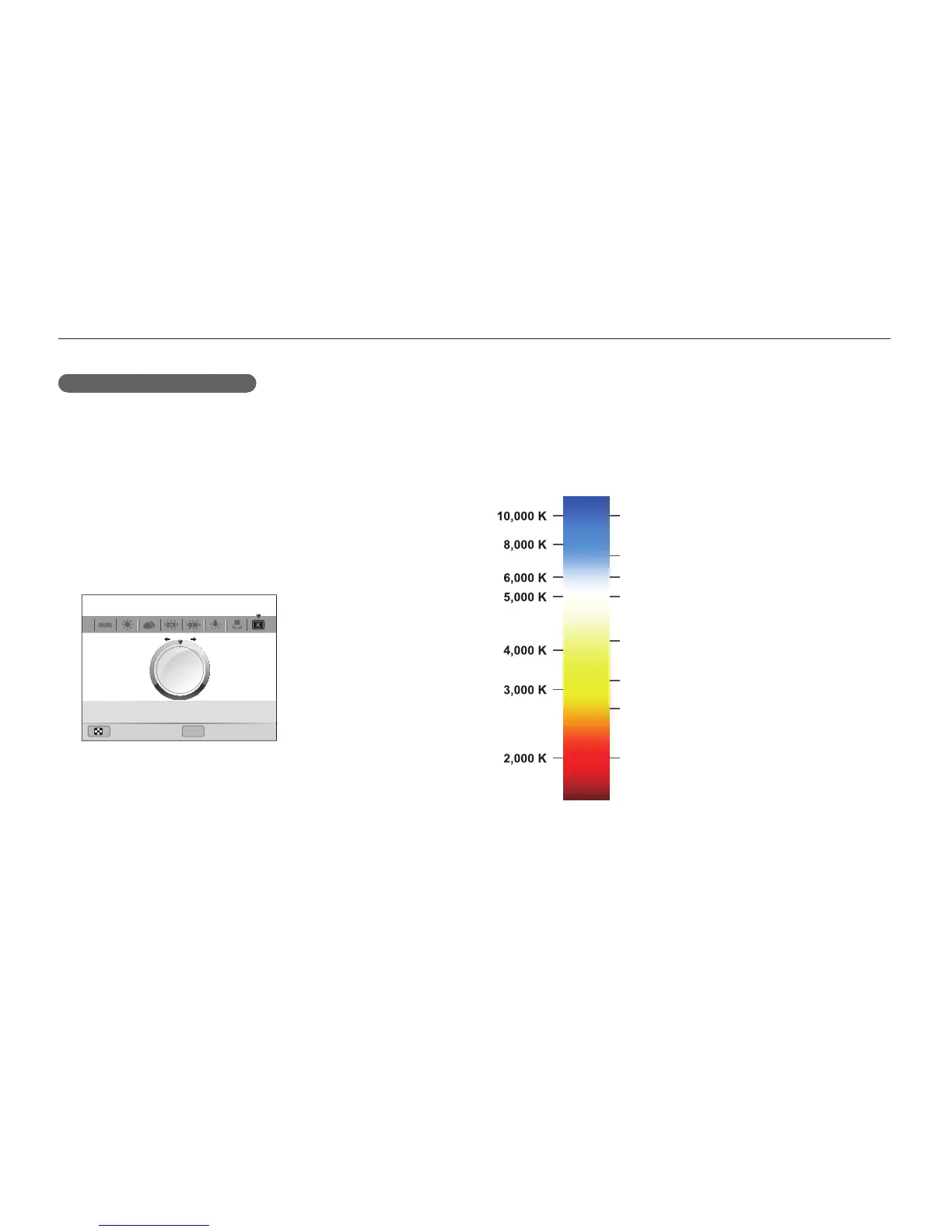
Color temperature
Color temperature is a measurement in degrees Kelvin that
indicates the hue of a specific type of light source. As the color
temperature increases, the color distribution becomes cooler.
Alternatively, as the color temperature decreases, the color
distribution becomes warmer.
Clear sky
Fluorescent_H
Cloudy
Daylight
Fluorescent_L
Halogen lamp
Tungsten
Candle light



 To Next Page