Playback/Editing
81
Playing back
Ranking your favorite faces
You can change the ranking of your favorite faces. This feature is
available only when you use a memory card.
1
In Playback mode, press [
m
].
2
Select
u
Face List Edit Edit Ranking.
3
Scroll to a face from the list and press [
o
].
1
2
3
4
5
6
48
Fn
Menu
Back Set
4
Rotate the navigation button or press [
D
] or [
c
] to
change the ranking of the face, and then press [
f
].
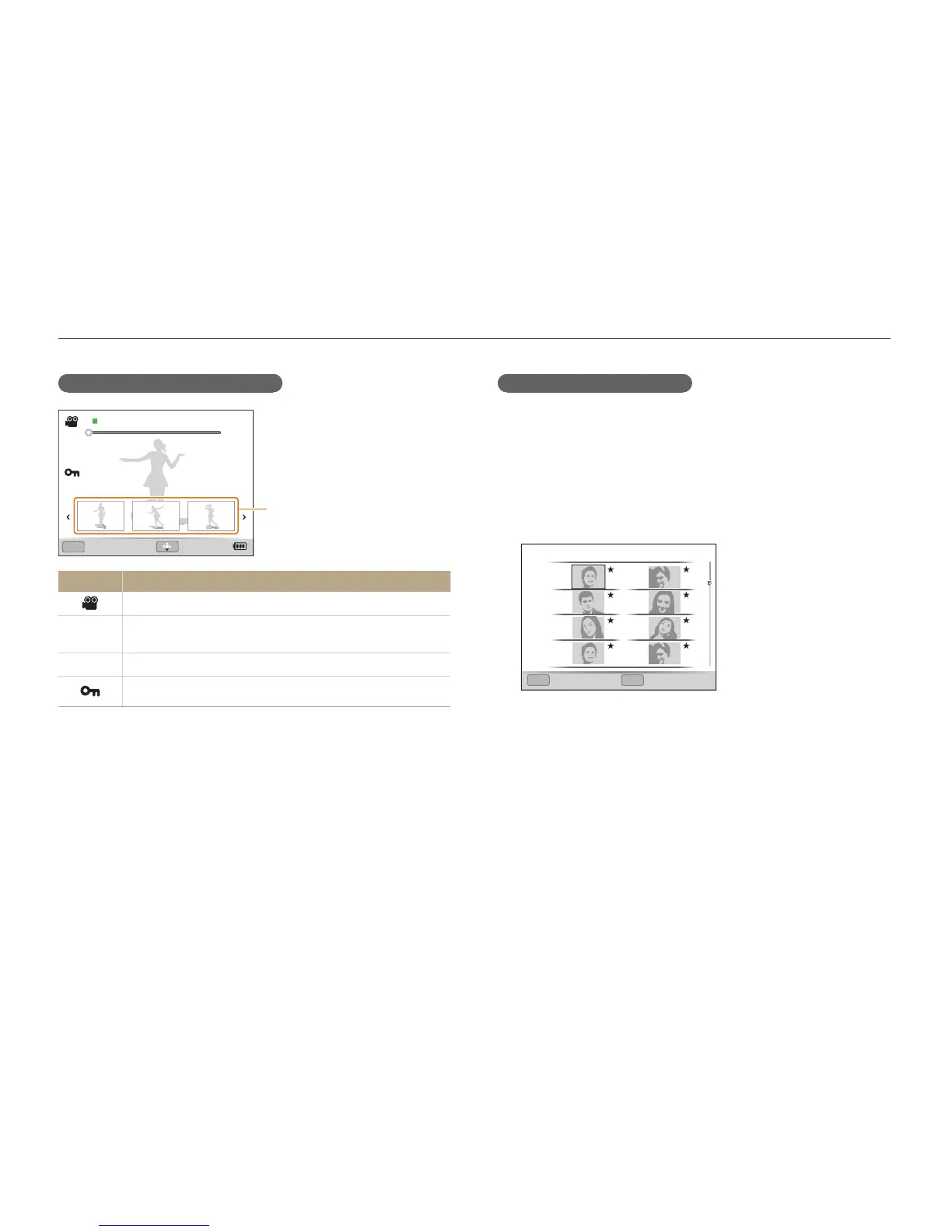
Video display in Playback mode
100-0001
00:00:00/00:00:10
OK
00:00:02 00:00:05 00:00:07
Play Capture
Thumbnail image of bookmark
Icon Description
Video file
00:00:00/
00:00:10
Playback time – Total playback time
100-0001
Folder name – File name
Protected file



 To Next Page