EasyManua.ls Logo

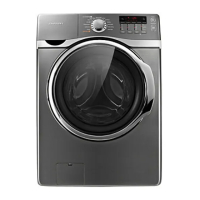
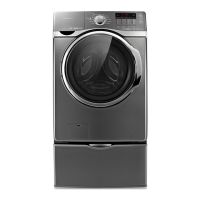
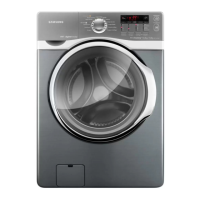
Samsung WD136UVHJSM - User Manual

Samsung WD136UVHJSM
44 pages
Print Icon
To Next Page IconTo Next Page
Loading...
Washing Machine
user manual
imagine the possibilities
Thank you for purchasing this Samsung product.
WD146UVHJSM
WD136UVHJSM
WD146_WD136-03129E-04_EN.indd 1WD146_WD136-03129E-04_EN.indd 1 2016-04-07  10:11:482016-04-07  10:11:48

Questions and Answers

  • J
    Jaime BuchananAug 20, 2025
    Why is my Samsung WD136UVHJSM not starting?
    • S
      Scott ThomasAug 20, 2025
      If your Samsung Washer won't start, ensure the door is firmly closed, the washer is plugged in, and the water source faucets are open. Press the Start/Pause button. Also, check if the Child Lock is activated. Before the washer starts to fill, it will make clicking noises to check the door lock and perform a quick drain. Finally, check the fuse or reset the circuit breaker.
  • J
    jennifer46Aug 21, 2025
    What to do if my Samsung WD136UVHJSM leaks water?
    • A
      Angela LeeAug 22, 2025
      If your Samsung Washer leaks water, make sure the door is firmly closed and all hose connections are tight. Ensure the drain hose is correctly inserted and secured to the drainage system. Avoid overloading the washer and use high-efficiency detergent to prevent over-sudsing.
  • A
    akimAug 25, 2025
    Why is my Samsung WD136UVHJSM Washer door locked and will not open?
    • A
      Allison BergerAug 25, 2025
      If the door is locked or will not open on your Samsung Washer, press the Start/Pause Button to stop the washer. Note that the washer door will remain locked during the heating portion of the Sanitize Cycle. It may take a few moments for the door lock mechanism to disengage.
  • S
    Stephanie MccarthyAug 26, 2025
    Why is my Samsung WD136UVHJSM Washer not draining or spinning?
    • B
      brittany44Aug 26, 2025
      If your Samsung Washer does not drain and/or spin, check the fuse or reset the circuit breaker. Straighten the drain hoses to eliminate any kinks. Close the door and press the Start/Pause Button. Also, make sure the debris filter is not clogged.
  • S
    Sharon EspinozaAug 28, 2025
    What to do if my Samsung WD136UVHJSM vibrates too much?
    • R
      Ryan HowellAug 28, 2025
      If your Samsung Washer vibrates or is too noisy, make sure it is set on a level surface. Adjust the washer feet to level the appliance if needed. Ensure that the shipping bolts have been removed and that the washer is not touching any other object. Also, make sure the laundry load is balanced.
  • H
    Holly DavisAug 30, 2025
    Why does my Samsung WD136UVHJSM stop mid-cycle?
    • R
      Ronald MunozAug 30, 2025
      If your Samsung Washer stops, ensure the power cord is plugged into a live electrical outlet. Check the fuse or reset the circuit breaker. Close the door and press the Start/Pause Button. Before the washer starts to fill, it will make clicking noises to check the door lock and perform a quick drain. There may be a pause or soak period in the cycle, so wait briefly. Also, check the screens on the inlet hoses at the faucets for obstructions and clean them periodically.
  • K
    Karen GonzalezSep 1, 2025
    What to do if my Samsung WD136UVHJSM load is too wet after washing?
    • A
      Aaron WilsonSep 1, 2025
      If the load is too wet at the end of the cycle in your Samsung Washer, use the High or Extra High spin speed. Using high-efficiency detergent can also reduce over-sudsing. Very small loads (one or two items) may become unbalanced and not spin out completely.
  • J
    jacob58Sep 3, 2025
    Why does my Samsung WD136UVHJSM Washer have excessive suds?
    • S
      sherry82Sep 3, 2025
      If your Samsung Washer has excessive suds, use high-efficiency detergent to prevent over-sudsing. Reduce the detergent amount for soft water, small loads, or lightly soiled loads. Non-HE detergent is not recommended.
  • C
    Charles MoranSep 5, 2025
    Why does my Samsung WD136UVHJSM Washer have no water or not enough water?
    • J
      Jennifer CruzSep 5, 2025
      If your Samsung Washer has no water or not enough water, turn both faucets on fully and ensure the door is tightly closed. Straighten the water inlet hoses. Disconnect the hoses and clean the screens, as they may be clogged. Open and close the door, then press the Start/Pause Button.
  • M
    Melinda MarshSep 6, 2025
    What does 4E mean on my Samsung WD136UVHJSM?
    • C
      Carl BakerSep 6, 2025
      If your Samsung Washer displays a '4E' error, ensure the source water tap is turned on and check the water pressure.

Summary

Safety Information and Precautions

What You Need to Know About Safety Instructions

Guidance on understanding and following safety instructions for the appliance.

Important Safety Symbols and Precautions

Explanation of icons and signs used to denote safety hazards and precautions.

Severe Warning Signs for Installation

Critical warnings and guidelines related to the safe installation of the washing machine.

Severe Warning Signs for Using

Critical warnings and guidelines for the safe operation and use of the washing machine.

Setting Up Your Washing Machine

Meeting Installation Requirements

Essential requirements for electrical supply, grounding, and water supply for installation.

Removing the Shipping Bolts

Instructions on how to remove shipping bolts before installing the washing machine.

Adjusting the Levelling Feet

Procedure for adjusting the levelling feet to ensure the washing machine is stable.

Connecting the Water Supply Hose

Detailed steps for connecting the water supply hose to the machine and tap.

Washing a Load of Laundry

Using the Control Panel

Overview and explanation of the washing machine's control panel buttons and indicators.

Child Lock

How to activate, pause, and deactivate the child lock feature to prevent accidental use.

Washing Clothes Using the Cycle Selector

Guide to selecting wash programs using the cycle selector and Fuzzy Control.

Detergent and Additives Information

Guidance on selecting and using appropriate detergents and additives.

Cleaning and Maintaining Your Washing Machine

Eco Drum Clean

Instructions for the self-cleaning cycle to remove mold and odors from the drum.

Cleaning the Debris Filter

How to clean the debris filter when water does not drain or an error message appears.

Troubleshooting and Information Codes

Check These Points If Your Washing Machine...

Troubleshooting common problems like 'Will not start', 'Has no water', 'Vibrates', and 'Stops'.

Problem: Door locked or will not open.

Troubleshooting steps when the washing machine door is locked or cannot be opened.

Problem: Does not drain and;or spin.

Solutions for issues where the washing machine fails to drain or spin.

Problem: Leaks water.

Troubleshooting common causes of water leaks from the washing machine.

Information Codes

Explanation of error codes displayed on the machine and their solutions.

Samsung WD136UVHJSM Specifications

General IconGeneral
TypeWasher Dryer
Washer TypeFront Load
Capacity13 kg
Washing Capacity13 kg
Dimensions (HxWxD)850 x 600 x 600 mm
FeaturesDigital Inverter Motor

Related product manuals