EasyManua.ls Logo

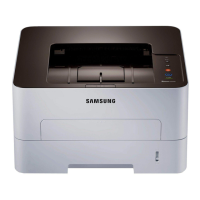
Samsung xpress m283 series - User Manual

Samsung xpress m283 series
236 pages
Print Icon
To Next Page IconTo Next Page
Loading...
BASIC
User’s Guide
BASIC
User’s Guide
This guide provides information concerning the installation, basic operation
and troubleshooting on Windows.
ADVANCED
This guide provides information about the installation, advanced configuration, operation
and troubleshooting on various OS environments.
Some features may not be available depending on models or countries.

Table of Contents

Other manuals for Samsung xpress m283 series

Questions and Answers

  • J
    Jeffrey HammondAug 15, 2025
    What to do if my Samsung xpress m283 Printer says toner is low?
    • L
      Lisa DiazAug 15, 2025
      If your Samsung Printer indicates that a small amount of toner is left in the cartridge and the estimated cartridge life is almost over, prepare a new cartridge for replacement. You can temporarily increase the printing quality by redistributing the toner.
  • J
    Justin MurphyAug 18, 2025
    Why is my Samsung All in One Printer saying the toner cartridge is low?
    • J
      jeremyhillAug 18, 2025
      Your Samsung All in One Printer indicates that the toner cartridge has almost reached its estimated cartridge life. It is recommended to replace the toner cartridge.
  • F
    foxcarolynAug 22, 2025
    What to do if my Samsung Printer says there is no paper?
    • M
      Melvin AtkinsonAug 22, 2025
      If your Samsung Printer is not printing because there is no paper in the tray, load paper into the tray.
  • A
    Amanda BowersAug 25, 2025
    What to do if my Samsung All in One Printer stops due to a major error?
    • J
      Jim RitterAug 26, 2025
      If your Samsung All in One Printer stops due to a major error, reboot the power and try the printing job again. If the problem persists, please call for service.
  • S
    Steven SimonAug 28, 2025
    What to do if my Samsung All in One Printer says imaging unit is low?
    • B
      Bridget AndersonAug 28, 2025
      If your Samsung All in One Printer indicates that an imaging unit has almost reached its estimated cartridge life, it is recommended to replace the imaging unit.
  • Z
    Zachary RichardsSep 1, 2025
    What to do if my Samsung All in One Printer has no paper?
    • S
      Stephen ColeSep 1, 2025
      If your Samsung All in One Printer shows there is no paper in the tray when receiving or printing data, load paper in the tray.
  • W
    wsimonSep 4, 2025
    What to do if my Samsung All in One Printer cover is opened?
    • M
      Marc FloresSep 4, 2025
      If the cover of your Samsung All in One Printer is opened, close the cover.
  • S
    sandramartinezSep 7, 2025
    What does it mean when my Samsung All in One Printer has a minor error?
    • K
      ksmithSep 7, 2025
      If your Samsung All in One Printer indicates a minor error, the machine is waiting for the error to be cleared. When the problem is cleared, the machine resumes.
  • J
    Jonathan WilcoxSep 12, 2025
    What to do if my Samsung All in One Printer has small amount of toner?
    • K
      Katrina HamiltonSep 12, 2025
      If your Samsung All in One Printer has a small amount of toner left in the cartridge, prepare a new cartridge for replacement.

Samsung xpress m283 series Specifications

General IconGeneral
FunctionalityPrint
Print Speed (Black, A4)Up to 28 ppm
Processor600 MHz
Memory128 MB
Printer TypeLaser
ConnectivityUSB 2.0
Paper Handling/Input Capacity250 sheets
Operating System CompatibilityWindows, Mac, Linux
First Print Out Time (Black)8.5 seconds
Duplex PrintingManual

Related product manuals