Basics
20
Home screen options
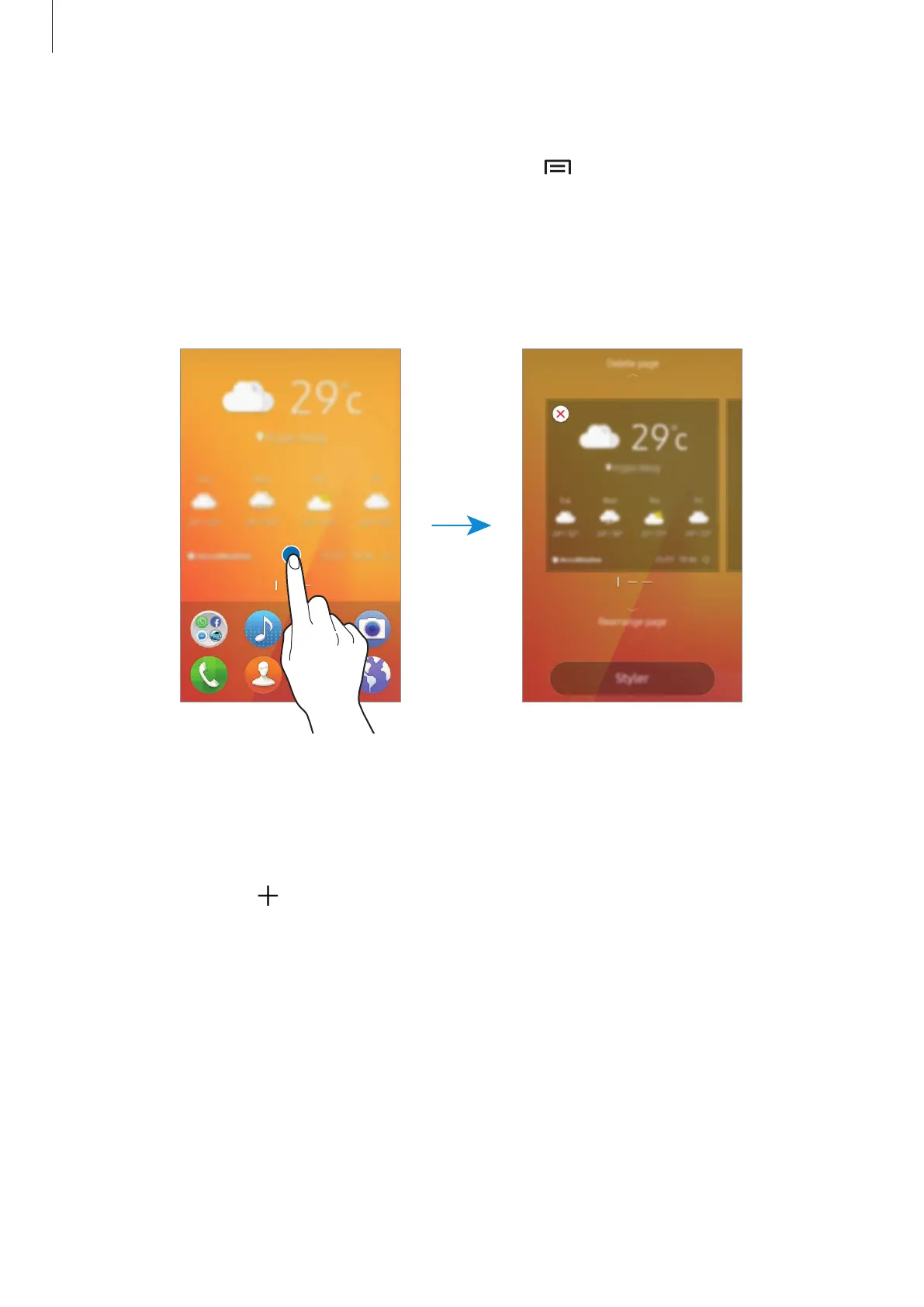
On the Home screen, tap and hold an empty area, or tap to access the available options.
Customise the Home screen by adding, deleting, or rearranging Home screen panels. You can
also set the Home screen wallpaper, add widgets to the Home screen, and more.
To change the way visual elements are displayed on the device, tap
Styler
. Elements, such as
icons, wallpapers, and themes can be configured based on your preference. Refer to Styler for
more information.
Managing panels
On the Home screen, tap and hold an empty area to add, move, or remove a panel.
To add a panel, swipe to the left on the panel preview area until
Create page to add widget
is displayed. Then, tap
.
To move a panel, drag the panel preview downwards to
Rearrange page
. At the top of the
screen, swipe to the left or right to change the location of the panel. Then, drag the panel
preview upwards on the screen.
To remove a panel, drag the panel preview upwards to
Delete page
. Any widgets or items on
the panel you want to remove will also be deleted.











 To Next Page