8. TROUBLE SHOOTING
Problem Reason Solution
Low crimping force:
Crimping measurement is
inconsistent
1. Insufficient lubrication.
2. Return valve not closed.
3. Leakage.
4. Pump leakage.
2. Insufficient lubrication.
3. Adjusting knob lost its
position.
Lubricate.
Close the valve.
Repair
Replace seals.
Lubricate.
Calibrate.
P20D USER MANUAL EDITION 2019 www.samway.com
samwaysales@gmail.com sales@samway.comPage 11
d at the factory during test run.
1. Re-calibrate the crimping diameter with ferrule
(seamless steel tube), Ø 25 mm; wall 2 mm, by
using the die set No 20-19 (20 model) or the die
set 32-19 (32 model).
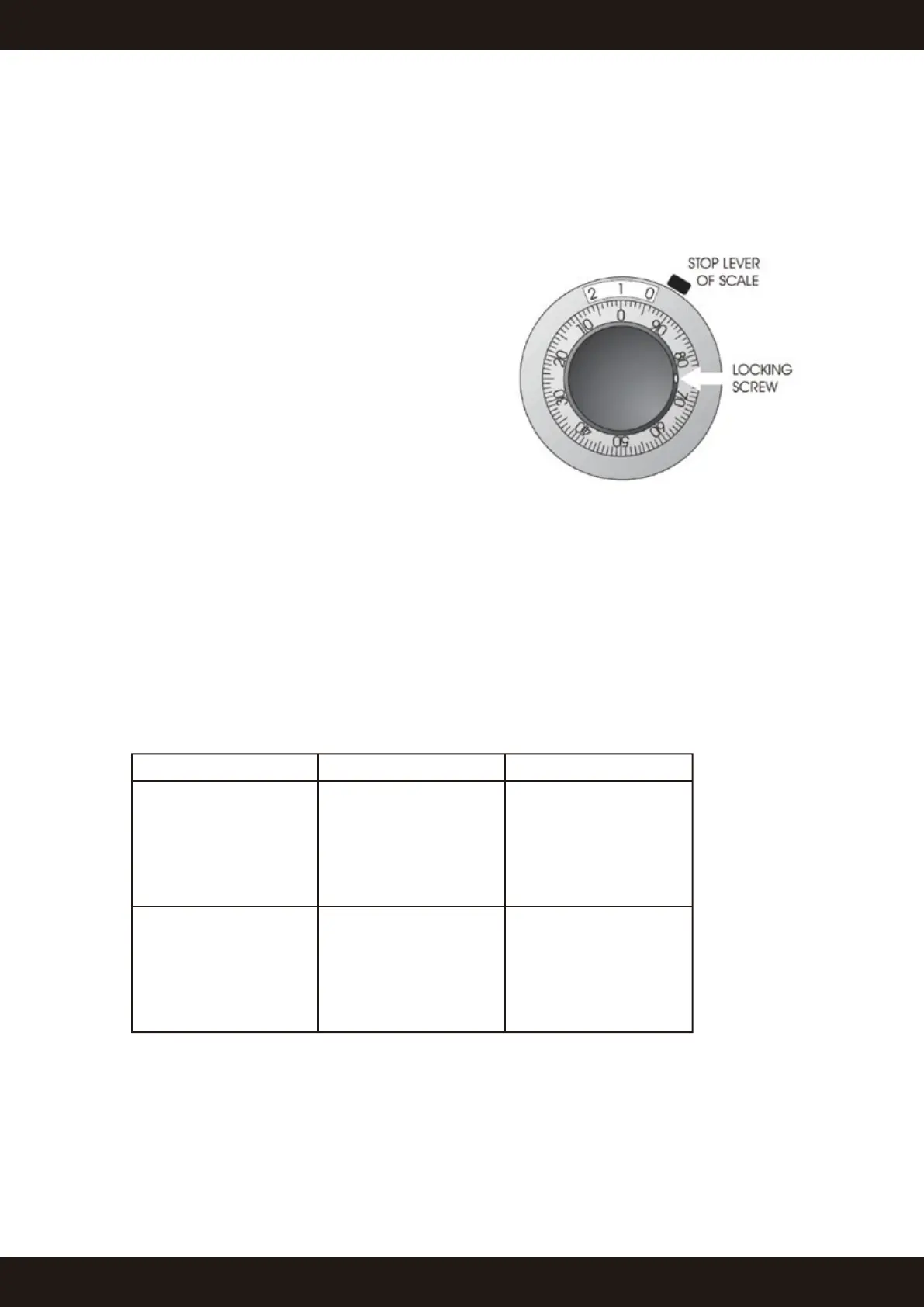
2. Set the dial at 1.0, so that the crimping diameter
will be 20 mm (see the adjacent picture) and lock
the dial. Crimp the ferrule and measure the real
diameter.
3. Remove the control dial knob (avoid to turn the
dial shaft at the same time).
4. Open the dial lock lever and set the real diameter
into it (diameter of ferrule) relock it and install
back.
5. Turn the dial to right diameter and crimp another
ferrule. Now the machine has been calibrated and
the real diameter should be the same than the
diameter which state on the dial. If not, repeat
from point 2 and be more careful when handling
the dial.
6. After the adjustment, the crimping result should be the minimum nominal c rimping diameter
of each die set with the dial at 0.0.
7. RE-CALIBRATION OF CRIMPING DIAMETER DIAL
NOTE: The crimping diameter dial has been calibrate


 To Next Page