23
Micro + Convection Cooking
This feature allows you to quickly cook your food with both convection heat and microwave automatically.
This oven has 4 pre-programmed settings.
For Micro+Convection cooking, please follow the steps below.
For instance, you want to cook food for 24 minutes at 170°C.
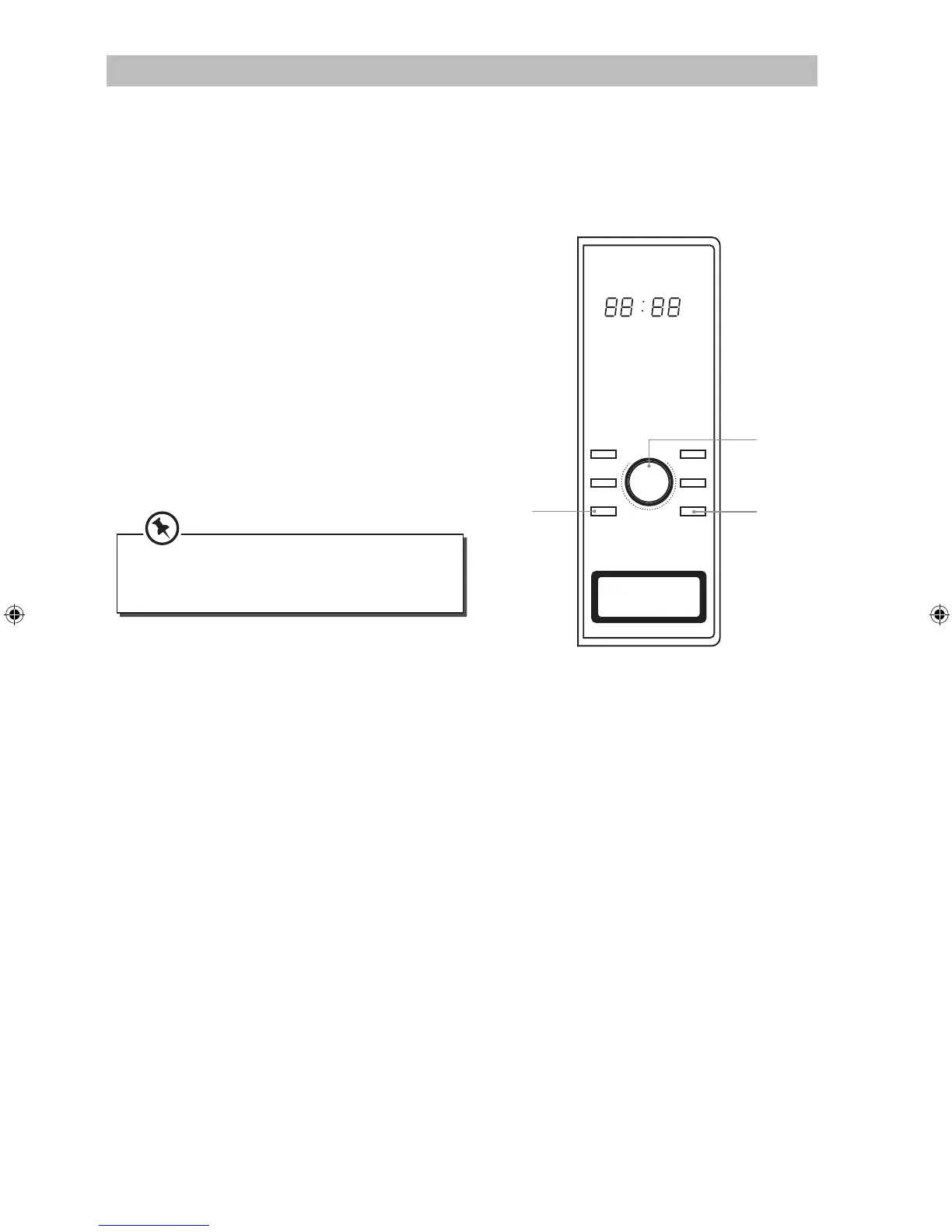
1. Press the Micro+Convection button to select
temperature. The longest time you can set is 9
hours and 30 seconds.
2. Turn the Menu/Time dial to programme the
cooking time.
3. Press Start/Quick Start button to start
cooking.
4. Press the Stop/Cancel button once to stop
the cooking. Press the Stop/Cancel button
again to cancel the setting.
You can check the cooking temperature
while cooking is in progress by pressing the
Micro+Convection button.
Power
Grill/
Combination
Clock/
Weight Adjust Convection
Micro+
Convection Stop/Cancel
M
e
n
u
/
T
i
m
e
CLOCK
2,3
4
1
S25CDMB12_IB_120507_Annie.indd 23 12年5月7日 上午11:49


 To Next Page