GB
21
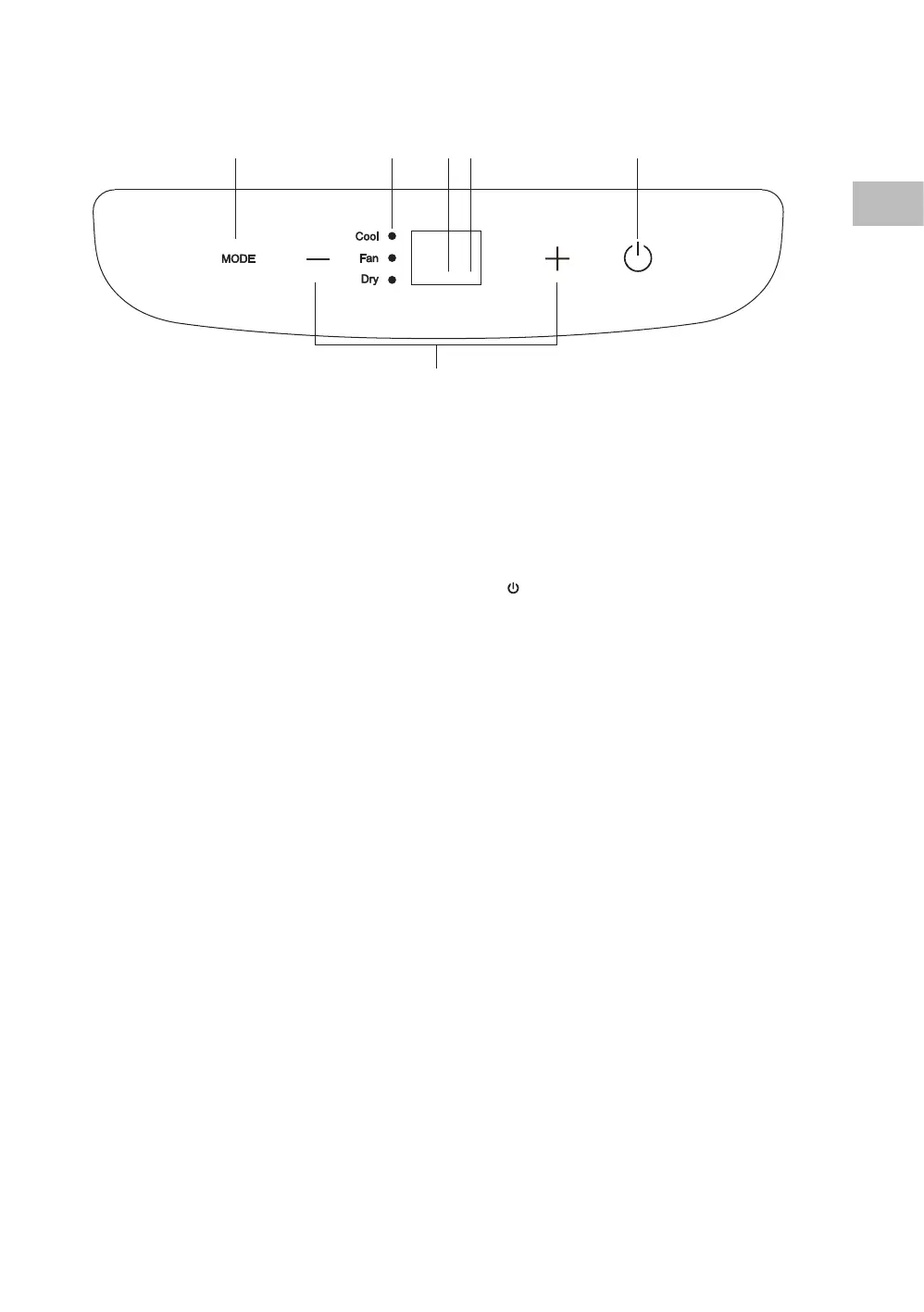
1. MODE Button
Select “Dry”, “Fan” or “ Cool”.
2. LED Display
• In Cool mode, display the set
temperature.
• In Fan and Dry mode, display the room
temperature.
• Display error codes.
Control Panel
6
2 5
1
4
3
3. Power Indicator
4. Time Mode Indicator
5.
Power Button
Set the unit’s auto on/o time.
6. +
/ – Buttons
• Adjust the temperature settings.
• Press both buttons together for 3
seconds or more to change from
Celsius to Fahrenheit and vice versa.
SAC05C19E_IB_5L_Final191128V2.indd 21 29/11/2019 15:37


 To Next Page