GB
29
Hints and Tips
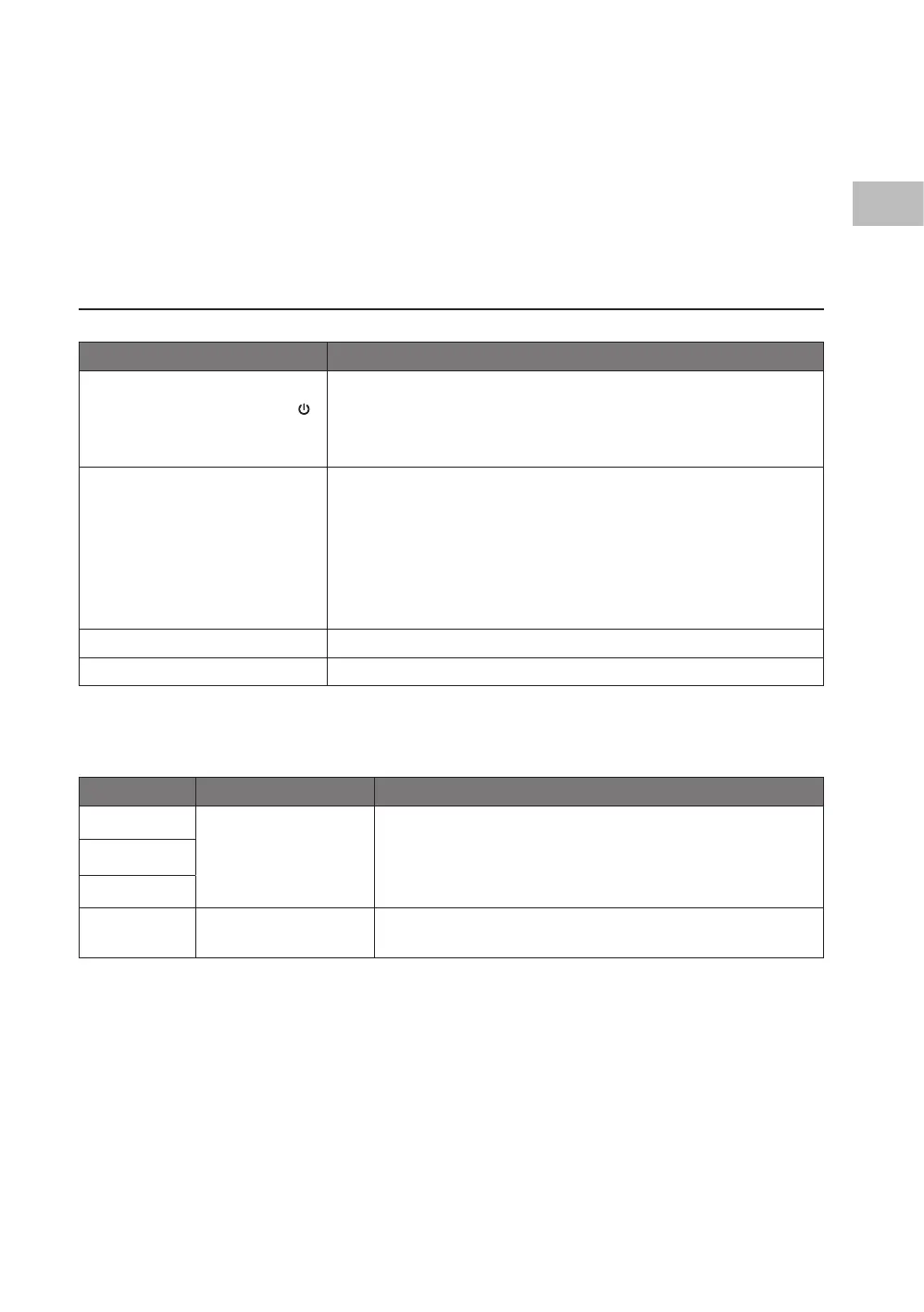
Problem Solution
Unit does not start or there
is no power when pressing
on the unit or ON/OFF on the
remote control.
• Check that the unit is firmly plugged in and the mains
socket is switched on.
• Set a different temperature.
• Drain the water from the Bottom Tray Drain Outlet.
Room is not cool enough. • Check that all windows and doors are closed.
• Remove or switch off all heat sources if possible.
• Check that the exhaust air duct is connected properly and
not blocked. If blocked, clean and re-connect.
• Clean the air filter and re-fit securely before continuing
operation.
• Lower the temperature.
Noisy or excessive vibration. Move the unit to a stable, flat and level surface.
Gurgling is heard. This is normal; it should not be considered a fault.
If problem(s) persists, contact a qualied service agent for assistance.
Error Codes
LED Display Description Action
E1
Internal malfunction.
1. Switch off the unit.
2. Unplug and re-plug the unit.
3. If the error persists, call for a qualified service agent
for assistance.
E2
E4
P1 Bottom tray is full.
Drain the water. Please refer to the section “Draining
the Water”.
Storing the Unit
If the unit will not be used for a long period, make sure it is stored properly.
• Ensure the unit is completely drained of water and dry.
• Ensure the air lter is cleaned.
• Ensure the unit is unplugged.
• Ensure the batteries are removed from the remote control.
SAC05C19E_IB_5L_Final191128V2.indd 29 29/11/2019 15:38


 To Next Page