GB
28
Enabling/Cancelling Sleep Mode
Sleep mode can only be selected from the remote control.
When sleep mode is enabled, the selected temperature will increase automatically by 1°C/2°F
after 30 minutes and 60 minutes. This newly adjusted temperature will be maintained for 7 hours.
Then it will return to the original selected temperature.
• To enable sleep mode, select the desired temperature on the remote control. Then press
SLEEP.
• To cancel sleep mode, press SLEEP on the remote control.
Sleep mode is not available in fan and dry modes.
Cleaning and Maintenance
Make sure to unplug the unit before cleaning and maintenance.
Cleaning the Exterior
• Use a soft cloth to wipe down the exterior.
• Do NOT use any abrasive cleaning agents or detergents.
• Do NOT immerse any part of the unit in water or any other liquid.
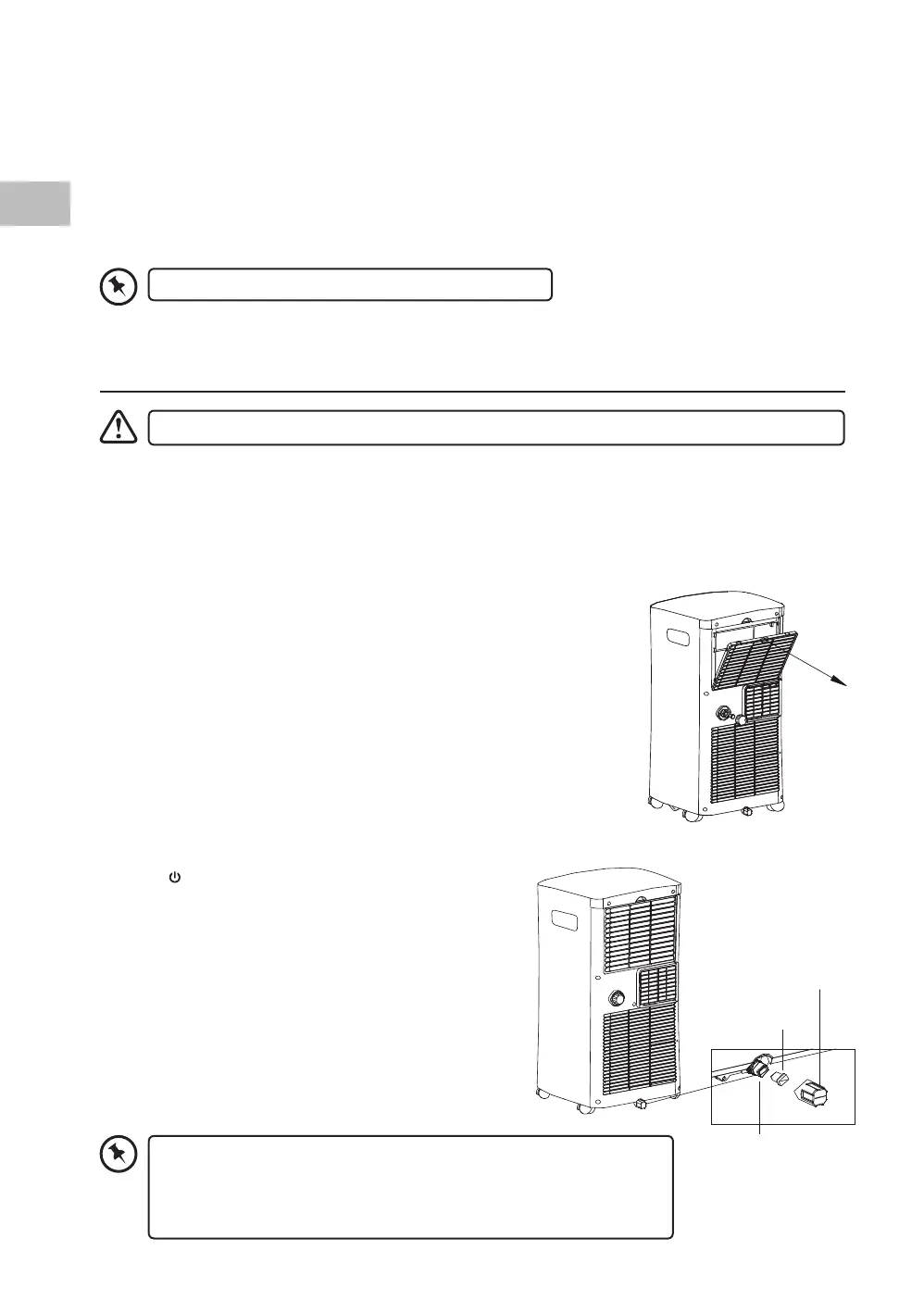
Cleaning the Air Filter
1. Pull out the lter.
2. Clean the lter in warm water with neutral detergent.
3. Make sure the lter is thoroughly dry before installing back.
Bottom Tray
Drain Outlet
Plug
Cover
Draining the Water
When the LED display shows “P1”, it means the bottom tray is full of
water and needs draining.
1. Press
on the unit or ON/OFF on the remote control
to switch o the unit.
2. Unplug the product from the power socket.
3. Move the unit to a place with drain, or prepare with
applicable tools (e.g. container tray) to allow water
owing out from the Bottom Tray Drain Outlet of
the unit.
4. Remove the Cover and Plug from the drain outlet of
the bottom tray.
5. After the water is fully drained, replace the plug and
cover.
• Avoid splashing water on the power plug or other electric
appliances.
• If “P1” continues to display, unplug the unit and call for a
qualied service agent for assistance.
SAC05C19E_IB_5L_Final191128V2.indd 28 29/11/2019 15:38


 To Next Page