GB
22
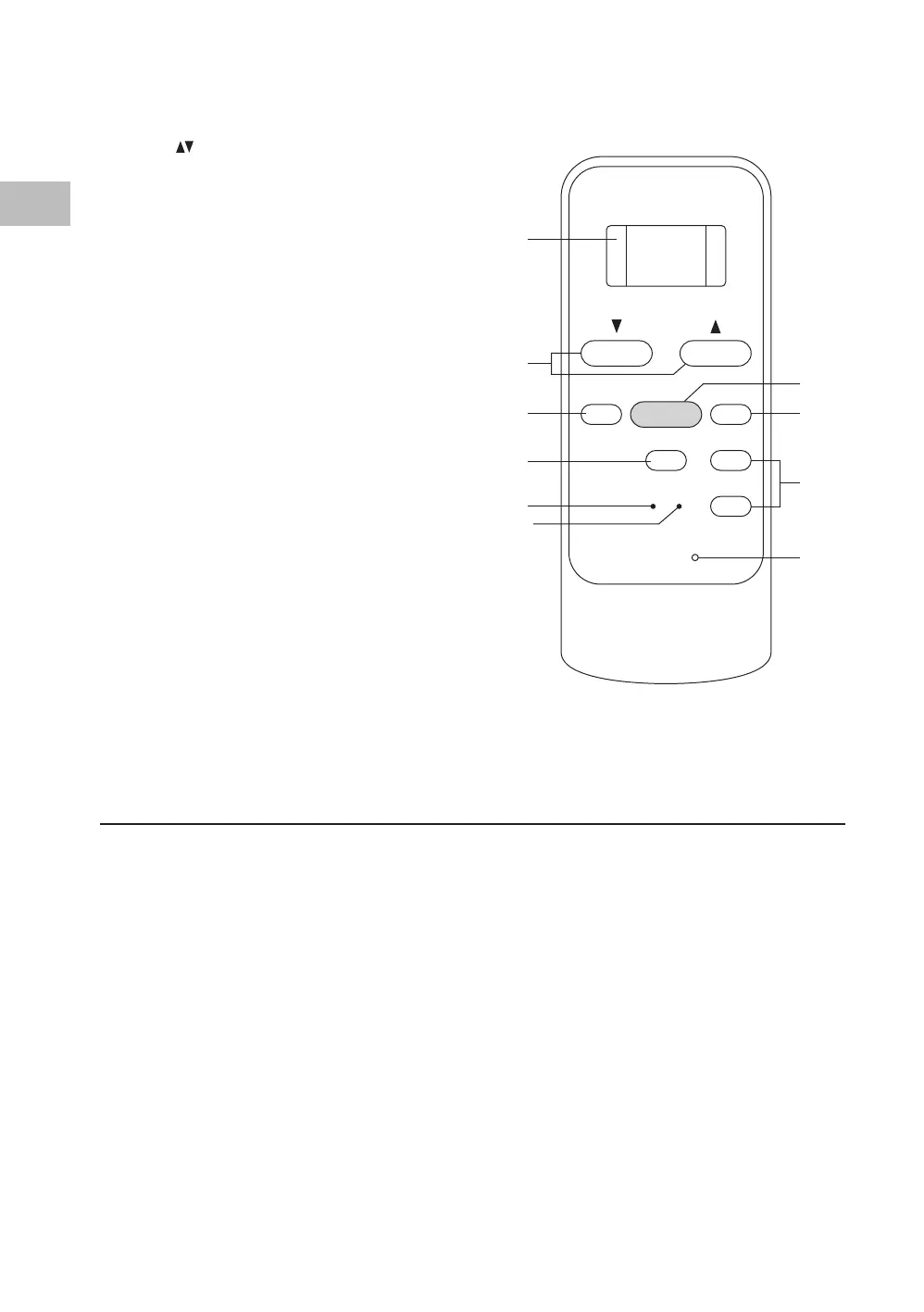
Remote Control
1. LED Display
2. TEMP
Buttons
Increase or decrease the temperature.
3. MODE Button
Select “Dry”, “Fan” or “Cool”.
4. SLEEP Button
Set the unit for “Sleep“ feature in Cool
mode.
5. RESET Button
Cancel all current settings on the remote
control and reset the remote control to
default.
6. LOCK Button
• Press to lock all buttons.
• Press again to unlock.
7. ON/OFF Button
Switch the unit on or o.
8. FAN SPEED Button
Select “Auto”, “High” or “Low”.
9. TIMER ON/OFF Buttons
Set the unit’s auto on/o time.
10. LED Display Button
Switch the unit’s LED display on or o.
Moving the Unit
The unit is on casters. When moving the unit, keep it upright and stable. Do NOT tilt or turn
sideways. Grip the recessed handles and push the unit to another location.
SET TEMPERATURE (°C)
TEMP
MODE
ON/OFF
FAN SPEED
AUTO
COOL
DRY
FAN
HIGH
LOW
RESET
LED
DISPLAY
LOCK
TIMER OFF
TIMER ONSLEEP
1
2
3
5
4
6
7
8
9
10
SAC05C19E_IB_5L_Final191128V2.indd 22 29/11/2019 15:37


 To Next Page