24
GB
Snooze
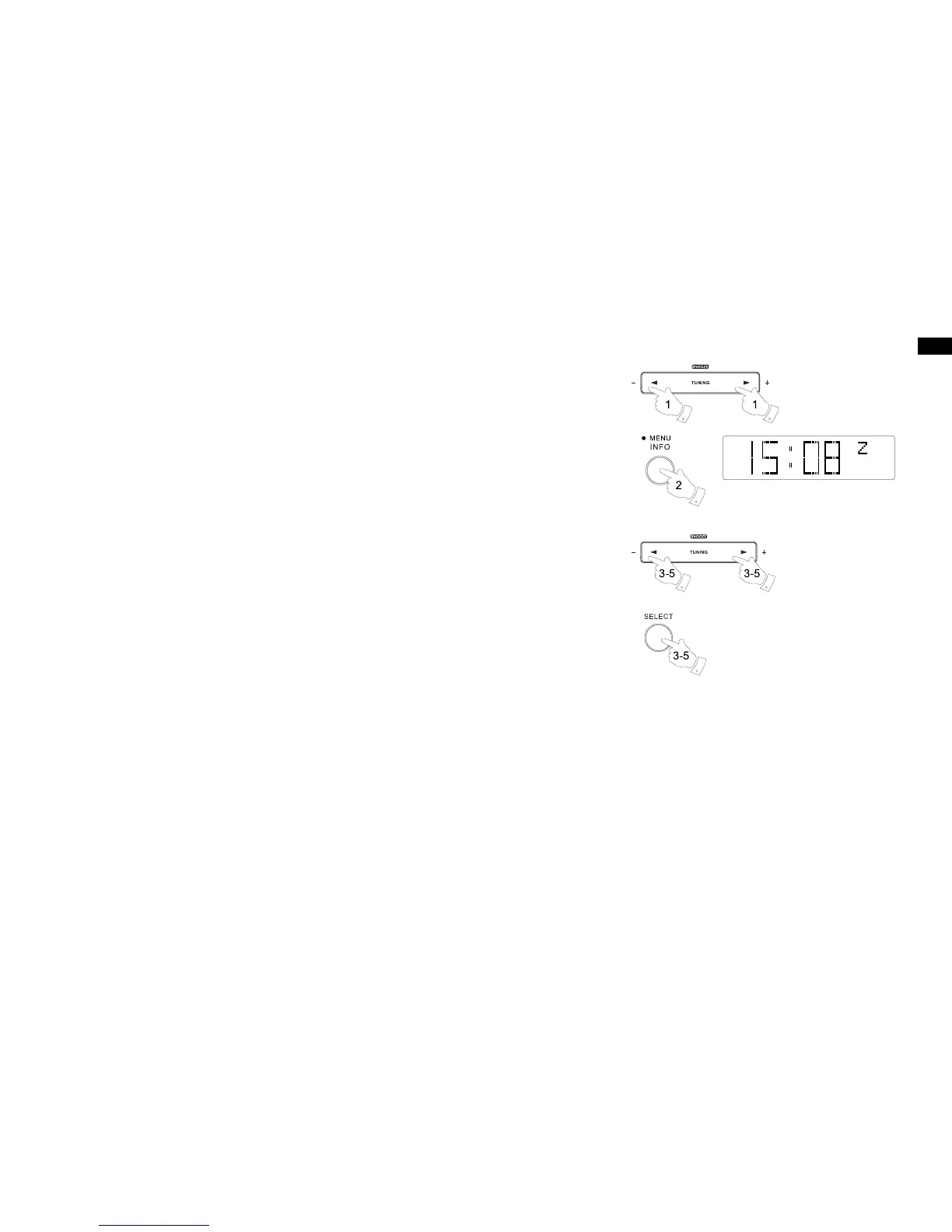
1. When the radio or buzzer alarm sounds, pressing the Snooze button will silence the alarm for
the selected number of minutes. The Snooze down can be adjusted between 5 and 20 minutes
in 5 minute increments. Default setting is 5 minutes. The display will show the Snooze symbol
“Z”. This sequence can be repeated during the 60 minute beep alarm period.
2. To adjust the silence time for the snooze timer, press and hold the Info / menu button to enter
the menu setting.
3. Press the Tuning up / down button until 'System setting' is shown on the display. Press the
Select button to enter the setting.
4. Press the Tuning up / down button until 'Snooze duration' is shown on the display. Press the
Select button to enter the setting.
5. Press the Tuning up / down button to choose the desired snooze time to 5, 10, 15 or 20 minutes.
Press the Select button to conrm the setting.


 To Next Page