20
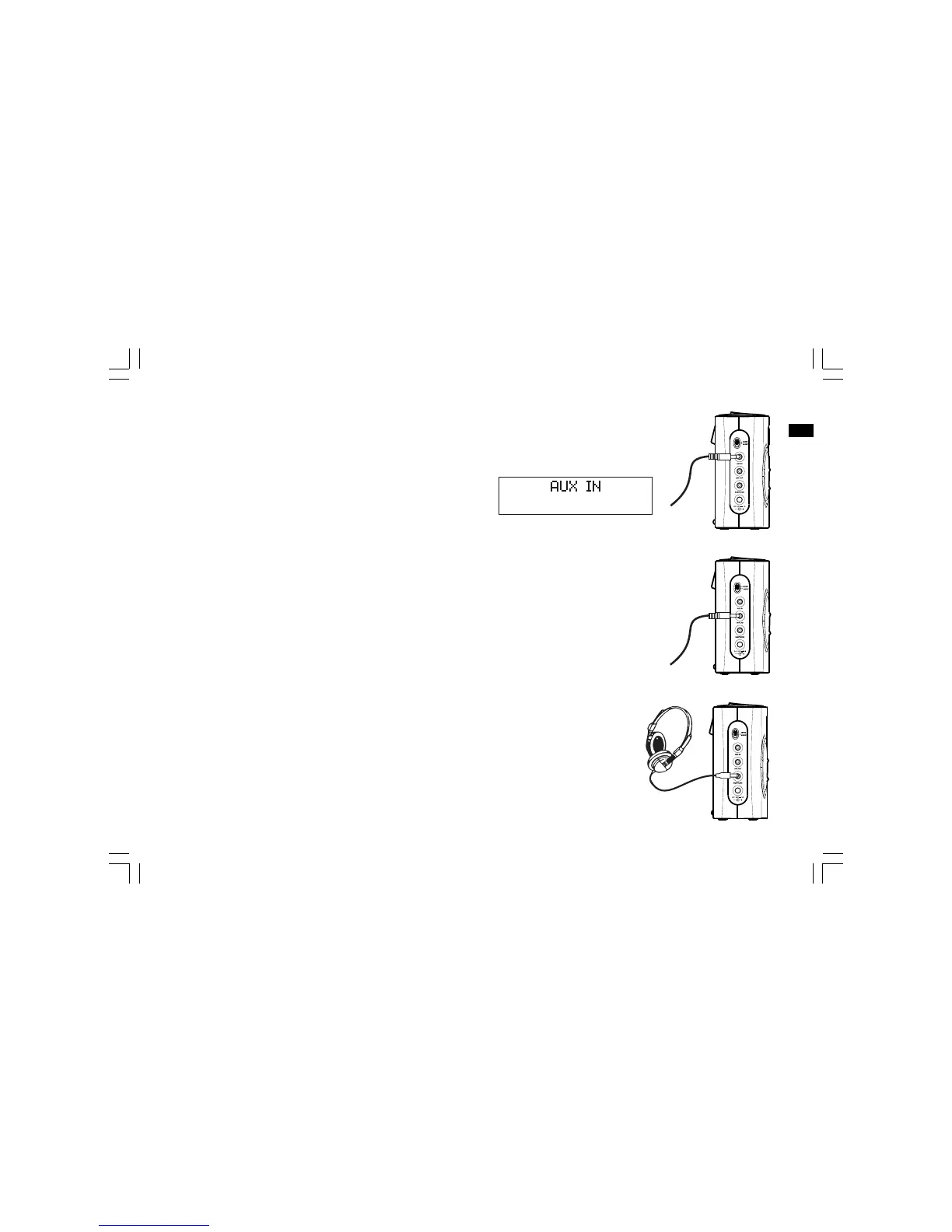
Auxiliary in socket
1. Connect stereo or mono audio source (i.e. CD Walkman, iPod,
MP3 players) to the Auxiliary in socket.
2. “Aux In“ will show on the display.
3. Adjust the Volume control for comfortable listening.
Line out socket
A 3.5 mm Line out socket located on the left hand end of your radio is
provided for connecting the audio signal to an external amplifier.
Inserting a line out audio cable will not mute the internal loudspeaker.
Set the volume control to the minimum if desired.
Headphone socket
A 3.5 mm Headphone socket located on the left hand end of your radio
is provided for use with either headphones or an earpiece. Inserting a
plug automatically mutes the internal loudspeaker.
Important:
Excessive sound pressure from earphones and headphones can cause
hearing loss.
GB


 To Next Page