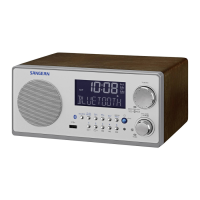
(1) Press Power button to turn on the radio.
(2) Select waveband by pressing Wave Band selector.
(3) A single press on the either Tuning Up or Down button will
change the frequency up or down for MW,LW and FM bands.
Note: Each press of the Tuning Up or Down button will change
the frequency in increment of
FM 100KHz
MW 9KHz
LW 9KHz
Rotate tuning knob will change FM,MW and LW bands frequency.
FM 50KHz
MW 9KHz
LW 9KHz
(1) Turn on the radio by pressing POWER button.
(2) Select a waveband.
(3) Press and hold down either Tuning Up or Down button for
more than 0.5 second to commence scan tuning.The radio
will scan and stop automatically each time it finds an active
station.
(4) When the waveband end is reached,the radio will beep and
continue tuning from the opposite waveband end.
MANUAL TUNING
ROTARY TUNING
SCAN TUNING
9



 To Next Page