EasyManua.ls Logo

Sangean WFR-1 - User Manual

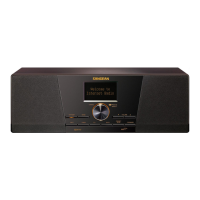
Sangean WFR-1
41 pages
Print Icon
To Next Page IconTo Next Page
Loading...

Table of Contents

Other manuals for Sangean WFR-1

Questions and Answers

Summary

Important Safety Instructions

General Safety Guidelines

Covers essential safety guidelines for operating and maintaining the radio.

Additional Safety Precautions & Notices

Precautions for unattended use, servicing, liquid entry, and regulatory compliance.

Chapter 1 Getting Started

Product and Accessories

Lists included items like the power cable and remote control.

Powering On the Radio

Step-by-step guide to connect power and turn the radio on.

Front Panel Controls Overview

Identifies and describes front panel buttons and display.

Remote Control Functions

Details the buttons and their functions on the remote control.

Menu Navigation Methods

Explains how to navigate menus using the knob and remote.

Text Entry and Language Setup

Guides on inputting text and selecting the display language.

Chapter 2 Getting Connected

Network Connection Requirements

Details broadband internet and network access points for Wi-Fi connectivity.

Connecting to Wireless Network

Step-by-step instructions for setting up a Wi-Fi connection using the wizard.

Connecting to Wired Network

Step-by-step instructions for setting up an Ethernet connection using the wizard.

Chapter 3 Listening to the Radio

Listening to Internet Radio

How to access and play stations from the internet radio service.

Searching Internet Radio Stations

Find stations by location, genre, keyword, popularity, or new additions.

Listening to Podcasts

Guide to accessing podcasts via location, genre, or search.

Managing Favourites and Added Stations

Instructions for adding and managing preferred radio stations online.

Using the Music Player

How to play music from shared folders and media on your network.

Shared Folder Setup Overview

Explains using Windows Media Player and UPnP for media sharing.

Listening to FM Radio

Instructions for tuning FM radio stations and changing frequencies.

Using Auxiliary Input (AUX IN)

Guide to connecting and playing audio from external devices via AUX IN.

Radio Station Presets and Last Listened

How to store/recall stations and access previously played ones.

Chapter 4 Clock Operation

Setting the Clock and Date

Procedure for setting the current time and date on the radio.

Time Zone and DST Settings

Configuring the radio's time zone and daylight saving time.

Auto Update and Display Format

Options for automatic time sync and 12/24 hour display.

Setting the Sleep Timer

How to set the radio to turn off automatically after a specified time.

Alarm Setup Configuration

Detailed steps for configuring alarm functions, including mode and volume.

Chapter 5 Upgrade and Reset

Software Upgrade Methods

Explains firmware updates via internet or USB.

Factory Reset Procedure

Steps to restore the radio to its original default settings.

Chapter 6 Trouble Shooting

Troubleshooting Common Issues

Addresses common problems like connectivity, sound, and station access with solutions.

Chapter 7 Product Specification

Tuner and Media Specifications

Technical details on tuner bands, Wi-Fi, Ethernet, and media playback.

Audio, Amplifier, and I;O Socket Specs

Specifications for audio features, amplifier output, and connections.

Dimensions and Disposal

Physical dimensions of the radio and guidelines for proper disposal.

LIMITED WARRANTY

Warranty Terms and Conditions

Details the warranty period, coverage, and service procedures within the US.

Sangean WFR-1 Specifications

General IconGeneral
RMS rated power10 W
Tuner typeDigital
FM band range87.5 - 108 MHz
Supported radio bandsFM
Radio Data System (RDS)Yes
Preset stations quantity20
Display typeLCD
Dimensions (WxDxH)330.2 x 213.3 x 110 mm
Connectivity technologyWired & Wireless
Headphone connectivity-
USB 2.0 ports quantity1
Product colorBlack
Weight and Dimensions IconWeight and Dimensions
Weight2721 g

Related product manuals