EasyManua.ls Logo

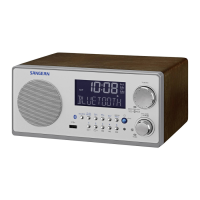
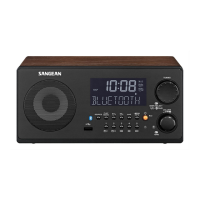
Sangean WFR-28C - User Manual

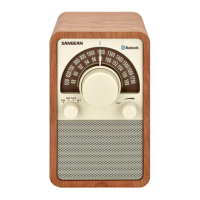
Sangean WFR-28C
91 pages
Print Icon
To Next Page IconTo Next Page
Loading...
Revision 2
WFR-28C / WFR-28
中文
GB

Table of Contents

Question and Answer IconNeed help?

Do you have a question about the Sangean WFR-28C and is the answer not in the manual?

Summary

Before You Can Use This Product

Battery Operation

Details on powering the radio using alkaline and rechargeable batteries.

Using the AC Power Adaptor

Controls and Connections Overview

Navigating the Radio Interface

Radio Configuration

Connecting Radio to Computer Network

Step-by-step guide to connecting the radio to a wired or wireless network.

Changing Network Connection

Internet Radio Overview

Internet Radio Basics

Introduction to listening to radio broadcasts via the internet and searching methods.

Selecting Internet Radio Stations by Location

Troubleshooting Internet Radio Connectivity

Selecting Internet Radio Stations by Genre

Searching Internet Radio Stations by Name

Presetting Stations

Customizing Your Radio

Configuring Favorite Internet Radio Stations

Configuring Added Internet Radio Stations

Selecting Favorite Internet Radio Stations

Music Player Overview

Music Player: Using with PC & Mac

How to play audio files from computers using UPnP/DLNA.

Accessing UPnP Audio Files

Locating and Playing UPnP Media Files

Media Selection

Listening to a Particular Track

Controlling Music Playback

Playlist Management

Viewing Your Playlist

Keeping Network Connection Active

Windows 7 Play To Function (UPnP Renderer)

Using USB Memory Devices

Playing Files from USB Memory Devices

DAB Radio Overview

Selecting a DAB Radio Station

Finding New DAB Radio Stations

Manual DAB Tuning

Pruning DAB Stations

FM Radio Overview

Manual FM Tuning

FM Scan Setting

Presetting Stations in DAB and FM Modes

Listening to Spotify

Playing Music with Spotify Connect

Guide to streaming music from Spotify using Spotify Connect feature.

Clock and Alarms Overview

Setting the Clock Format (12;24 Hour)

Manually Setting the Clock and Time Zone

Setting the Alarm Clock

Disabling Alarms

Snooze Timer Functionality

Sleep Timer Functionality

Display and Audio Settings

Setting Up Custom EQ Profile

Display Brightness Control

Auxiliary Input Socket

Information Section

Performing a Factory Reset

Restoring the radio to its initial factory state, erasing all user settings.

Software Update Procedure

Managing Network Profiles

Accessing UPnP Audio Files (Vista;XP)

Safety Cautions and Precautions

Product Specifications

Sangean WFR-28C Specifications

General IconGeneral
Radio typeInternet
Tuner typeDigital
RDS featuresCT, PS, PTY, RT
FM band range87.5 - 108 MHz
PLL synthesizer-
DAB III band range174 - 240 MHz
Supported radio bandsDAB+, FM
Radio Data System (RDS)Yes
Preset stations quantity15
Equalizer modesClassic, Custom, Flat, Jazz, Pop, Rock
RMS rated power1.2 W
Audio formats supportedAAC+, MP3, WMA
Number of built-in speakers1
Subwoofer driver diameter (imperial)3 \
Display typeLCD
Display diagonal2.4 \
Product colorWhite
Amplifier classD
Internet radio services supportedvTuner
Input voltage7.5 V
Apple docking compatibilityNot supported
Power sourceDC
Battery voltage1.5 V
Number of batteries supported4
Weight and Dimensions IconWeight and Dimensions
Depth62 mm
Width237 mm
Height148 mm
Weight851 g

Related product manuals