33
G
B
GENERAL OPERATION OF THE HEART RATE MONITOR
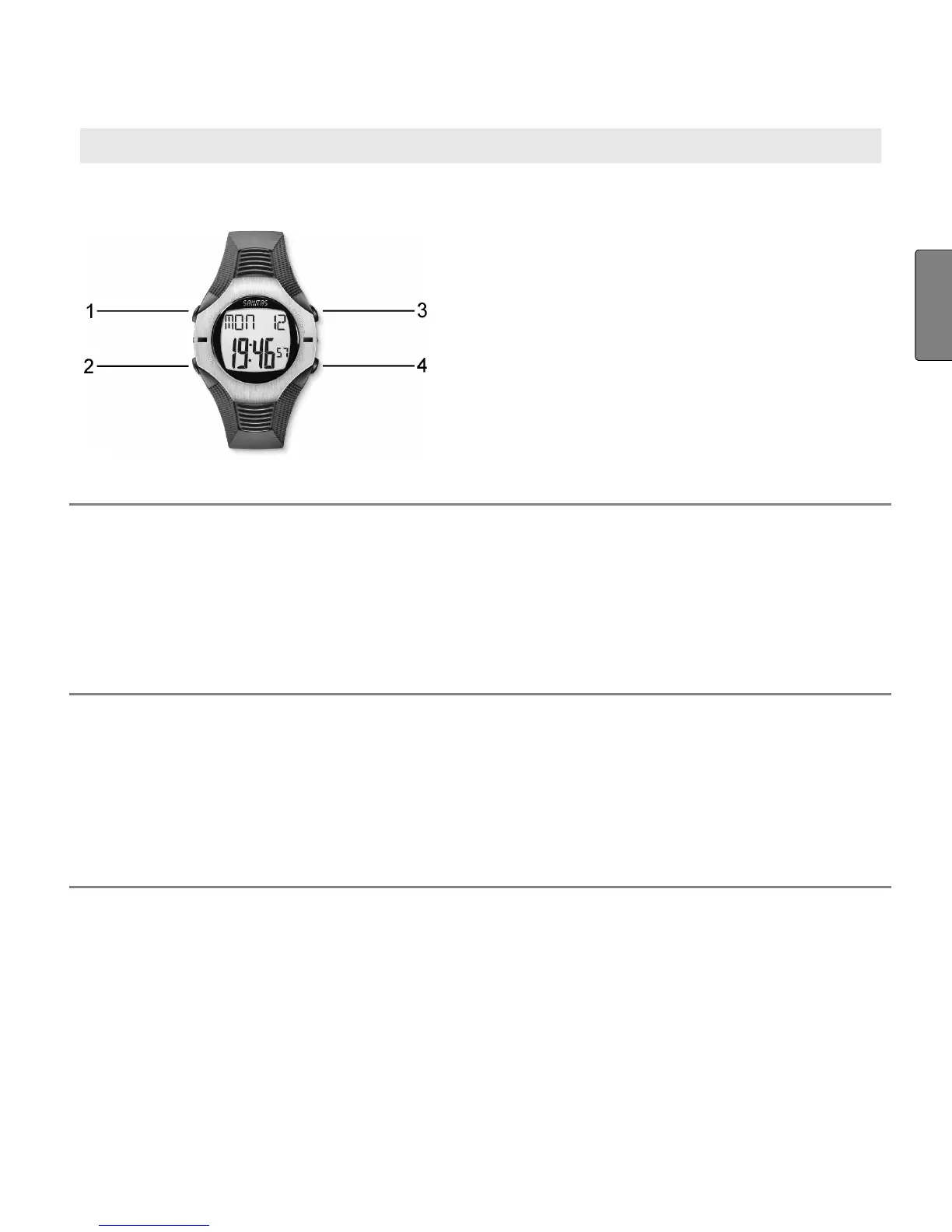
Buttons on the heart rate monitor
1
LAP Stops individual training laps.
2
MODE Switches between the main menus. If you
keep the MODE button pressed for at least
3 seconds, you get into the setting mode for
a menu. Exit the setting mode also by keep-
ing the MODE button pressed for 3 sec-
onds.
3
ST/STP/RESET
Start/stops functions, sets values. Keep
pressed to accelerate input.
Counts values forwards.
Starts and stops the stop watch.
When held down, resets the stopwatch
function and the results data (kcal etc.).
4
LIGHT
When held down for 3 seconds, the dis-
play will light up for 3 seconds. Note: does
not apply in the setup menu for basic set-
tings and personal data.
Counts down set values.


 To Next Page