36
BASIC SETTINGS
Setting basic functions and personal data
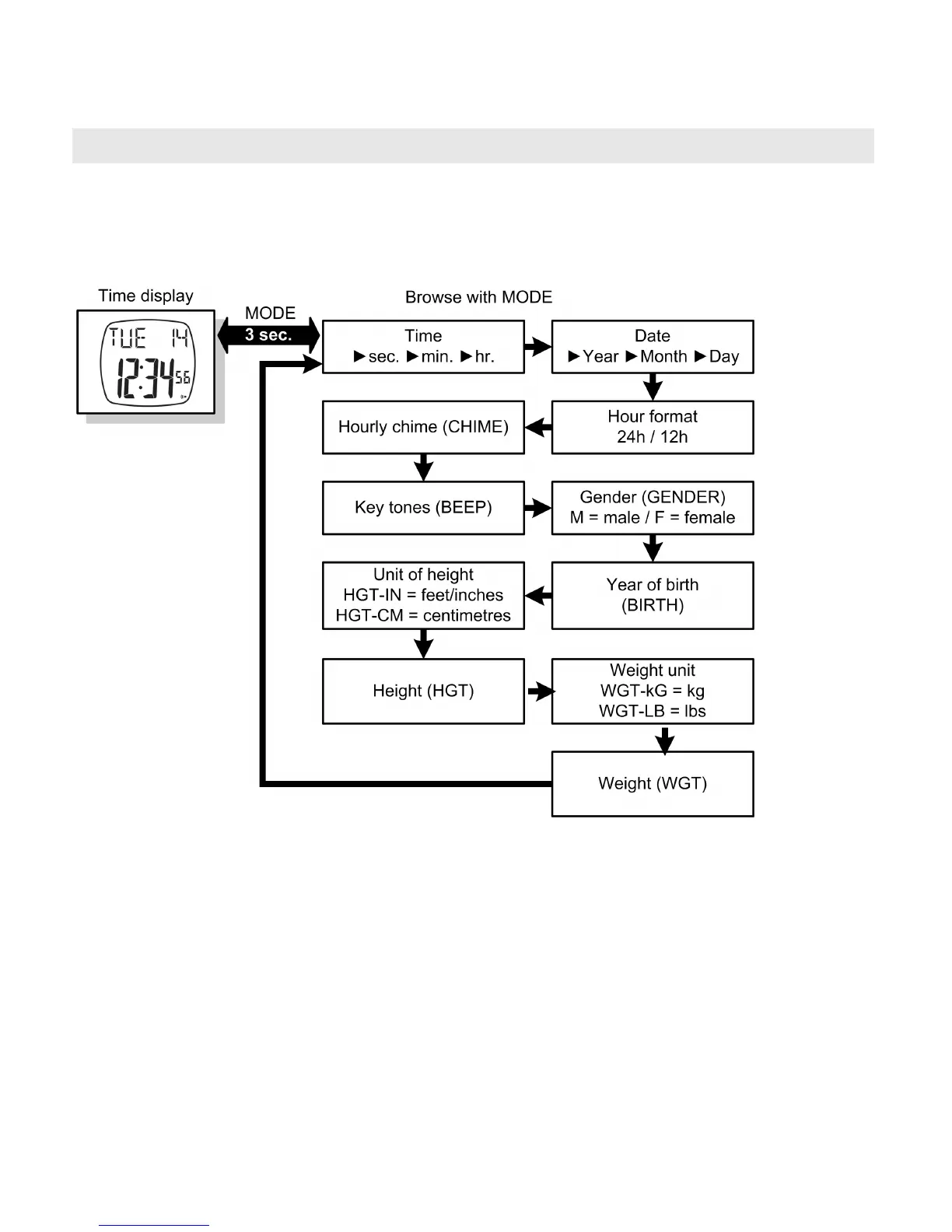
In the time display main menu, you can set the time, set basic func-
tions of the heart rate monitor and specify personal settings.
In the time display main menu, hold down the MODE button for
approx. 3 sec. You get into the setting menu with a number of set-
tings; move on to the next setting by pressing the MODE button. The
default settings flash if you can change them. Change these settings
with the START/STOP/RESET and LIGHT buttons.
Exit the setting menu by keeping the MODE button pressed for ap-
prox. 3 seconds.
TIP: If you hold down the buttons ST/STP/RESET or LIGHT for more
than 2 sec, the relevant setting automatically counts up or down until
you release the button.


 To Next Page