35
G
B
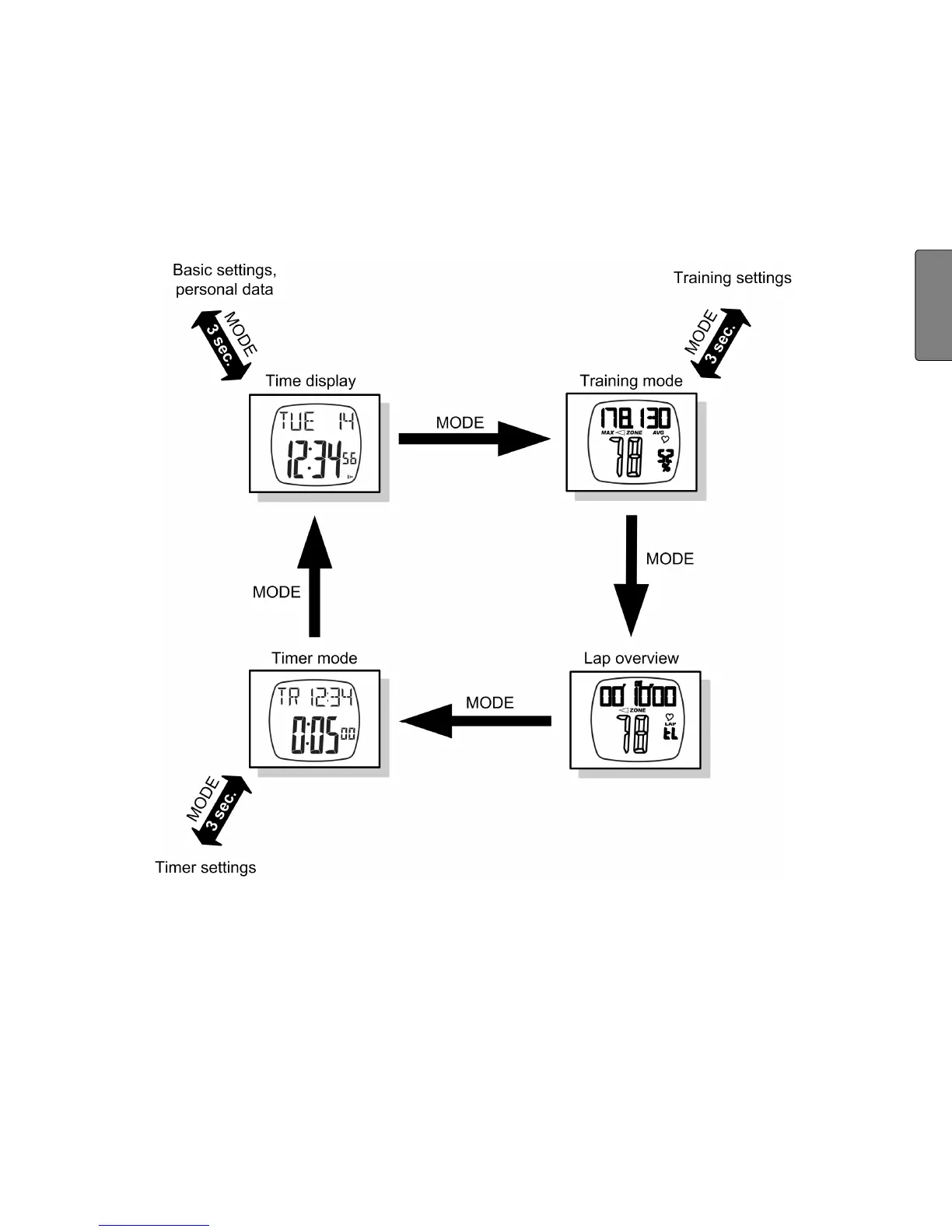
vant settings menu. You can switch between the main menus with
the MODE button. You can reach the settings menus by holding the
MODE button down for around 3 sec. You can leave the settings
menus in the same way and return to the relevant main menu.
Power-saving mode
In the time display main menu, press the LAP button for approx.
5 sec to turn on power-saving mode. The display is turned off in this
mode, so that the battery can last longer. Please note that the func-
tions (e.g. Time) are still working and the display is just turned off.
Press any button to reactivate the display again.


 To Next Page