38
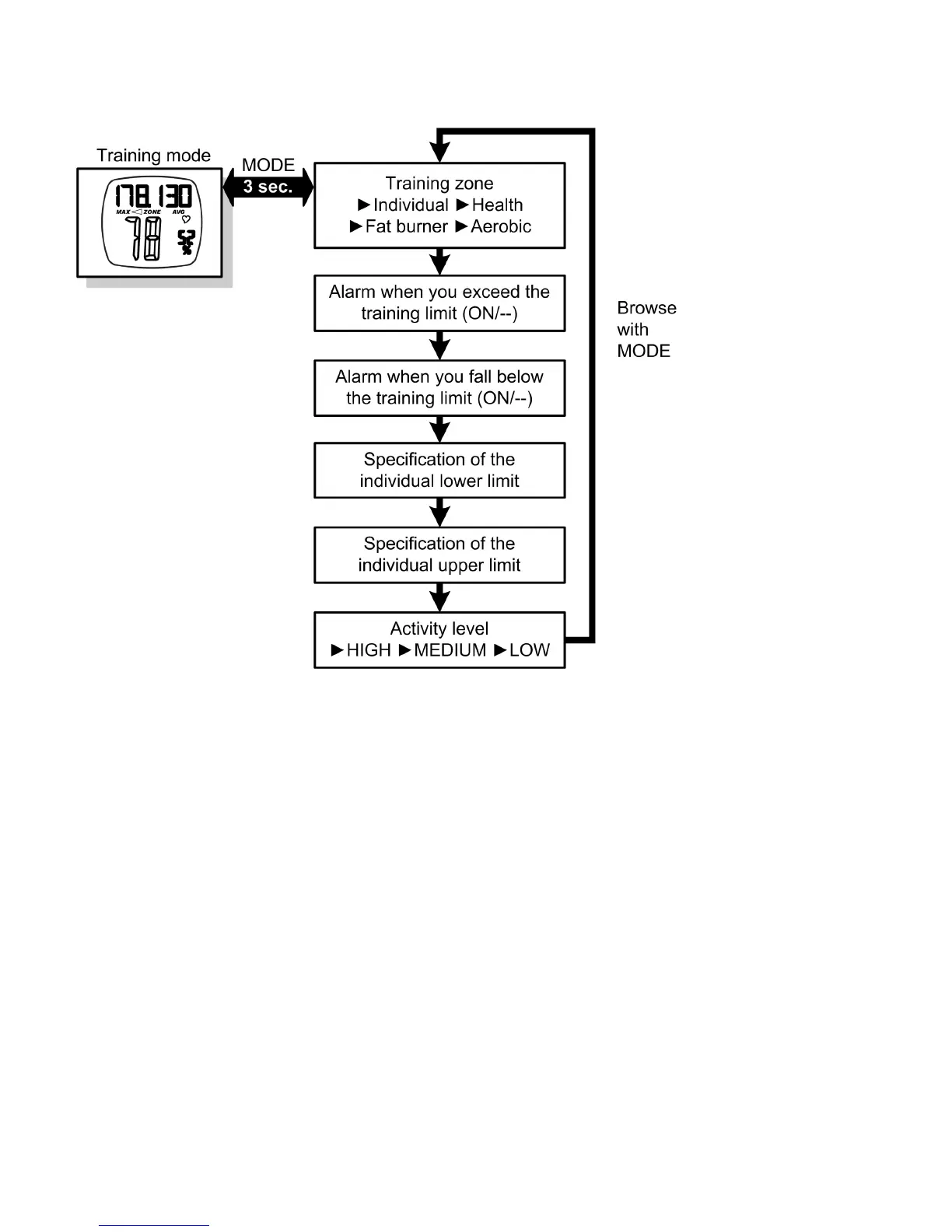
Press the MODE button in the training mode main menu for
approx. 3 sec to reach the settings menu. Browse through the re-
spective settings with the MODE button. Settings that you can
change will flash. Change the settings with the ST/STP/RESET and
LIGHT buttons. Confirm with the MODE button.
Leave the settings menu once again by holding down the MODE
button for approx. 3 sec.
TIP: If you hold down the buttons ST/STP/RESET or LIGHT for more
than 2 sec, the relevant setting automatically counts up or down.


 To Next Page