CUBE
Commissioning
44
ATTENTION: we recommend the
following maximum dispensing
quantities:
• maximum 100cc of continuous
coffee delivery for each coffee unit
• maximum 100cc of continuous hot
water delivery
• 30 seconds of continuous steam
delivery.
6.2 TESTING COFFEE DISPENSING
Dispense coffee several times (see chapter 7.3)
following the instructions in the relevant chapter and
check the quality of the coffee.
- Dispense the coffee and check that 20-30 cc of
coffee are dispensed in 20-30 seconds.
- If this is not the case, the coarseness of the coffee
must be adjusted on the grinder doser, ner
grinding increases brewing time, coarser grinding
reduces brewing time.
- Make sure that the coffee dispensed has the
following characteristics:
• hazelnut-colour cream
• consistency (ne bubbles)
• cream lasting more than 1 minute
These indications are not binding as
the correct quantity and therefore
the quality of coffee depends on the
type of coffee, type of water and
climatic conditions.
6.3 STEAM BOILER TEMPERATURE SETTING
To change the temperature of the steam boiler
proceed as follows:
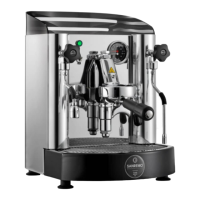
CUBE V
115
239
244
250
255
261
266
121
124
130
120
Work on the potentiometer (N) using a screwdriver
to change the temperature. The notch on the label
indicates the default temperature.
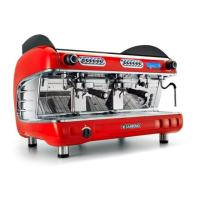
CUBE R
Use the front display (F) to change the temperature.
120
To change the temperature of the service boiler:
- There must be no coffee extraction in progress.
- Press and hold the button for 3 seconds -> “SET”
will be steady on. Press again to “enter” the actual
temperature setting menu (displayed ashing).
- Each time the button is pressed the temperature
increases by +1°C/+1°F (e.g. 120->121->122
etc.). Once the maximum value has been reached,
the next pressure starts again from the minimum
value foreseen by the range (e.g. 129->130-
>115->116->etc.).
- To conrm and exit, wait 5 seconds without
pressing any button. The current steam boiler
temperature will be displayed again.
To check the setpoint, shortly press the button:
a scrolling text with the set temperature will be
displayed.
Reference notch
120°C








 To Next Page