EasyManua.ls Logo

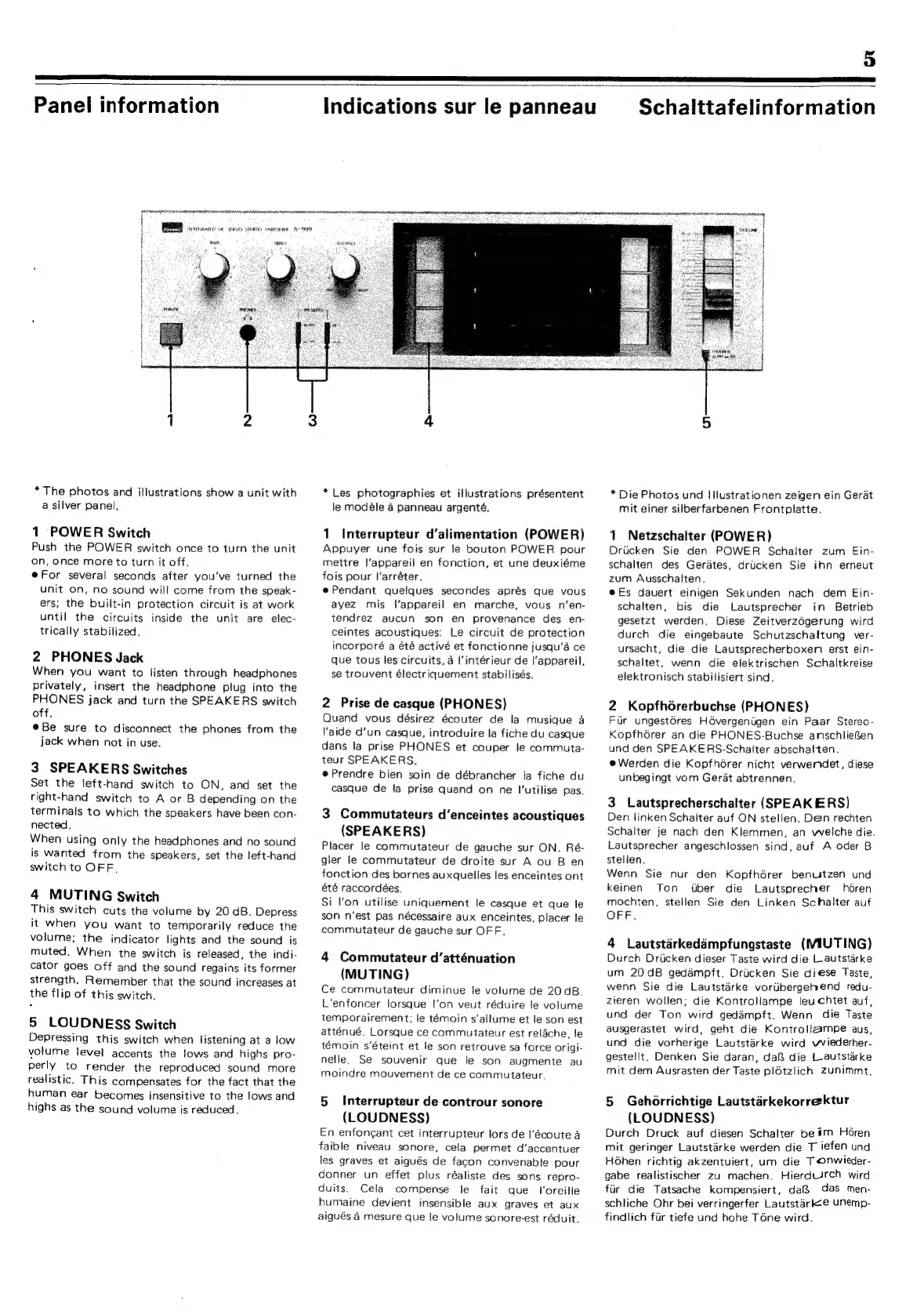
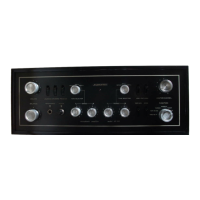
Sansui A-909 - Front Panel Controls; Power Switch Operation; Headphone Jack Usage; Speaker Output Selection

Sansui A-909
12 pages
Print Icon
To Next Page IconTo Next Page
To Previous Page IconTo Previous Page
Loading...
5
eres
mmm
a
eT
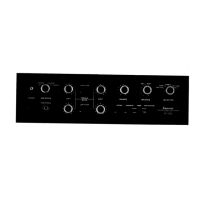
Panel
information
BRR
vcore
oe
weve
sree
osecume
Aan
1098
ene
I
:
i
4
i
if
:
:
\
{
if
H
i
*The
photos
and
illustrations
show
a
unit
with
a
silver
panel,
1
POWER
Switch
Push
the
POWER
switch
once
to
turn
the
unit
on,
once
more
to
turn
it
off.
For
several
seconds
after
you‘ve
turned
the
unit
on,
no
sound
will
come
from
the
speak-
ers;
the
built-in
protection
circuit
is
at
work
until
the
circuits
inside
the
unit
are
elec-
trically
stabilized,
2
PHONES
Jack
When
you
want
to
listen
through
headphones
privately,
insert
the
headphone
plug
into
the
PHONES
jack
and
turn
the
SPEAKERS
switch
off.
@Be
sure
to
disconnect
the
phones
from
the
jack
when
not
in
use.
3
SPEAKERS
Switches
Set
the
left-hand
switch
to
ON,
and
set
the
right-hand
switch
to
A
or
B
depending
on
the
terminals
to
which
the
speakers
have
been
con-
nected.
When
using
only
the
headphones
and
no
sound
is
wanted
from
the
speakers,
set
the
left-hand
switch
to
OFF,
4
MUTING
Switch
This
switch
cuts
the
volume
by
20
dB.
Depress
it
when
you
want
to
temporarily
reduce
the
volume;
the
indicator
lights
and
the
sound
is
muted.
When
the
switch
is
released,
the
indi-
cator
goes
off
and
the
sound
regains
its
former
strength.
Remember
that
the
sound
increases
at
the
flip
of
this
switch.
5
LOUDNESS
Switch
Depressing
this
switch
when
listening
at
a
low
volume
level
accents
the
lows
and
highs
pro-
perly
to
render
the
reproduced
sound
more
realistic.
This
compensates
for
the
fact
that
the
human
ear
becomes
insensitive
to
the
lows
and
highs
as
the
sound
volume
is
reduced.
Indications
sur
le
panneau
SERINE
ERIE
ISSR
SPY
RE
OTE
BPO
aU
SUR
tr
PSN
RTE
Hg
en
SRO
AR
RRR
*
Les
photographies
et
illustrations
présentent
le
modéle
4
panneau
argenté.
1
Interrupteur
d’alimentation
(POWER)
Appuyer
une
fois
sur
le
bouton
POWER
pour
mettre
l'appareil
en
fonction,
et
une
deuxiéme
fois
pour
|’arréter.
ePendant
quelques
secondes
aprés
que
vous
ayez
mis
l’apparei!
en
marche,
vous
n’‘en-
tendrez
aucun
son
en
provenance
des
en-
ceintes
acoustiques:
Le
circuit
de
protection
incorporé
a
été
activé
et
fonctionne
jusqu’a
ce
que
tous
les
circuits,
a
|'intérieur
de
l'appareil,
se
trouvent
électriquement
stabilisés.
2
Prise
de
casque
(PHONES)
Quand
vous
désirez
écouter
de
la
musique
a
aide
d'un
casque,
introduire
la
fiche
du
casque
dans
la
prise
PHONES
et
couper
le
commuta-
teur
SPEAKERS.
e@Prendre
bien
soin
de
débrancher
ta
fiche
du
casque
de
la
prise
quand
on
ne
I'utilise
pas.
3
Commutateurs
d’enceintes
acoustiques
(SPEAKERS)
Placer
le
commutateur
de
gauche
sur
ON.
Ré-
gler
le
commutateur
de
droite
sur
A
ou
B
en
fonction
des
bornes
auxquelles
les
enceintes
ont
été
raccordées.
Si
l'on
utilise
uniquement
le
casque
et
que
le
son
n’est
pas
nécessaire
aux
enceintes,
placer
le
commutateur
de
gauche
sur
OFF.
4
Commutateur
d’atténuation
(MUTING)
Ce
commutateur
diminue
le
volume
de
20qB.
L'enfoncer
lorsque
!’on
veut
réduire
le
volume
temporairement;
le
temoin
s‘allume
et
le
son
est
atténué.
Lorsque
ce
commutateur
est
relache,
le
témoin
s‘éteint
et
le
son
retrouve
sa
force
origi-
nelle.
Se
souvenir
que
le
son
augmente
au
moindre
mouvement
de
ce
commutateur.
5
Interrupteur
de
controur
sonore
(LOUDNESS)
En
enfongant
cet
interrupteur
lors
de
I’écoute
a
faible
niveau
sonore,
cela
permet
d’accentuer
les
graves
et
aigués
de
facon
convenable
pour
donner
un
effet
plus
réaliste
des
sons
repro-
duits.
Cela
compense
fe
fait
que
f'oreille
humaine
devient
insensible
aux
graves
et
aux
aigués
4
mesure
que
le
volume
sonore-est
réduit.
Schalttafelinformation
*
Die
Photos
und
IIlustrationen
zeigen
ein
Gerat
mit
einer
silberfarbenen
Frontplatte.
1
Netzschalter
(POWER)
Drucken
Sie
den
POWER
Schalter
zum
Ein-
schalten
des
Gerates,
driicken
Sie
ihn
erneut
zum
Ausschalten.
@Es
dauert
einigen
Sekunden
nach
dem
Ein-
schalten,
bis
die
Lautsprecher
in
Betrieb
gesetzt
werden.
Diese
ZeitverzOgerung
wird
durch
die
eingebaute
Schutzschaltung
ver-
ursacht,
die
die
Lautsprecherboxen
erst
ein-
schaltet,
wenn
die
elektrischen Schaltkreise
elektronisch
stabilisiert
sind.
2
Kopfhérerbuchse
(PHONES)
Fir
ungestéres
Hévergenigen
ein
Paar
Stereo-
Kopfhérer
an
die
PHONES-Buchse
anschlie@en
und
den
SPEAKERS-Schalter
abschalten.
e@
Werden
die
Kopfhérer
nicht
verwendet,
diese
unbegingt
vom
Gerat
abtrennen.
3
Lautsprecherschalter
(SPEAKERS)
Den
linken
Schalter
auf
ON
stellen.
Den
rechten
Schalter
je
nach
den
Klemmen,
an
welche
die.
Lautsprecher
angeschlossen
sind,
auf
A
oder
B
stellen.
Wenn
Sie
nur
den
Kopfhérer
benutzen
und
keinen
Ton
Uber
die
Lautsprecher
héren
mochten,
stellen
Sie
den
Linken
Schalter
auf
OFF.
4
Lautstarkedampfungstaste
(MIUTING)
Durch
Drucken
dieser
Taste
wird
die
L-autstarke
um
20dB
gedaémpft.
Driicken
Sie
diese
Taste,
wenn
Sie
die
Lautstarke
voriibergehend
redu-
zieren
wollen;
die
Kontroliampe
leuchtet
auf,
und
der
Ton
wird
gedampft.
Wenn
die
Taste
ausgerastet
wird,
geht
die
Kontrollampe
aus,
und
die
vorherige
Lautstarke
wird
wviederher-
gestellt.
Denken
Sie
daran,
dafi
die
L-autstarke
mit
dem
Ausrasten
der
Taste
plétzlich
zunimmt.
5
Gehorrichtige
Lautstarkekorrektur
(LOUDNESS)
Durch
Druck
auf
diesen
Schalter
be
#m
Horen
mit
geringer
Lautstarke
werden
die
T
iefen
und
Hohen
richtig
akzentuiert,
um
die
Tonwieder-
gabe
realistischer
zu
machen.
HierduUrch
wird
fiir
die
Tatsache
kompensiert,
daf&
das
men-
schliche
Ohr
bei
verringerfer
Lautstarkee
unemp-
findlich
fiir
tiefe
und
hohe
Téne
wird.

Related product manuals