EasyManua.ls Logo

Sansui RA-990 - Operating Procedures; Program Source Playback; Mixing Audio Sources; Adding Reverberation Effects

Sansui RA-990
12 pages
Print Icon
To Next Page IconTo Next Page
To Previous Page IconTo Previous Page
Loading...
CE
ae)
LINE
TAPE-1
TAPE-2
EFFECT
MODE
REVERBERATION
4
-~——
SOURCE
CH-1
CH-2
ON
ON
ECHO
DUET
OL.
OFF
OFF
OFF
=
ON
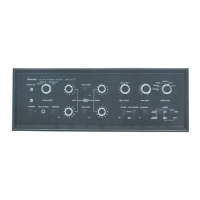
Operating
procedures
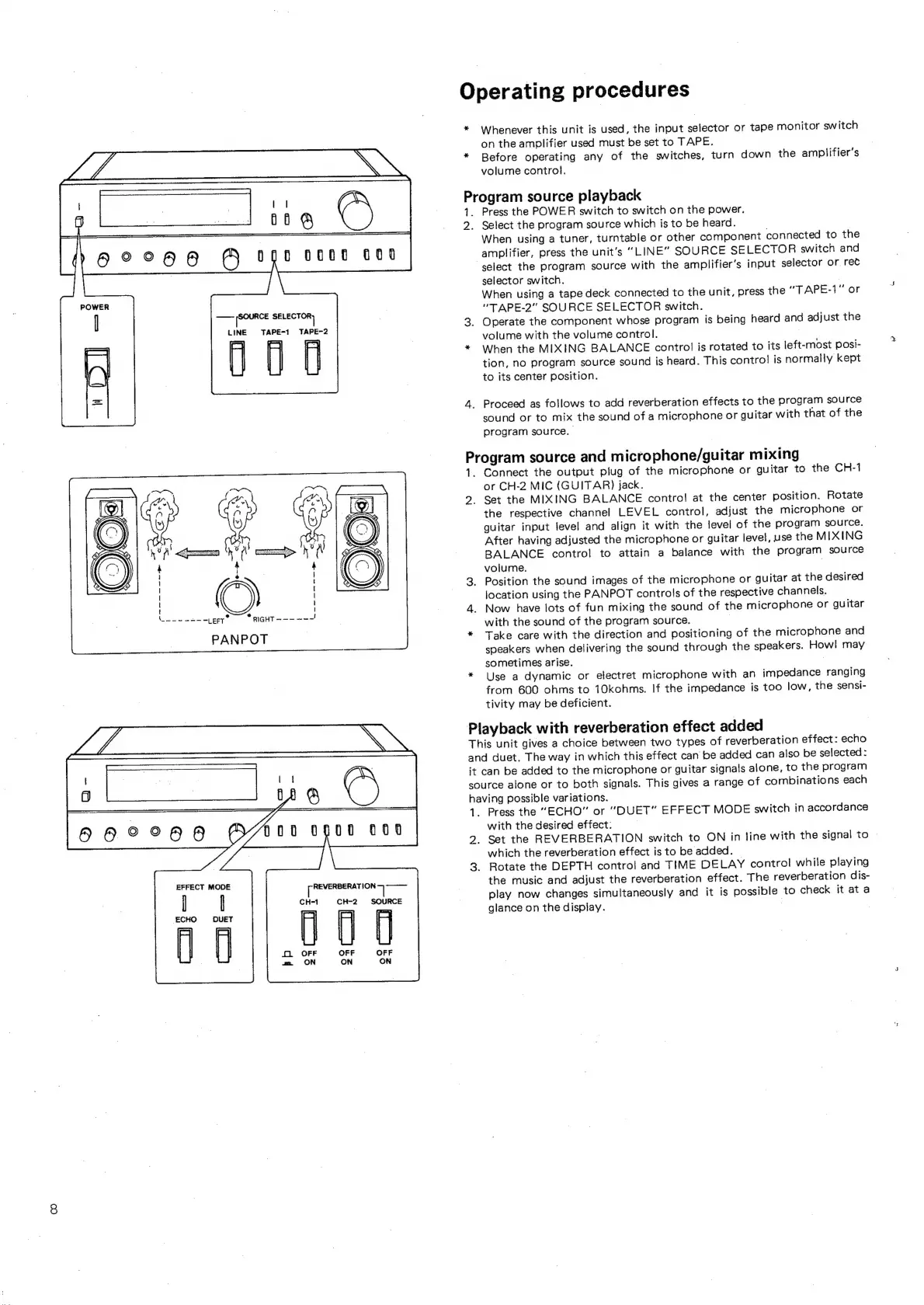
Whenever
this
unit
is
used,
the
input
selector
or
tape
monitor
switch
on
the
amplifier
used
must
be
set
to
TAPE.
Before
operating
any
of
the
switches,
turn
down
the
amplifier’s
volume
control.
Program
source
playback
te
2.
Pr
1
2.
Press
the
POWER
switch
to
switch
on
the
power.
Select
the
program
source
which
is
to
be
heard.
.
When
using
a
tuner,
turntable
or
other
component
connected
to
the
amplifier,
press
the
unit’s
“LINE”
SOU
RCE
SELECTOR
switch
and
select
the
program
source
with
the
amplifier’s
input
selector
or
rec
selector
switch.
.
When
using
a
tape
deck
connected
to
the
unit,
press
the
“TAPE-1"
or
“TAPE-2”
SOURCE
SELECTOR
switch.
.
Operate
the
component
whose
program
is
being
heard
and
adjust
the
volume
with
the
volume
control.
When
the
MIXING
BALANCE
control
is
rotated
to
its
left-most
posi-
tion,
no
program
source
sound
is
heard.
This
contro}
is
normally
kept
to
its
center
position.
_
Proceed
as
follows
to
add
reverberation
effects
to
the
program
source
sound
or
to
mix
the
sound
of
a
microphone
or
guitar
with
that
of
the
program
source.
|
ogram
source
and
microphone/guitar
mixing
_
Connect
the
output
plug
of
the
microphone
or
guitar
to
the
CH-1
or
CH-2
MIC
(GUITAR)
jack.
Set
the
MIXING
BALANCE
contro!
at
the
center
position.
Rotate
the
respective
channel
LEVEL
control,
adjust
the
microphone
or
guitar
input
level
and
align
it
with
the
level
of
the
program
source.
After
having
adjusted
the
microphone
or
guitar
level,
use
the
MIXING
BALANCE
control
to
attain
a
balance
with
the
program
source
volume.
.
Position
the
sound
images
of
the
microphone
or
guitar
at
the
desired
location
using
the
PANPOT
controls
of
the
respective
channels.
Now
have
lots
of
fun
mixing
the
sound
of
the
microphone
or
guitar
with
the
sound
of
the
program
source.
Take
care
with
the
direction
and
positioning
of
the
microphone
and
speakers
when
delivering
the
sound
through
the
speakers.
Howl
may
sometimes
arise.
Use
a
dynamic
or
electret
microphone
with
an
impedance
ranging
from
600
ohms
to
10kohms.
If
the
impedance
is
too
low,
the
sensi-
tivity
may
be
deficient.
Playback
with
reverberation
effect
added
Th
is
unit
gives
a
choice
between
two
types
of
reverberation
effect:
echo
and
duet.
The
way
in
which
this
effect
can
be
added
can
also
be
selected:
it
can
be
added
to
the
microphone
or
guitar
signals
alone,
to
the
program
source
alone
or
to
both
signals.
This
gives
a
range
of
combinations
each
having
possible
variations.
_
Press
the
“ECHO”
or
“DUET”
EFFECT
MODE
switch
in
accordance
with
the
desired
effect:
.
Set
the
REVERBERATION
switch
to
ON
in
line
with
the
signal
to
which
the
reverberation
effect
is
to
be
added.
©
Rotate
the
DEPTH
control
and
TIME
DELAY
control
while
playing
the
music
and
adjust
the
reverberation
effect.
The
reverberation
dis-
play
now
changes
simultaneously
and
it
is
possible
to
check
it
at
a
glance
on
the
display.

Related product manuals