37
POWER
EJECT
TV/VCR
COUNTER RESET
INPUT SELECT
REC/OTR
SLOW
SPEED
MENU
–+
–
+
SET
SKIP
SEARCH
–+
TRACKING
AUTO
CANCEL
ENTER
STOP
PLAY
F.FWD
REW
TIMER REC
PAUSE/STILL
CHANNEL
CALL
1
2
3
456
78
0
9
4
NOTE:
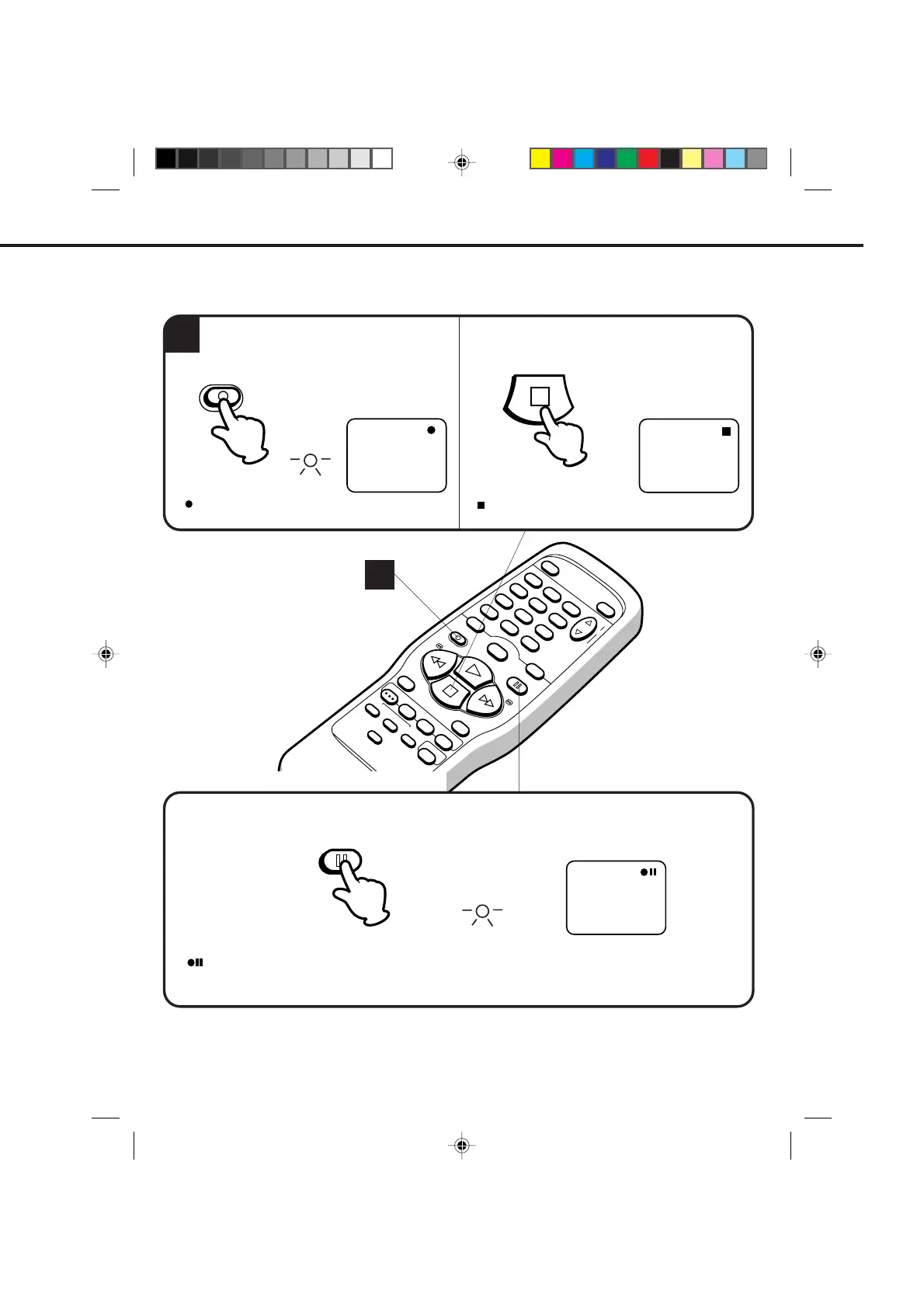
Press the PAUSE/STILL button to avoid recording unwanted material. Press again to continue the recording.
TO STOP RECORDING
NOTE: The pause function will be released after 5 minutes to prevent damage to the tape or the VCR. The VCR
will change to the STOP mode.
Press the REC/OTR button.
Press the STOP button to stop recording.
AUTO REWIND FEATURE
This VCR will automatically rewind the tape when the tape has ended (except during OTR and TIMER REC).
It will also eject the tape and turn the VCR’s power OFF.
" " will appear on the screen about 4 seconds
and the REC indicator will light.
" " will appear on screen about 4 seconds.
STOP
4
TO STOP RECORDING TEMPORARILY
REC/OTR
CH 125
REC
" " will appear on screen about 4 seconds and the REC indicator will blink to continue pause mode.
PAUSE/STILL
REC
4C83101A(P36-41) 9*9*99, 10:3437


 To Next Page