To Next Page
R
Randall MoralesSep 8, 2025
What does BUS Under Voltage mean on Santak UPS?
- VvjosephSep 8, 2025
The UPS get BUS under voltage fault. The UPS transfers to Bypass mode if supporting the load.

What does BUS Under Voltage mean on Santak UPS?
The UPS get BUS under voltage fault. The UPS transfers to Bypass mode if supporting the load.
Why is my Santak UPS in battery mode?
A utility failure has occurred, and the UPS is now powering your equipment with its battery.
What to do if Santak UPS battery is low?
The UPS is in Battery mode, and the battery is running low. Prepare your equipment for shutdown.
How to fix Santak CASTLE RACK 6KS over temperature?
The UPS internal heat sink temperature is too high, or a fan has failed. Clear vents and remove any heat sources. Allow the UPS to cool.
Why does my Santak UPS say no battery?
The batteries are disconnected. Verify that all batteries are properly connected.
What does Charger Fail mean on Santak CASTLE RACK 6KS UPS?
Indicates that the UPS has confirmed the charger has failed. Contact your service representative.
What does BUS Short mean on Santak UPS?
Indicates that the BUS voltage decrease very fast. Contact your service representative.
What does BUS Softstart Fail mean on Santak CASTLE RACK 6KS?
Indicates that the BUS could not soft start successfully. Contact your service representative.
What does Inv Over Voltage mean on Santak CASTLE RACK 6KS UPS?
The UPS get invert over voltage fault. The UPS transfers to Bypass mode if supporting the load.
What to do if Santak UPS shows fan failure?
The fan could not work normally. Check fans of UPS.
Explains the meaning of various warning symbols used on the UPS.
Details safety precautions regarding voltage, grounding, and battery handling.
Outlines safety requirements for connecting and using the UPS unit.
Provides specific handling and storage precautions for the UPS unit.
Explains recommended upstream protection and cable cross-sections.
Describes the UPS control panel, LCD screen, and indicator statuses.
Details the step-by-step process for starting up and shutting down the UPS.
Details battery replacement safety, procedures, and recycling.
Lists common UPS alarms, their causes, and recommended actions.
 General
| Capacity | 6000 VA / 5400 W |
|---|---|
| Input Voltage | 220/230/240 VAC |
| Output Voltage | 220/230/240 VAC |
| Waveform | Pure Sine Wave |
| Communication Interface | RS232, USB, SNMP (optional) |
| Operating Temperature | 0-40°C |
| Output Frequency | 50/60Hz |
| Transfer Time | 0 ms |
| Battery Type | 12V/9Ah |
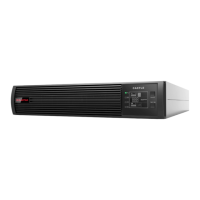
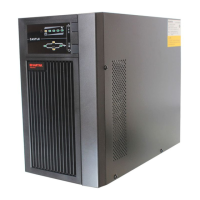
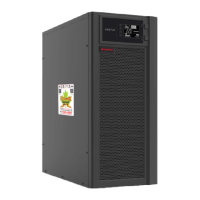
| Form Factor | Rackmount/Tower |
| Humidity | 0-95% (Non-condensing) |